
 WhatsApp: +86 16626708626
 Email:
  Phone: +86 16626708626
Description
3. Key Technical Specifications
| Parameter | Specification / Value |
| Manufacturer | Allied Telesis |
| Part Number | AT-8000S24POE |
| Switch Architecture | Layer 2 Managed Fast Ethernet Switch |
| 10/100Base-TX PoE Ports | 24 RJ-45 Ports |
| Gigabit Uplink Ports | 2 Combo Ports (10/100/1000T RJ-45 or SFP Slot) |
| PoE Standard | IEEE 802.3af Power over Ethernet |
| Total PoE Power Budget | 225 W total |
| Switching Fabric Capacity | 8.8 Gbps |
| Forwarding Rate | 6.5 Mpps |
| MAC Address Table Size | 8,000 entries |
| Input Power Requirements | 100 to 240 V AC, 50/60 Hz |
| Form Factor | 1U Rack-Mountable (19-inch standard chassis) |
4. Product Introduction & Supply Chain Strategy
The Allied Telesis AT-8000S24POE is a 24-port Layer 2 stackable Fast Ethernet switch designed to deliver data and power to IP cameras, VoIP phones, wireless access points, and remote I/O nodes. It features robust VLAN tagging, QoS prioritizing, secure management interfaces (CLI, Web, SNMP), and dual Gigabit combo uplinks for high-speed core network connectivity.
Supplied strictly as Brand New Surplus, this network switch gives procurement and IT/OT maintenance engineers a dependable way to replace failing infrastructure without upgrading entire plant network topologies. Sourcing New Surplus avoids the operational pitfalls of used or refurbished networking hardware—such as degraded PoE power supplies, failing cooling fans, or worn port contacts—ensuring low Total Cost of Ownership (TCO) and maximum system uptime.
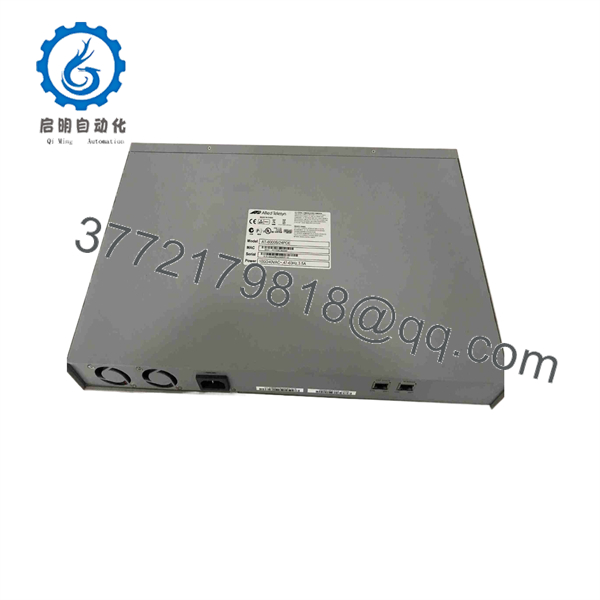
AT-8000S24POE
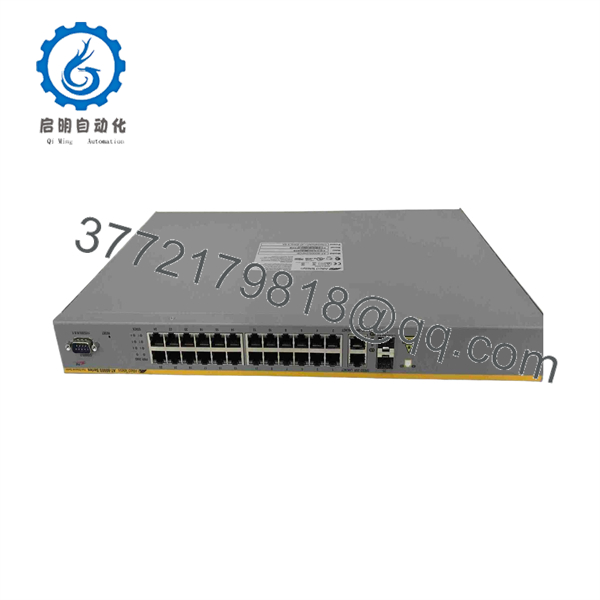
AT-8000S24POE
5. Installation & Configuration Guide
1.Stage 1: Pre-Installation (Prep & Safety):Pre-Installation & Safety Setup.
Disconnect incoming AC power feeds before mounting hardware. Attach a grounded ESD wrist strap before handling SFP transceivers or console connections. Backup the active running configuration file (config.cfg) from the existing switch via TFTP/Web interface and record VLAN assignments, port trunking setups, and IP management addresses.
Verification: Verify line power voltage stability (100–240 V AC) using a calibrated multimeter prior to rack insertion.
2.Stage 2: Removal:Mechanical Extraction & Rack Prep.
Unplug all RJ-45 drop cables, SFP optical modules, and the main AC power cord. Remove front rack-mount screws securing the failed switch to the 19-inch frame. Carefully extract the switch from the enclosure slot, ensuring no cable strain or port connector damage occurs on adjacent hardware.
Verification: Visually inspect cabinet mounting rails and patch panel leads for physical damage or contamination.
3.Stage 3: Installation (Clone & Seat):Hardware Mounting & Cabling.
Attach mounting brackets to the sides of the new AT-8000S24POE switch using provided hardware. Secure the switch into the 19-inch rack slot using proper rack screws. Reconnect all 24 Fast Ethernet RJ-45 cables, SFP optical uplinks, and line power leads into their designated ports matching your network mapping layout.
Verification: Ensure physical Ethernet connectors click firmly into port latches and SFP modules lock into slots securely.
4.Stage 4: Power-On & Testing:Power-On & Network Initialization.
Apply AC power to the switch chassis. Observe front panel LED indicators during the boot-up sequence. The “POWER” and “SYSTEM” LEDs should turn solid green, while link status lamps on active connected ports turn green or amber. Connect via RS-232 serial console port to restore saved configuration files or verify management IP access.
Verification: Perform ping tests to management interfaces and verify connected PoE field devices power up successfully.
6. Firmware/Software Versions & Upgrade Notes
- Recommended AlliedWare OS Version: Firmware Release v2.7.4 (or matching your organization’s validated baseline release).
- Compatibility Matrix: Ensure software releases across stacked switch members match identically. Stacking switches with mismatched firmware builds will cause stack election failures or isolated stacking port drops.
- Configuration Swap Warnings: Always match terminal baud rate settings (default 9600 baud, 8 data bits, no parity, 1 stop bit) when deploying replacement units via console connection. Do not interrupt power during firmware writes to flash memory to prevent bootloader corruption.
7. Frequently Asked Questions (FAQ)
Q: Is this Allied Telesis AT-8000S24POE switch brand new, or has it been refurbished?
A: This unit is 100% Brand New Surplus. It has never been deployed in an active enterprise network, never pulled from a decommissioned server rack, and has zero repaired circuits or worn RJ-45 ports. It ships in factory packaging with untouched connectors.
Q: Why choose New Surplus networking gear over refurbished alternatives?
A: Refurbished PoE switches often contain aged power supplies and internal cooling fans that have run continuously for years. A failing PoE power transformer can cause sudden port drops or total unit failure under full power loads. Investing in New Surplus guarantees fresh internal capacitors, full PoE budget capacity, and long operational life.
Q: Does this switch support full 15.4 W power on all 24 ports simultaneously?
A: The AT-8000S24POE provides a total PoE power budget of 225 W. It can deliver full Class 3 IEEE 802.3af PoE power (15.4 W per port) on up to 14 ports simultaneously, or dynamic lower-wattage power (Class 1 or 2) across all 24 ports within the 225 W limit.
Q: Do I need to reconfigure the switch before replacing an existing unit?
A: Yes. Managed switches require IP addressing, VLAN tagging, and security parameters matching your existing network topology. You can load your saved configuration file onto the new unit via TFTP, Web interface, or CLI serial console connection before final commissioning.
Q: What warranty coverage applies to this New Surplus switch?
A: We back this AT-8000S24POE module with a full 1-year functional replacement warranty from the delivery date. Every unit undergoes complete physical, port-level, and power verification prior to shipment.



