
 WhatsApp: +86 16626708626
 Email:
  Phone: +86 16626708626
Description
Key Technical Specifications
| Parameter | Value |
|---|---|
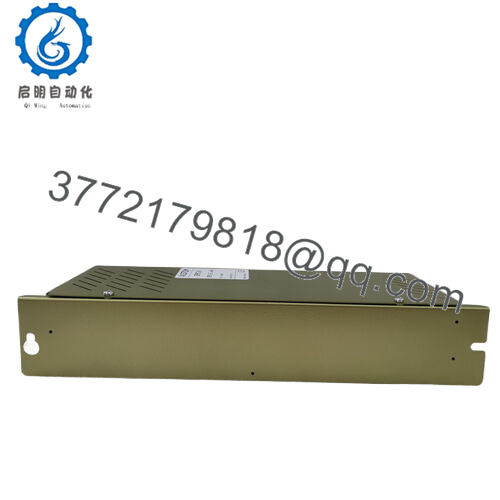
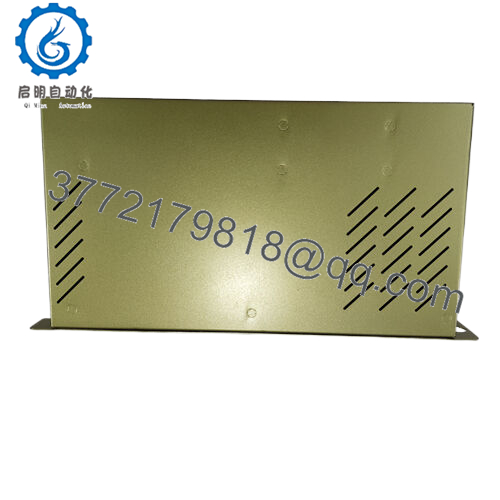
| Product type | Intensity and fault detection board |
| Manufacturer | Alstom |
| Model reference | D-984-057810 |
| Primary function | Fault detection and intensity monitoring |
| Platform role | Board-level module for legacy control systems |
| Application area | Industrial and energy-system support |
| Form factor | PCB / control board |
| Service profile | Replacement part for aging installed bases |
| Lifecycle profile | Likely EOL or hard-to-source legacy item |
| Stocking strategy | Keep buffer stock for critical equipment; consider cross-site sharing and last-time-buy planning |
Product Introduction & Supply Chain Strategy
Alstom D-984-057810 is a legacy board used for intensity and fault detection in industrial control or energy-system environments. It belongs to the type of equipment that tends to remain in service long after factory support tightens, so exact-match replacement matters more than generic compatibility.
Buying this as New Surplus is the sensible supply-chain move when uptime risk is high and the installed base is old. It reduces the chance of stock-outs, lowers Total Cost of Ownership versus emergency procurement, and avoids the uncertainty of prior-use inventory. For parts like this, strategic buffer stock is usually cheaper than downtime.

- EP3-E-4-A
- D-984-057810
Installation & Configuration Guide
Stage 1: Pre-Installation
- Apply lock-out/tag-out and verify the cabinet is safe to open.
- Use an ESD strap, insulated tools, and a camera for documentation.
- Photograph the board orientation, connectors, and all wire positions before removal.
- Confirm the exact suffix and board revision before replacement.
Stage 2: Removal
- Make sure all relevant circuits are de-energized.
- Label every connection before disconnecting it.
- Remove the board straight out to avoid damaging the edge connector or backplane pins.
- Inspect the board seat, connector, and surrounding area for heat stress or corrosion.
Stage 3: Installation
- Replicate the original wiring and orientation exactly.
- Seat the replacement board evenly and fully.
- Reconnect all wires according to the documented photos, not memory.
- Verify any jumpers or configuration points before energizing.
Stage 4: Power-On & Testing
- Restore control power and check for abnormal current draw.
- Confirm the module initializes without alarms.
- Test the fault detection and signal response in a controlled manner.
- Return the system to service only after a full functional check.
Firmware/Software Versions & Upgrade Notes
This part appears to be tied to a legacy Alstom platform, so version compatibility should be treated cautiously. The safest practice is to preserve the original configuration and avoid introducing version changes during a routine swap.
A newer revision can create interface mismatches, while an older revision may not meet the expectations of the host system. Record the original board revision, terminal map, and any software or parameter references before installation. That reduces commissioning risk and protects against avoidable downtime.
Frequently Asked Questions
Is this really new, or is it refurbished?
It should be treated as New Original / New Surplus inventory, not refurbished. That distinction matters because hidden wear in older boards often shows up later as intermittent faults.
Why is it cheaper than OEM new but higher than refurb?
New Surplus usually comes from excess inventory or dormant stock, not active production. That keeps the price below OEM list while avoiding the uncertainty of prior-use inventory.
Is this part obsolete?
It should be treated as a legacy or EOL-risk spare until the installed base is confirmed. That means stocking decisions should focus on continuity, not just unit price.
Can I hot-swap it?
Do not assume hot-swap capability. Isolate power first unless the site documentation explicitly allows live maintenance.
Will the settings transfer automatically?
No. You should document and replicate orientation, wiring, and any configuration points manually during replacement.
What warranty should I expect?
Warranty depends on supplier traceability and QC documentation. For this class of part, written warranty and serial verification matter more than verbal claims.
How should I stock it?
For critical assets, keep 1 to 2 units on-site as buffer stock. For slower-moving demand, cross-site sharing and last-time-buy planning usually deliver better Total Cost of Ownership.



