
 WhatsApp: +86 16626708626
 Email:
  Phone: +86 16626708626
Description
3. Key Technical Specifications
- Part Number: SA43610.E
- Manufacturer: ALSTOM
- Product Type: Plug-In Input/Output I/O Module
- Series: ALSPA automation/control platform
- Main Function: Industrial signal acquisition and output control
- Application: Power generation and industrial automation control systems
- Module Design: Rack-mounted plug-in PCB assembly
- Signal Interface: Digital/analog field signal processing (verify exact channel configuration from OEM documentation)
- Installation: Control cabinet rack system
- Status: Legacy ALSTOM control component
- Replacement Availability: Surplus and refurbished industrial supply channels
4. Product Introduction
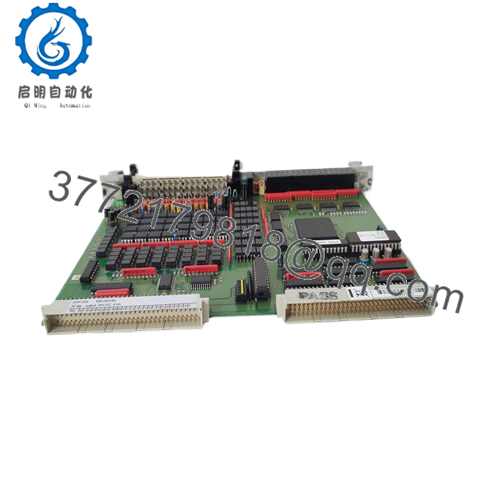
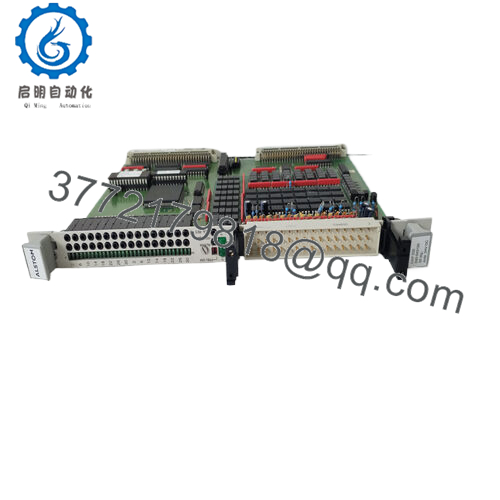
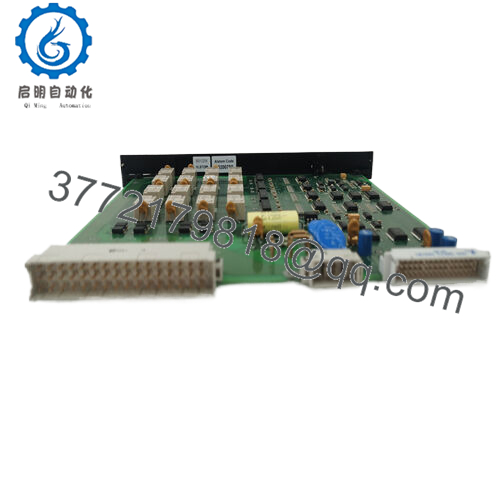
The ALSTOM SA43610.E is a plug-in Input/Output module used in ALSTOM industrial automation control systems. It provides the interface between field devices and the control platform by handling process signals through the installed rack architecture.
This module is mainly maintained for existing ALSPA installations where replacing the complete control system is not practical. Confirm the exact I/O channel type, rack position, terminal assignment, and system documentation before installation.

- SA43610.E
5. Installation & Configuration Guide
Stage 1: Pre-Installation Preparation (Approx. 10 minutes)
⚠️ Safety First
- Notify operations before control system maintenance.
- Place the controlled equipment into a safe operating condition.
- Apply lockout/tagout procedures if required.
- Remove control power.
- Verify voltage absence before removing the module.
Tools Required
- ESD wrist strap
- PH1 screwdriver
- Digital multimeter
- Wire labels
- Smartphone for photos
Data Backup
- Record the existing module position.
- Photograph:
- Rack layout
- Module labeling
- Terminal wiring
- Adjacent modules
- Record:
- I/O channel assignment
- Address settings
- Configuration parameters
Stage 2: Removing the Old Module (Approx. 10 minutes)
- Open the control cabinet.
- Identify the installed ALSTOM SA43610.E module.
- Label all connected wiring.
- Release rack locking tabs.
- Pull the module straight out.
⚠️ Note: Keep the removed module until the replacement has completed functional testing.
Inspect:
- Backplane connector pins
- Rack contacts
- PCB condition
- Signs of overheating
- Dust contamination
Stage 3: Installing the New Module (Approx. 15 minutes)
- Wear ESD protection before handling the replacement card.
- Verify the module label matches SA43610.E.
- Compare connector layout with the removed unit.
- Insert the module into the correct rack slot.
- Lock the module securely.
- Reconnect wiring.
Configuration Clone (Critical)
Verify:
- Rack position
- Module addressing
- I/O mapping
- Field wiring assignment
Self-Checklist
[ ] Correct SA43610.E installed
[ ] Rack position confirmed
[ ] Connectors fully seated
[ ] Wiring verified
Stage 4: Power-On & Testing (Approx. 20 minutes)
Pre-Power Check
- Check for wiring shorts.
- Verify power supply voltage.
- Confirm correct grounding.
Power-On Steps
- Restore rack power.
- Check module status indicators.
- Verify controller recognizes the I/O card.
- Test input signals.
- Test output commands.
- Confirm process values in the control system.
⚠️ Troubleshooting Note
- Module not detected: Check rack seating and backplane connection.
- Incorrect signals: Verify terminal mapping and I/O configuration.
- Communication fault: Confirm controller compatibility and addressing.
6. Frequently Asked Questions (FAQ)
Q1: Is ALSTOM SA43610.E still manufactured?
The SA43610.E is a legacy ALSTOM I/O module. Current availability is mainly through industrial surplus and refurbished component suppliers.
Q2: What is the SA43610.E used for?
The SA43610.E is an ALSTOM plug-in Input/Output module used in industrial control systems for field signal interfacing.
Q3: Can I hot-swap the SA43610.E?
No. Unless the installed ALSTOM system documentation specifically allows live replacement, remove power before removing the module. Backplane damage and unexpected control faults are possible.
Q4: Will replacing the SA43610.E delete my PLC program?
The I/O module itself normally does not contain the complete control application. However, incorrect module replacement can cause I/O mapping faults, so document the configuration before removal.
Q5: Why is this older I/O module still needed?
Many industrial plants continue operating legacy ALSTOM control systems. Maintaining individual I/O cards can avoid a complete automation migration project.
Q6: What should I verify before ordering SA43610.E?
Confirm:
- Exact part number: SA43610.E
- ALSPA system compatibility
- Rack position
- I/O channel type
- Terminal configuration
- Condition: New Original, New Surplus, or Refurbished
A matching part number is required, but the installed system configuration must also be checked before commissioning.



