
 WhatsApp: +86 16626708626
 Email:
  Phone: +86 16626708626
Description
Key Technical Specifications
- Function: EtherNet/IP-to-DH+ protocol converter, positioned as a modern substitute for Allen-Bradley’s 1784-U2DHP, 1784-KTx, 1784-PKTx, 1784-PCMK interface cards, the 1756-DHRIO/1756-ENBT combination, and Prosoft’s AN-X2-AB-DHRIO gateway
- Software Compatibility: RSLinx Classic (older and current versions), RSLinx Enterprise/FactoryTalk, Wonderware DAServer, Citect EtherNet/IP driver, Kepware ControlLogix EtherNet/IP driver
- Driver Setup: Configures in RSLinx as a standard ControlLogix Ethernet driver — no proprietary driver install required
- DH+ Communication Rates: 57.6, 115.2, and 230.4 kbaud, with automatic baud rate and polarity detection
- DH+ Physical Connection: 3-pin Phoenix “blue hose” style terminal connector option, or direct 8-pin mini-DIN cable connection to the PLC’s DH+ port (mini-DIN cable sold separately)
- Mounting: Compact “pocket-sized” enclosure with both desktop and DIN-rail mounting options
- Target Controllers: PLC-5, SLC 500, and ControlLogix families communicating over DH+ (Peer Communication Interface)
- Manufacturer: Automation Networks & Solutions LLC, Houston, TX
Note: We don’t have an independently verified spec sheet covering exact input voltage/current draw, operating temperature range, or enclosure dimensions for the ANC-100e. Confirm those figures directly with Automation Networks (automation-networks.com) before finalizing a panel layout or power budget — don’t assume they match a Yokogawa or Rockwell module’s numbers.
Product Introduction
The ANC-100e is a compact EtherNet/IP-to-DH+ protocol converter from Automation Networks & Solutions LLC, built to get a modern Ethernet-based SCADA, HMI, or PLC programming package talking to a legacy Data Highway Plus network. If you’ve got PLC-5 or SLC 500 controllers still running DH+ and you’re trying to eliminate the aging 1784-U2DHP cable or a 1756-DHRIO/1756-ENBT pair, this is built to slot into that role.
Setup is deliberately simple: RSLinx sees it as a standard ControlLogix Ethernet driver, so there’s no special driver package to chase down. Auto-baud and auto-polarity detection cut down on DH+ configuration guesswork, and the DIN-rail mounting option means it can go straight into an existing panel rather than sitting on a desk next to the programming laptop.
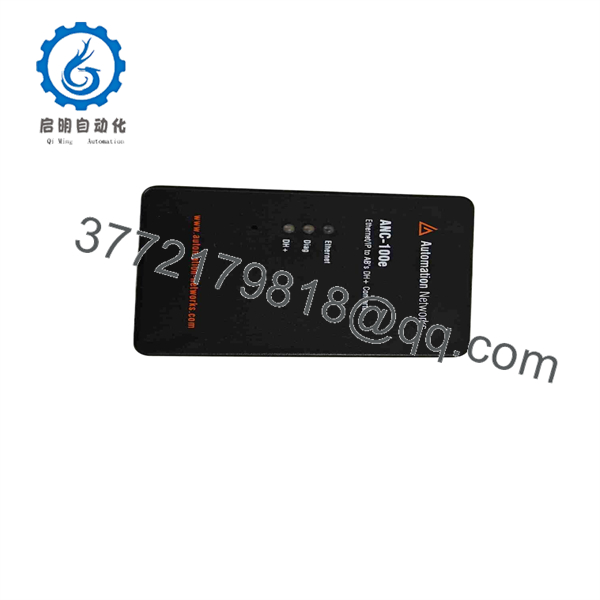
ANC-100E
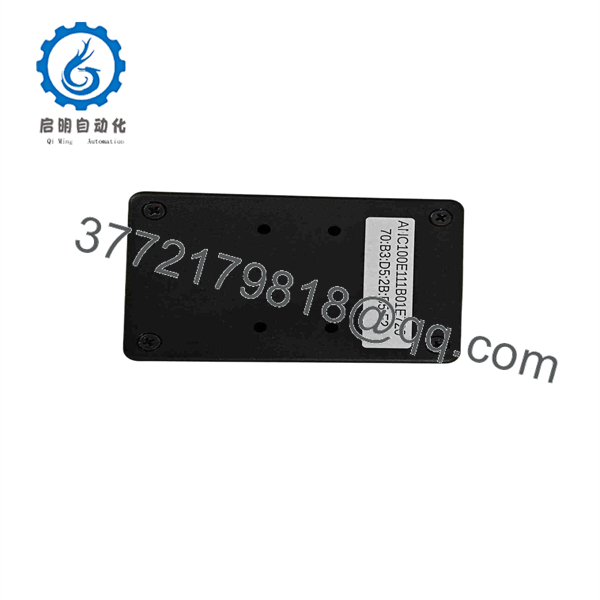
ANC-100E
Troubleshooting Quick Reference
| Symptom | Possible Cause | Relevance to this Part | Quick Check Method | Recommendation |
|---|---|---|---|---|
| Can’t see the converter in RSLinx at all | Wrong driver type configured, or network/IP addressing issue | ✅ High | Confirm the RSLinx driver is set to ControlLogix Ethernet and ping the converter’s IP address | Fix driver configuration or IP addressing before assuming hardware failure |
| Converter is visible on Ethernet but no DH+ stations show up | DH+ wiring, baud rate mismatch, or bad connector | ❌ Low | Check DH+ cable continuity and confirm auto-baud actually locked onto a rate | Usually a cabling or baud-rate issue on the DH+ side, not the converter |
| Intermittent dropouts on the DH+ side | Termination resistors missing/wrong, cable length near max, or EMI | ❌ Low | Check DH+ trunk cable termination and total cable run length | Address DH+ network health first — a marginal DH+ segment causes this more often than the gateway |
| Converter loses Ethernet connection under network load | Switch/network configuration, duplicate IP, or cabling | ❌ Low | Check switch port statistics and confirm no IP conflict on the segment | Almost always a network-side issue, not the converter |
| Power/status LED not lit at all | Power supply or converter fault | ✅ Moderate | Verify DC input voltage at the converter’s power terminals | If power is confirmed present and the unit still won’t light up, the converter itself is a likely candidate |
| Works fine with one software package (e.g., RSLinx) but not another (e.g., Kepware) | Driver/configuration mismatch on the PC side, not the converter | ❌ Low | Confirm the correct EtherNet/IP driver is selected in the failing software package | This is almost always a PC-side software configuration issue |
If none of these checks resolve it, contact Automation Networks directly (or reach out to us with the unit’s details) along with a description of your DH+ network topology and the specific error message from your programming software.
Frequently Asked Questions (FAQ)
Is this a new unit, or is it used/surplus? That depends on what we currently have in stock — let us know which you’re after. New stock lists around $1,295 USD from the manufacturer. If you’re comfortable with a tested used unit for a lower price, ask and we’ll confirm current availability and condition before you order.
Will this actually work with my old PLC-5 or SLC 500 over DH+? Yes — that’s the core use case. The ANC-100e is built specifically to bridge EtherNet/IP-side software (RSLinx, FactoryTalk, Wonderware, Citect, Kepware) to a DH+ network where your PLC-5 or SLC 500 lives. You configure it in RSLinx as a ControlLogix Ethernet driver rather than needing a dedicated DH+ driver package.
Is this a drop-in replacement for my 1784-U2DHP cable or 1756-DHRIO module? It’s marketed and used as a functional substitute for both, along with the 1784-KTx/PKTx/PCMK card family and Prosoft’s AN-X2-AB-DHRIO. That said, “functional replacement” doesn’t mean identical hardware — if you have a specific integration requirement tied to one of those parts, confirm compatibility with Automation Networks or with us before committing.
Can I hot-swap or reconfigure this while my PLC is running? The converter itself sits on the Ethernet and DH+ networks as a communication bridge, not as part of the PLC’s I/O chassis, so it doesn’t carry the same live-swap risk as a chassis-mounted I/O module. That said, expect to lose your Ethernet/DH+ bridge connection during any power cycle or reconfiguration of the converter itself — plan around that if you’re actively programming or monitoring through it.
Does it support all DH+ baud rates? Yes — 57.6, 115.2, and 230.4 kbaud, with automatic baud rate and polarity detection so you’re not stuck guessing at the DH+ segment’s configuration.
What’s the warranty on this unit? Ask us for the specific term when you order — it depends on whether the unit is new manufacturer stock or a tested used unit, and warranty terms differ between the two.
Why would I pick this over Automation Networks’ other converters, like the ANC-120e? The ANC-120e is a USB-to-DH+ converter (around $995 list) aimed at a laptop-direct connection rather than a networked Ethernet connection — a good fit if you just need occasional programming access from one PC. The ANC-100e is the better fit if you want a permanently networked, DIN-rail-mounted bridge that multiple PCs or SCADA systems can reach over Ethernet at the same time.



