
 WhatsApp: +86 16626708626
 Email:
  Phone: +86 16626708626
Description
Key Technical Specifications
- Application: Microprocessor/clock/memory board for AUTRONICA BS-100 DYFI fire alarm control panels.
- Part Number: 7252-075.0001 (KDM-8A family); specific variant KDM-8A/04-M3.
- System Compatibility: BS-100 DYFI panels (program versions P1-BS100-3-20 / P5-BS100-3E20 family) .
- Function: Hosts CPU, real-time clock, and system memory (EPROM/RAM) for panel logic, configuration, and event logging.
- Variants: Common variants include KDM-8A/00-M2, KDM-8A/02-M3, KDM-8A/04-M3; all share 7252-075.0001 base design.
- Firmware: Field units show “Ver.99” markings on /02-M3 boards; exact firmware should match panel program version (e.g., P1-BS100-3-20).
- Mechanical: PCB module format for BS-100 cabinet/backplane; screw-terminal or plug-in connections per installation handbook .
- Power Supply: Module runs from panel 24 VDC rails; panel mains 230 V AC +10/−15%, 44–440 Hz .
- Current Consumption: Panel normal ~170 mA (no detectors/outputs); ~370 mA in alarm (module share is a fraction) .
- Environmental: Operating ambient −5 to +40 °C (panel spec); IP30 for control equipment .
- Certifications: Designed to meet EN 54 requirements for control and indicating equipment; marine approvals in BS-100 family .
- Weight: ~160–166 g per board (as listed by marine suppliers).
Product Introduction
The AUTRONICA KDM-8A/04-M3 (7252-075.0001) is the microprocessor/clock/memory PCB used inside BS-100 DYFI fire alarm control panels to run system logic, maintain real-time clock, and store configuration and event data.. It’s the “brain” card that, together with the BSA-100 motherboard and EAC-4 I/O card, defines panel behavior, loop handling, and alarm processing. .
Field teams treat boards as critical spares because a failed CPU or clock section can brick an entire BS-100 panel or cause time-stamp and logging failures.. We stock verified units (New Surplus or Refurbished) and can supply firmware-rev photos and backplane pinout references on request..
Troubleshooting Quick Reference
| Symptom | Possible Cause | Relevance to this Part | Quick Check Method | Recommendation |
|---|---|---|---|---|
| Panel dead; no display, no LEDs | Mains/battery fuses (F1/F2) blown; PSU fault; not seated | ❌ Low (external to ) | Measure 230 V AC at L1/L2; check F1/F2; verify 24 VDC at backplane; reseat . | Replace fuses; if rails good but panel still dead, suspect BSA-100 or . |
| Panel boots but shows “Clock Fault” or wrong time | Real-time clock battery failed; clock circuit fault | ✅ High | Enter service menu; check clock status; measure RTC battery voltage on board (if accessible) . | Replace RTC battery; if fault persists, swap . |
| Configuration lost after power cycle | EPROM/RAM section fault; corrupted config; bad backplane contact | ✅ High | Reseat ; reload config from backup; compare EPROM checksums if service tool available . | Restore config; if repeated loss, replace . |
| Panel resets randomly; watchdog trips | CPU instability; firmware mismatch; 24 V rail sag | ✅ Medium | Measure 24 VDC at module rails under load; confirm firmware rev matches panel program (e.g., P1-BS100-3-20) . | Stabilize power; match firmware; if resets continue, replace . |
| Event log missing or corrupted | Memory section fault; EPROM wear; firmware bug | ✅ Medium | Download event log; check for gaps/corruption; compare with external logger if present . | Backup config; replace if logs consistently corrupt. |
❗ Before swapping, photograph the board label (/04-M3, 7252-075.0001, Ver.xx), the panel program version screen, and backplane seating. Send those plus a description of symptoms (clock fault, config loss, resets) and we’ll confirm whether it’s a firmware match or hardware failure.
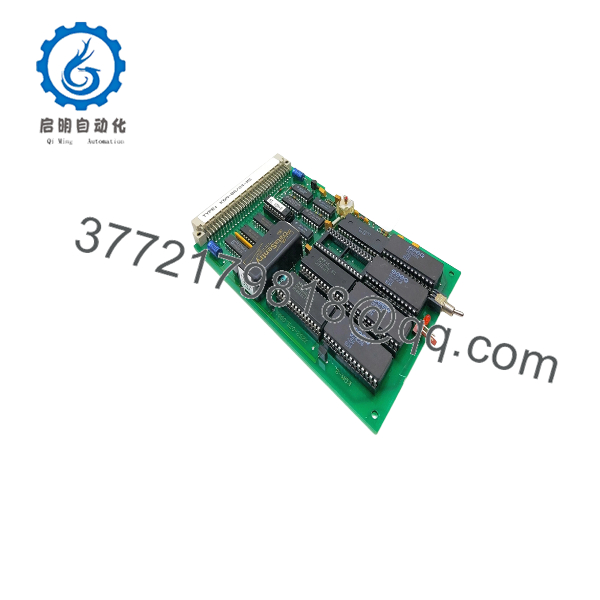
KDM-8A/04-M3
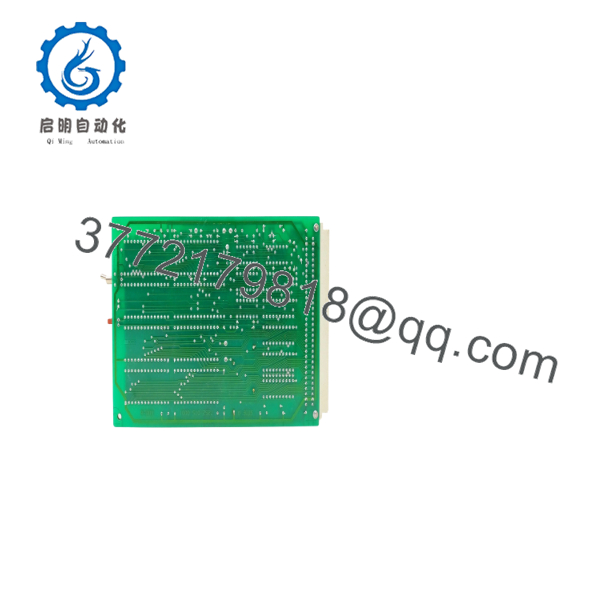
KDM-8A/04-M3
Frequently Asked Questions (FAQ)
Q: Is the /04-M3 hot-swappable in a live BS-100 panel?
A: No. Treat it as non–hot-swap. Power down the panel and remove 24 VDC before pulling the card. I’ve seen panels lock up or corrupt config when CPU boards are yanked live.
Q: Can I substitute /02-M3 for /04-M3?
A: Often yes, as long as the firmware revision matches your panel program version (e.g., P1-BS100-3-20). The /02-M3 and /04-M3 share the 7252-075.0001 base; the suffix denotes revision/feature set. Always verify firmware before swapping.
Q: What firmware version should I look for?
A: Match the panel program version. Field units show “Ver.99” on /02-M3 boards; your panel might need a specific rev for P5-BS100-3E20 or other country variants. Tell us your panel program code and we’ll match it.
Q: Does this board include the real-time clock?
A: Yes. The hosts the RTC and associated battery-backed memory. Clock faults or time drift after power cycles often point to this board or its RTC battery.
Q: Why is pricing lower than factory-new?
A: BS-100 is a legacy platform; genuine new boards are scarce. Our stock is surplus or refurbished OEM hardware, priced to reflect availability while maintaining traceability and testing. If you need exact firmware/function-code matching for a specific country variant, tell us your panel’s program code and we’ll match it .
Q: Can I use this in AutroSafe 4 panels?
A: No. AutroSafe 4 uses a different architecture (BSA-400 main board, separate comms/I/O modules). is specific to BS-100 DYFI panels.



