
 WhatsApp: +86 16626708626
 Email:
  Phone: +86 16626708626
Description
Key Technical Specifications
| Parameter | Value |
|---|---|
| Manufacturer | AUTRONICA |
| Model | KM-2 |
| Product Type | Integrated alarm and monitoring system |
| Primary Application | Shipboard / marine automation |
| Monitoring Functions | Temperature, pressure, on/off alarms |
| Channel Design | Two points per channel |
| Display | Digital reading as standard |
| Panel Capacity | 12–120 points |
| Alarm Outputs | Alarm printer and mimic |
| System Environment | Engine control room / marine machinery monitoring |
| System Configuration | Application-specific |
| Replacement Status | Legacy system; verify configuration before ordering |
Historical industry documentation describes KM-2 as a newer version of Autronica’s KM-1 alarm and monitoring system, with two points per channel and digital reading as standard. It also identifies printer and mimic outputs.
Actual KM-2 installations can contain different modules and configurations. Documented examples include KMB-201/F, KME-200/T, KMR-200/600C, KMC-220, KMC-210, KMA-200/FBR, and other KM-2 components.
Product Introduction
The AUTRONICA KM-2 is an integrated marine alarm and monitoring system designed to collect operating-condition and alarm information from shipboard equipment. It monitors parameters such as temperature, pressure, and on/off alarm states and presents alarm information to the crew. Historical documentation identifies configurations ranging from 12 to 120 monitoring points.
KM-2 remains relevant mainly as a legacy marine automation platform. A documented ferry installation used KM-2 as the engine control room alarm system, collecting information from equipment and presenting abnormal conditions through visual and audible indicators.
Installation & Configuration Guide
Stage 1: Pre-Installation Preparation — 15–20 Minutes
⚠️ Safety First: KM-2 is marine alarm and monitoring equipment. Before servicing it, coordinate with the vessel’s engineering/operations team and place affected alarm functions into the approved maintenance condition.
Tools Required:
- ESD wrist strap
- Digital multimeter
- Insulated screwdrivers
- Wire labels
- Smartphone/camera
- Current KM-2 wiring documentation
Preparation Steps:
- Record the complete KM-2 system identification.
- Photograph the complete cabinet/panel before disturbing any wiring.
- Record the installed module designations and part numbers.
- Identify the number of monitoring points in the particular installation.
- Record the connected sensors and alarm channels.
- Photograph terminal blocks and cable routing.
- Confirm which alarms and shutdown functions are affected by the planned maintenance.
- Notify the responsible watchkeeping personnel before isolating equipment.
Stage 2: Removing the Existing Module — 5–15 Minutes
- Place the affected alarm system in its approved maintenance state.
- Isolate power to the relevant KM-2 assembly according to the applicable service documentation.
- Verify the supply has been removed before handling internal wiring.
- Label every connection before removal.
- Disconnect wiring carefully.
- Release the module’s mechanical retaining hardware.
- Remove the module without stressing the backplane or terminal connections.
- Inspect the connectors and wiring for corrosion, loose terminals, or heat damage.
- Retain the original module until the replacement has completed testing.
Stage 3: Installing the Replacement Module — 5–15 Minutes
- Verify the exact module designation before installation.
- Check the replacement for mechanical damage.
- Compare terminal and connector positions against the original.
- Install the replacement in the correct position.
- Secure the mounting hardware.
- Reconnect the wiring according to the original photographs and approved drawings.
- Verify sensor polarity and terminal identification where applicable.
- Check all terminal connections.
- Confirm that no wiring has been trapped or damaged.
- Complete a visual inspection before energizing the system.
Stage 4: Power-On & Functional Testing — 15–30 Minutes
- Check supply wiring before restoring power.
- Restore KM-2 power according to the vessel’s approved maintenance procedure.
- Observe the system during startup.
- Confirm normal digital indications where fitted.
- Check for alarm or fault indications.
- Test representative temperature and pressure inputs.
- Test applicable on/off alarm channels.
- Verify alarm indication at the operator panel.
- Verify alarm printer and mimic outputs where installed.
- Confirm that affected alarm channels return to their normal state.
- Record the test results in the vessel’s maintenance documentation.
⚠️ Important: KM-2 installations are application-specific. A replacement module should not be commissioned solely because its LEDs or display appear normal. Verify the actual alarm channels and connected sensors.
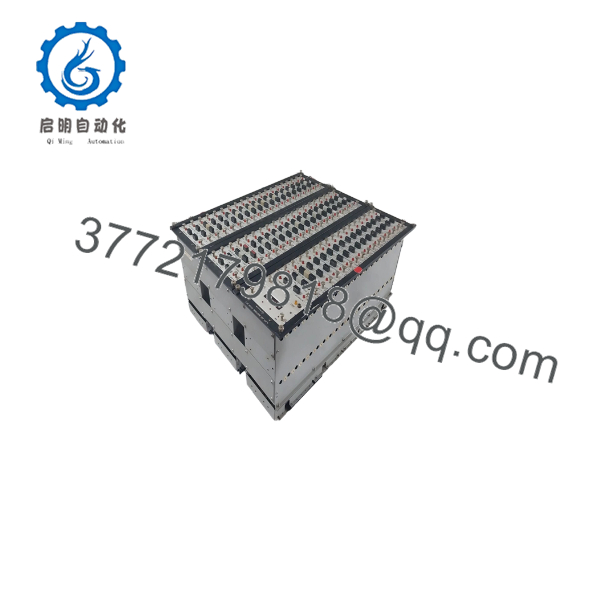
KM-2
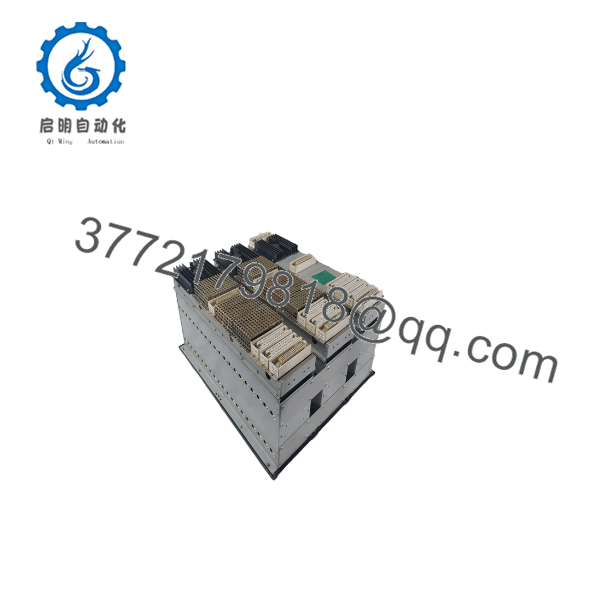
KM-2
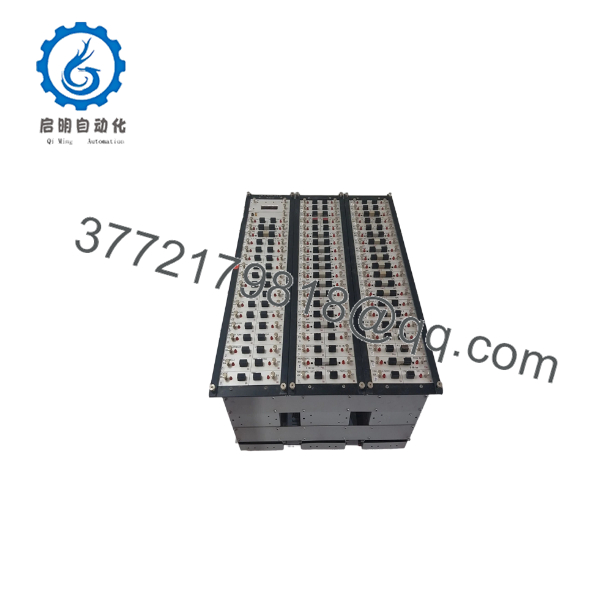
KM-2
Frequently Asked Questions (FAQ)
What is the AUTRONICA KM-2?
The KM-2 is an integrated marine alarm and monitoring system from AUTRONICA. It was designed for shipboard monitoring of temperatures, pressures, and on/off alarm conditions. Historical documentation describes digital reading as standard and configurations from 12 to 120 points.
Where is the KM-2 typically used?
It is primarily associated with marine and shipboard automation, particularly engine control rooms and machinery monitoring. A documented ferry installation used KM-2 to collect abnormal-condition information and provide visual and audible alarm indications to the crew.
How many monitoring points can a KM-2 system handle?
Historical product information states that KM-2 panel configurations were available from 12 to 120 points. The actual capacity depends on the installed panel configuration.
Does KM-2 monitor temperature and pressure?
Yes. Historical documentation identifies temperature, pressure, and on/off alarm monitoring as core KM-2 applications. Actual sensor types and alarm limits depend on the vessel-specific configuration.
Is KM-2 obsolete?
It should be treated as a legacy marine automation platform for procurement purposes. Current secondary-market inventory includes complete KM-2 systems and individual modules, indicating that replacement hardware can still be found.
Can I replace a KM-2 module with any other KM-2 module?
No. KM-2 systems contain different module types. Documented examples include KMB-201/F, KME-200/T, KMR-200/600C, KMC-210, KMC-220, and KMA-200/FBR, each serving different functions.
Match the exact module designation and part number, not simply the KM-2 system name.
Can KM-2 be upgraded instead of replaced?
Possibly, depending on the vessel and required functionality. One documented KM-2 installation was expanded with an external alarm-event recording system rather than replacing the complete alarm system. The added system collected KM-2 signals and stored alarm history on an industrial computer and memory cards.



