
 WhatsApp: +86 16626708626
 Email:
  Phone: +86 16626708626
Description
Key Technical Specifications
| Parameter | Specification |
| Manufacturer | Autronica Fire and Security |
| Model / Part Number | KMC-210-09 |
| Assembly Number | 7212-057.0009 |
| System Compatibility | Autronica BS-100 / BS-60 Fire Alarm Systems |
| Primary Function | System central processing, event evaluation, communications routing, and program memory execution |
| Operating Input Voltage | 24 V DC (Supplied from internal backplane bus) |
| Memory Architecture | EPROM / Flash program memory and battery-backed NVRAM for system configuration |
| Communication Protocols | Autronica proprietary internal system backplane bus |
| Mounting / Form Factor | Standard Autronica eurocard rack-mount footprint |
| Operating Temperature | −10 °C to +50 °C (+14 °F to +122 °F) |
| Storage Temperature | −40 °C to +70 °C (−40 °F to +158 °F) |
| Relative Humidity | Max. 95% non-condensing |
| Marine Classification | DNV and Lloyd’s Register type-approved for maritime environments |
Product Introduction & Supply Chain Strategy
The Autronica KMC-210-09 (Assembly P/N 7212-057.0009) is the main central processing unit (CPU) board for legacy Autronica BS-100 series marine and industrial fire alarm panels. It executes system control software, processes input signals from detection loop cards, manages event logging, and triggers sounder/alarm output cards during a fire or fault condition.
Because the KMC-210-09 is the single point of failure for the entire BS-100 panel architecture, holding this module as New Surplus is an urgent risk-mitigation priority for plant and vessel operators. Installing factory-sealed surplus eliminates the severe micro-component degradation and memory corruption issues common in second-hand marine pulls, ensuring uninterrupted life-safety operations without committing to an immediate, high-capital system upgrade.
Installation & Configuration Guide
1.Pre-Installation (Prep & Safety):Perform backup and apply LOTO.
- Backup system configuration data if readable via service software or panel interface.
- Notify central watch officers and put the fire system into Maintenance/Test mode.
- De-energize primary 230 V AC supply and disconnect 24 V DC battery feeds using Lock-Out/Tag-Out (LOTO) procedures.
- Put on a grounded ESD wrist strap attached to panel earth ground.
- Photograph all DIP switches, jumper positions, and EPROM socket chips on the existing KMC-210-09 module before touching any components.
2.Removal:Extract CPU card carefully.
- Unplug serial/communications header cables from the front faceplate if attached.
- Loosen upper and lower panel rack retaining screws.
- Pull the card straight out along its guide rails to avoid bending backplane connector pins.
- Place the removed CPU card inside an ESD-shielded protective bag.
3.Installation (Clone & Seat):Transfer configuration and seat module.
- Unpack the New Surplus KMC-210-09 module in an ESD-safe workspace.
- Match all configuration DIP switches and jumper headers exactly against the pre-installation photographs taken in Stage 1.
- Verify EPROM chip revision numbers match software compatibility requirements.
- Align the card in the designated chassis CPU slot and push firmly until the backplane connector locks in place.
- Fasten retaining screws and reconnect faceplate communications cables.
4.Power-On & Testing:Boot panel and verify CPU state.
- Re-energize 24 V DC system bus power and reconnect standby batteries.
- Observe system boot sequence; confirm CPU status LED illuminates solid green without processor watchdog trip indicators.
- Download or reload panel configuration parameters if memory cleared during installation.
- Conduct a complete panel diagnostic test and trip a test detector to confirm full CPU event processing and alarm output routing.
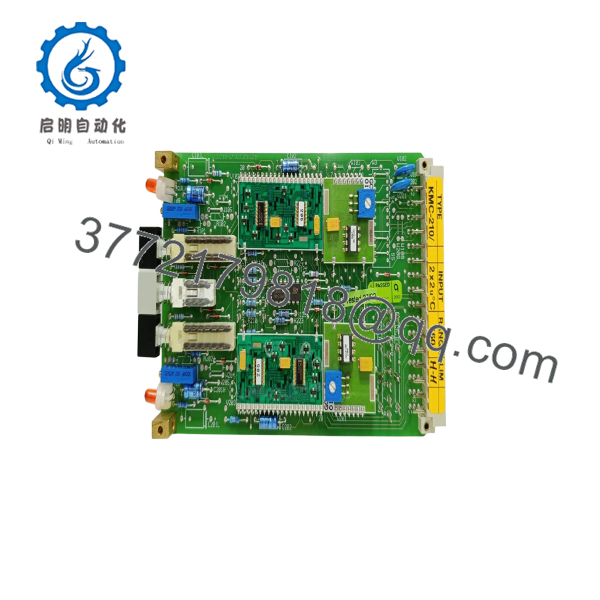
KMC-210-09
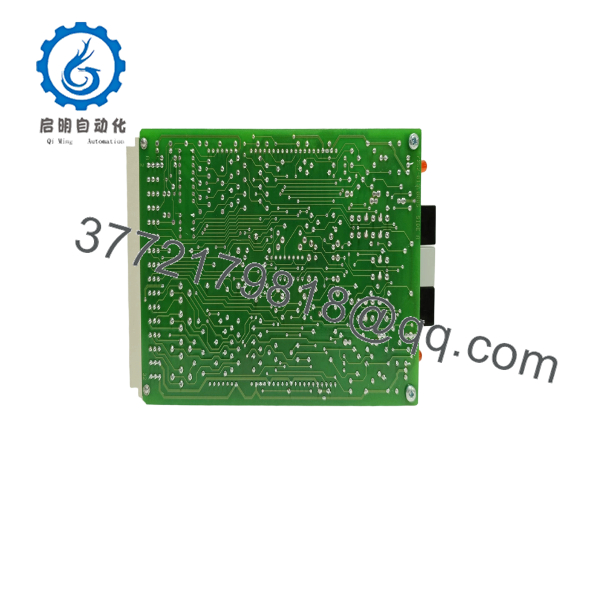
KMC-210-09
Firmware/Software Versions & Upgrade Notes
- CPU Firmware Matches: The KMC-210-09 relies on socketed EPROMs or onboard Flash memory containing specific BS-100 system firmware. Ensure replacement board EPROM software indices match your system motherboard and display interface requirements.
- NVRAM Configuration Retention: The CPU module uses onboard lithium backup batteries or static RAM to preserve site programming. When installing a New Surplus unit, you must reload the site-specific configuration file or transfer socketed NVRAM ICs following strict ESD protocol.
- Firmware Mismatch Risk: Running incompatible CPU firmware against newer or older loop driver cards (BSD/KDL series) can cause backplane communication timeouts, spurious loop fault indications, or unrecoverable system boot loops.
Frequently Asked Questions (FAQ)
Is this card brand new or a used pull from a decommissioned panel?
This unit is a Brand New Surplus module. It is not used, has never been installed in an operational panel, and was not salvaged from a ship breaking yard. Every card undergoes complete SOP quality verification and remains in factory anti-static packaging until final shipment.
Why pay more for New Surplus instead of cheaper refurbished CPU boards?
The CPU board is the central controller of your entire life-safety system. Refurbished marine CPU cards often suffer from thermal fatigue, micro-fractured solder joints, and degraded memory backup capacitors. Saving money on a used main processor exposes your plant or vessel to sudden total system blackouts, resulting in severe downtime and class violation penalties.
Since the is obsolete, how is functionality verified?
Each module undergoes comprehensive non-destructive checks following our SOP quality guidelines. We inspect backplane pins under magnification, check PCB trace integrity, verify DIP switch mechanics, and maintain ESD-safe storage conditions at all times.
Can I hot-swap the CPU module while power is applied?
No. Attempting to hot-swap a main processor module on a live backplane will cause electrical arcs and transient voltage surges that can permanently destroy memory ICs on the CPU board and corrupt adjacent I/O cards. Always completely isolate panel power before removal or insertion.
Will the replacement card work immediately upon power-up?
The card will boot, but it requires your site’s specific system configuration data. Provided you set the hardware DIP switches correctly and load your panel’s site program file (or transfer memory chips), the CPU will immediately resume full panel operation.



