WhatsApp: +86 16626708626
 Email:
 Phone: +86 16626708626
Description
Key Technical Specifications
| Parameter | Value |
|---|---|
| Processor | x86 / AMD LX industrial processor |
| Processor speed | 266 MHz, single core |
| Main memory | 256 MB DRAM |
| Retentive memory | 512 kB NVRAM |
| Internal file storage | 64 MB Flash |
| Removable storage | CompactFlash card slot |
| Expansion | Front PC card slot |
| Ethernet | 2 x 10/100 Mbit/s Ethernet ports |
| Serial communication | 1 x RS-232 and 1 x RS-232/RS-422/RS-485 |
| Fieldbus | 1 x CAN/CANopen, 10 kbit/s to 1 Mbit/s |
| USB | 1 x USB 2.0 |
| Supply voltage | 24 V DC, allowable range 18–34 V DC |
| I/O power supply | Integrated, 17 W available for I/O modules |
| Operating temperature | -30 to +60°C, fanless |
| Storage temperature | -40 to +85°C |
| Weight | 0.7 kg |
| Status indication | RUN, INIT, and ERROR LEDs |
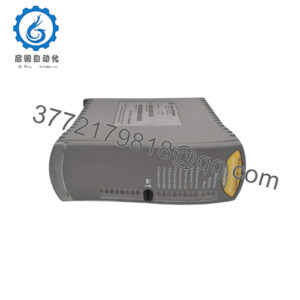
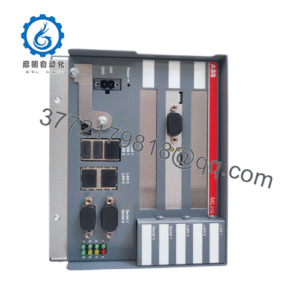
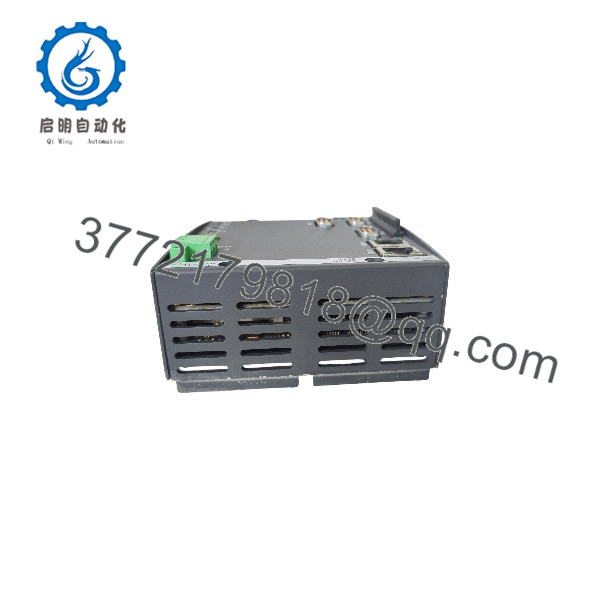
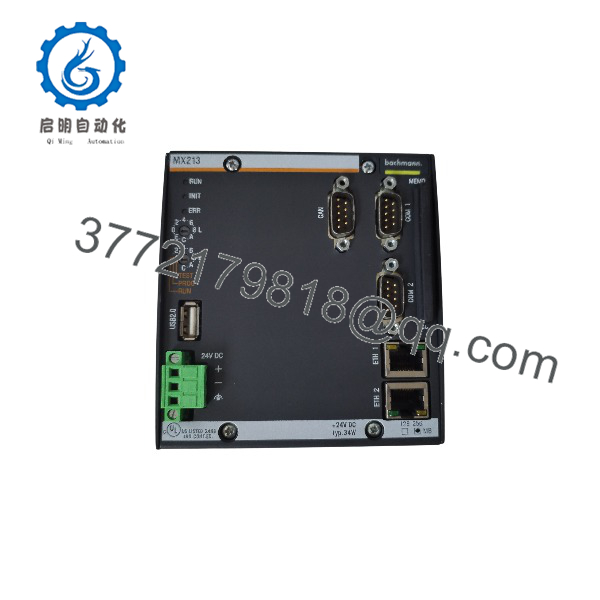
The Bachmann MX213 is a compact M1 processor module with a 266 MHz single-core x86 processor, 256 MB DRAM, 512 kB NVRAM, 64 MB internal file Flash, and a CompactFlash slot. It provides two 10/100 Mbit/s Ethernet ports, CAN/CANopen, two serial interfaces, USB 2.0, and an integrated 17 W power supply for I/O modules.
Product Introduction
The Bachmann MX213 is an industrial processor module for the Bachmann M1 automation platform. It executes PLC, motion, communication, monitoring, and data-handling tasks in turbine controls, marine systems, power generation, and other distributed automation applications.
Compared with the MX207, the MX213 adds a second Ethernet port and a CompactFlash card slot while retaining the same 266 MHz processor, 256 MB DRAM, and 512 kB NVRAM. Its fanless design, wide 18–34 V DC input range, and integrated I/O power supply make it a practical replacement CPU for existing Bachmann M1 racks.
MX213
MX213
Troubleshooting Quick Reference
| Symptom | Possible Cause | Relevance to this Part | Quick Check Method | Recommendation |
|---|---|---|---|---|
| No LEDs on power-up | Rack power, fuse, backplane fault, or poor module seating | ❌ Low | Measure 24 V DC at the M1 rack power terminals; reseat the MX213 with power off | Check PSU, fuses, and connector seating before replacing the CPU |
| RUN LED off, ERROR LED on | Project error, missing program, configuration fault, or CPU fault | ✅ High | Connect with Bachmann SolutionCenter and read the diagnostic/error log | Correct the project/configuration; replace the CPU only if diagnostics indicate hardware failure |
| INIT LED remains on | Startup fault, corrupted project, or storage-medium issue | ✅ High | Remove and inspect the CompactFlash card; check project files and boot configuration | Restore a known-good project image or replace the CF card |
| No Ethernet communication | Cable, switch port, IP conflict, or driver/configuration issue | ❌ Low | Swap cable and switch port; verify link LEDs and IP settings | Test both Ethernet ports before condemning the module |
| CANopen devices offline | Termination, baud-rate mismatch, wiring fault, or node configuration error | ✅ High | Check 120-ohm termination, CAN_H/CAN_L continuity, baud rate, and node IDs | Correct CAN wiring/configuration first; the MX213 is often not the root cause |
| I/O modules unresponsive | I/O power fault, rack seating issue, or I/O module failure | ❌ Low | Measure I/O supply voltage and check status LEDs on adjacent I/O modules | Isolate the fault to the MX213, rack, or I/O module |
| Random resets or data loss | Weak backup battery, overheating, poor contact, or failing NVRAM/CF card | ✅ Medium | Check rack temperature, clean contacts, inspect CF card, and back up retain data | Replace the CF card or CPU if NVRAM/retain data cannot be preserved |
If the fault remains unresolved, send photos of the MX213, M1 rack, CompactFlash card, LED status, and SolutionCenter diagnostic logs before ordering a replacement.
Frequently Asked Questions
Can I hot-swap the Bachmann MX213?
No. Power down the M1 rack before removing or installing the processor module. Use a grounded ESD wrist strap and avoid touching connector pins or exposed circuitry.
Is the Bachmann MX213 obsolete?
The MX213 is a legacy MX200-series processor module. Bachmann’s current catalog focuses on newer M1 processor families, so the MX213 is generally supplied as New Surplus, refurbished, or tested pre-owned inventory.
Will the MX213 directly replace an MX207?
Often yes, but confirm the rack, power budget, project configuration, CompactFlash requirement, and Ethernet port count. The MX213 has two Ethernet ports and a CF slot; the MX207 has one Ethernet port and no CF slot.
Will my PLC program remain after replacement?
Not automatically. The application project, retain data, and configuration may reside in NVRAM, internal Flash, or the CompactFlash card. Back up the complete project and retain data with Bachmann SolutionCenter before removing the old module.
Do I need a CompactFlash card?
The MX213 includes a CF slot, but the required card size and contents depend on your project and Bachmann software version. Use a compatible industrial-grade CF card and retain a verified backup image before swapping hardware.
Why is this surplus module less expensive than a new factory unit?
Because the MX213 is no longer a current-production module, pricing reflects available surplus inventory rather than current OEM production. New Surplus stock is unused original product; it may have older date codes but should not have field-operating hours.
What should I check before ordering?
Confirm the M1 rack type, installed I/O modules, required Ethernet/CAN interfaces, CompactFlash configuration, Bachmann software version, and 24 V DC power budget. The MX213 supplies up to 17 W for I/O modules, so verify that the total I/O load remains within that limit.