
 WhatsApp: +86 16626708626
 Email:
  Phone: +86 16626708626
Description
3. Key Technical Specifications
| Parameter | Value |
|---|---|
| Resolution | 2048 × 2048 pixels (approx. 4.0 MP) or 2352 × 1726 depending on exact sensor variant |
| Sensor Type | Progressive scan (CCD or CMOS, model-dependent) |
| Pixel Size | Typically 7.0–7.4 µm |
| Max Frame Rate | Up to 96 fps (full) / higher in reduced AOI or specific variants (some listings note 120 fps) |
| Interface | Camera Link (Full / Medium configuration) |
| Lens Mount | C-Mount |
| Shutter | Global shutter |
| Bit Depth | 8-bit / 10-bit |
| Power Supply | +12 VDC typical |
| Operating Temperature | 0 °C to +45/50 °C (typical) |
| Housing | Compact industrial housing |
4. Product Introduction
The Basler A404AM-RT is a high-speed monochrome area scan camera from the A400k series. It delivers approximately 4 megapixel resolution with global shutter and Camera Link output, making it suitable for demanding machine vision applications that require high frame rates and precise image capture of moving objects.
Typical uses include high-speed inspection, semiconductor processing, print inspection, and scientific imaging. The camera supports free-run, software trigger, and hardware trigger modes. Confirm the exact sensor variant and Camera Link configuration against your frame grabber before installation.
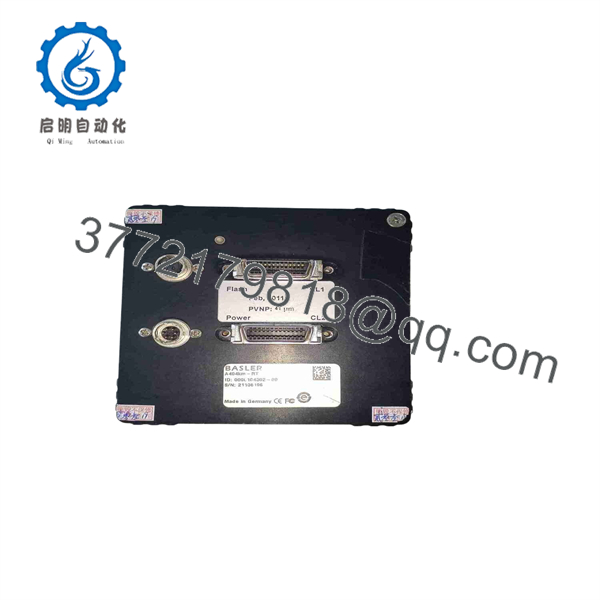
A404AM-RT
5. Troubleshooting Quick Reference
| Symptom | Possible Cause | Relevance to this Part | Quick Check Method | Recommendation |
|---|---|---|---|---|
| No image / black frame | Power, cable, or trigger issue | ✅ High | Verify 12 VDC power and Camera Link cable seating | Check power supply and cable integrity |
| Low frame rate | Incorrect Camera Link mode or AOI | ✅ High | Confirm tap configuration and AOI settings | Match camera settings to frame grabber capability |
| Image noise or artifacts | Overheating or cable length | ✅ Medium | Check ambient temperature and cable quality | Improve cooling; use shorter/certified cables |
| Trigger not responding | Incorrect trigger polarity or source | ✅ High | Test free-run mode first; verify trigger signal | Confirm trigger wiring and camera parameter settings |
| Camera not detected | Driver / frame grabber mismatch | ❌ Medium | Check Camera Link configuration and drivers | Update frame grabber firmware and Basler pylon if applicable |
| Inconsistent exposure | Lighting or exposure time setting | ✅ Medium | Measure actual exposure time and lighting | Adjust exposure and verify illumination stability |
If problems continue, note the exact camera firmware/version, frame grabber model, and capture clear photos of the connections and status LEDs.
6. Frequently Asked Questions (FAQ)
Q: What interface does the A404AM-RT use?
A: Camera Link (typically Full or Medium configuration depending on the exact version). Ensure your frame grabber supports the required tap geometry and clock speed.
Q: Is this a color or monochrome camera?
A: The A404AM-RT / A404KM-RT designation indicates a monochrome (black & white) model. Color versions exist in the same series with different suffixes.
Q: What is the maximum frame rate?
A: Up to 96 fps at full resolution in the standard A404k configuration. Some variants or reduced AOI settings can achieve higher rates (certain listings note up to 120 fps). Actual rate depends on bit depth, taps, and AOI.
Q: Does it require special software?
A: Basler pylon Camera Software Suite is recommended for configuration and acquisition. Many third-party frame grabbers also support the camera via Camera Link standards.
Q: Can I use a standard C-Mount lens?
A: Yes. The camera uses a C-Mount. Select a lens that matches the sensor size and required resolution/field of view.
Q: What should I check before replacing an existing camera?
A: Confirm the exact model/version on the nameplate, Camera Link cable type, trigger method, and frame grabber compatibility. Back up any camera-specific settings if possible.
Q: Is this model still in production?
A: The A400k series is an older generation. Available units are typically new surplus or tested used stock. Verify current availability and any firmware differences when ordering.



