
 WhatsApp: +86 16626708626
 Email:
  Phone: +86 16626708626
Description
Key Technical Specifications
| Parameter | Value |
| Manufacturer | Beckhoff Automation |
| Part Number | CP7002-0001-0010 |
| Display Size | 15.0 inches |
| Display Resolution | 1024 x 768 pixels (XGA) |
| Display Type | Color TFT LCD with Touch Screen |
| Signal Interface | CP-Link (integrated DVI, USB, and 24 V DC power signal transmission) |
| Protection Rating | IP65 / NEMA 4 (Full enclosure protection) |
| Housing Material | Aluminum / Stainless steel bezel enclosure |
| Supply Voltage | 24 V DC (-15% / +20%) |
| Mounting Type | Mounting arm / VESA / Control cabinet arm adapter |
| Operating Temperature | 0°C to +55°C (32°F to 131°F) |
| Weight | ~6.50 kg (14.33 lbs) |
Product Introduction & Supply Chain Strategy
The Beckhoff CP7002-0001-0010 is a rugged 15-inch industrial control panel engineered for advanced machine visualization and process control within Beckhoff TwinCAT and Industrial PC (IPC) environments. Utilizing CP-Link technology, this unit transmits video, USB touch data, and power over extended cable runs, allowing operator interface installation directly at the machine side.
This product is a Brand New Surplus unit. It is not used, not pulled from a decommissioned plant, and not refurbished. All modules undergo rigorous quality verification to ensure OEM-level reliability. Stocking a CP7002-0001-0010 as New Surplus is a vital risk-management strategy for automated manufacturing cells. Purchasing refurbished HMI units carries significant risk, including worn resistive touch layers, degraded backlight transformers, and weakened seals that admit moisture. Installing a factory-fresh surplus display preserves screen clarity, maintains environmental IP65 protection, and avoids costly cell downtime during panel replacements.
Installation & Configuration Guide
- Stage 1: Pre-Installation (Prep & Safety)
- De-energize the 24 V DC supply feeding the CP-Link connection and Industrial PC cabinet.
- Wear a grounded ESD wrist strap when handling signal cables and rear terminal connections.
- Inspect the mounting arm adapter and IP65 sealing gaskets for wear or damage.
- Stage 2: Removal
- Disconnect the CP-Link transmitter/receiver cables and 24 V DC auxiliary power connector from the rear housing.
- Support the weight of the 6.5 kg display unit while loosening the mounting arm retention screws.
- Carefully lift the panel off the support arm without placing strain on cable strain-relief fittings.
- Stage 3: Installation (Clone & Seat)
- Secure the replacement CP7002-0001-0010 onto the mounting arm assembly and torque retention bolts evenly to preserve IP65 sealing.
- Reattach CP-Link communications and power cables to their designated ports.
- Verify proper cable strain relief to prevent mechanical tension on internal connectors.
- Stage 4: Power-On & Testing
- Re-apply 24 V DC system power.
- Observe the startup sequence to confirm video signal sync from the host Beckhoff Industrial PC.
- Perform a multi-point touch screen calibration within the Windows / TwinCAT control software interface.
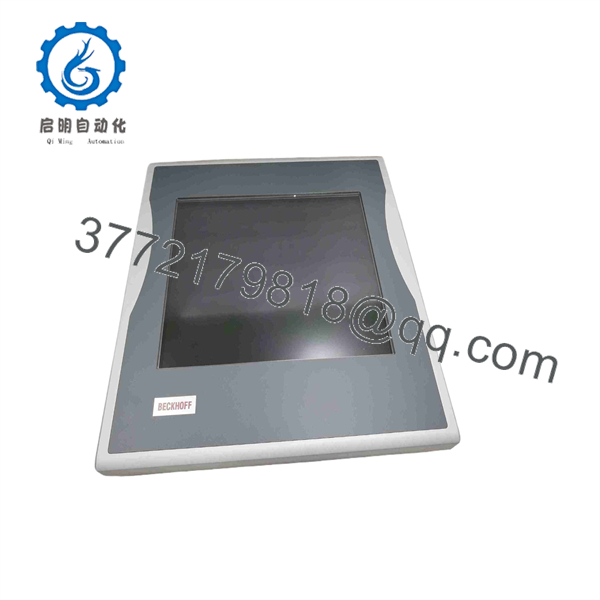
CP7002-0001-0010
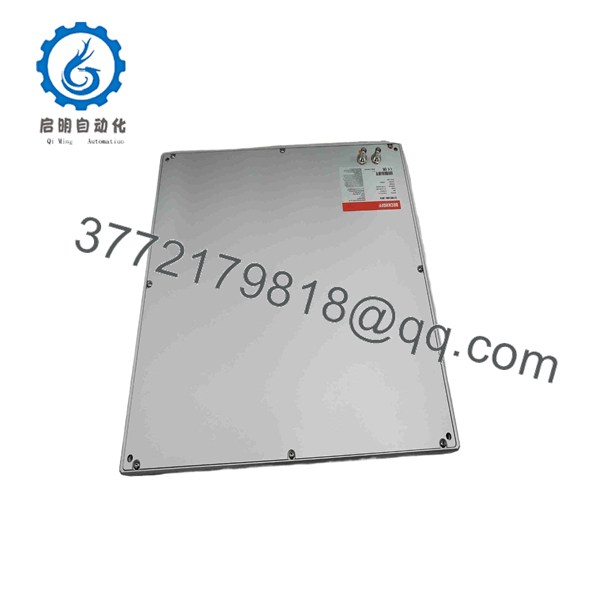
CP7002-0001-0010
Firmware/Software Versions & Upgrade Notes
- System Compatibility: The CP7002-0001-0010 operates as a hardware extension panel driven by the host Industrial PC graphics and USB subsystem. Ensure the driver stack on your IPC supports your installed CP-Link transmitter card revision.
- Resolution Settings: Set host IPC display output to native 1024 x 768 XGA resolution at 60 Hz refresh rate to avoid display scaling artifacts or touch digitizer offset errors.
- Interface Warning: Verify cable length limits for your CP-Link installation. Exceeding recommended cable distances without inline signal boosters can cause video flickering or touch response latency.
Frequently Asked Questions (FAQ)
Q: Why is this New Surplus CP7002-0001-0010 priced higher than used or repaired options?
A: Our pricing reflects the market value of obtaining genuine, unused Beckhoff hardware. Refurbished display panels frequently feature degraded CCFL backlights and micro-cracks in the touch matrix. A small saving on a refurbished unit is quickly lost if screen failure stops an entire automated production line.
Q: Is this unit guaranteed to be brand new?
A: Yes. This is a New Surplus unit stored in anti-static, climate-controlled conditions. Packaging is unsealed solely for quality control inspection and physical verification prior to shipment.
Q: Can I hot-swap the display panel while the host IPC is running?
A: No. Always disconnect power to the CP-Link transmitter and panel receiver before swapping connections. Hot-plugging CP-Link power lines can trigger voltage spikes that damage integrated receiver electronics.
Q: Does this panel require special software drivers?
A: The panel utilizes standard Beckhoff CP-Link display and touch drivers, which are integrated into standard Beckhoff TwinCAT and IPC OS images.
Q: What warranty is included with this unit?
A: Every Beckhoff New Surplus panel comes with a comprehensive 1-year replacement warranty.



