
 WhatsApp: +86 16626708626
 Email:
  Phone: +86 16626708626
Description
Key Technical Specifications
- Part Number: 133300-01
- Ordering Model: 3500/15-04-04-00
- Manufacturer: Bently Nevada
- Product Family: 3500 Series Machinery Protection System
- Module Type: Low Voltage DC Power Input Module (PIM)
- Input Voltage Range: 20 to 30 VDC (Low Voltage DC)
- Input Current: 10 A
- Input Voltage Rating: 88 to 140 VDC (legacy specification)
- Module Height: Half-height module
- Installation Slot: Must be installed in designated slots on the left side of the 3500 rack
- Power Supply Configuration: Rack can contain one or two power supplies (any combination of AC/DC)
- Backup Function: When two power supplies are installed, lower slot = primary, upper slot = backup
- Operating Temperature: -30°C to +65°C (-22°F to +150°F)
- Storage Temperature: -40°C to +85°C (-40°F to +185°F)
- Humidity: 95%, non-condensing
- Dimensions: 4.75 in x 2.0 in x 9.9 in (120.7 mm x 50.8 mm x 251.5 mm)
- Weight: 0.29 kg (0.64 lbs)
- Country of Origin: United States (USA)
- FCC Compliance: Part 15 of the FCC Rules
- Legacy Compatibility: NOT compatible with Legacy 3500 Low Voltage DC Power Supplies and PIMs
Product Introduction
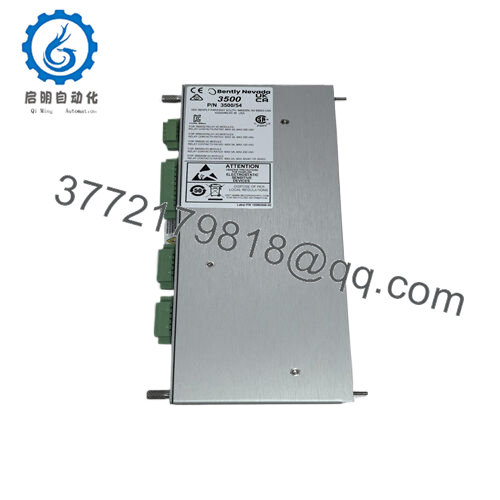
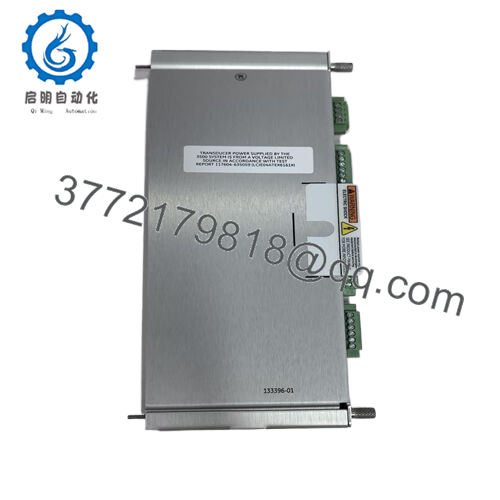
Bently Nevada 133300-01 is a Low Voltage DC Power Input Module (PIM) for the 3500 Series Machinery Protection System. It accepts 20–30 VDC input and converts it to voltages acceptable for use by other 3500 modules in the rack.
This PIM is selected when exact OEM part matching is required for 3500/15 power supply compatibility. Buyers source 133300-01 for verified half-height module mounting, legacy DC voltage support, and direct swap path without rack reconfiguration.

- 133300-01
Troubleshooting Quick Reference
| Symptom | Possible Cause | Relevance to this Part | Quick Check Method | Recommendation |
|---|---|---|---|---|
| Rack power failure or modules off | PIM input power lost, wiring fault, or PIM failure | ✅ High | Measure 20–30 VDC at PIM input terminals with multimeter | Verify power supply first, then test PIM input before replacing |
| Rack LED fault on power supply | PIM internal fault, overcurrent, or backplane issue | ✅ High | Check rack power supply status LEDs, measure output rails | Replace PIM if input is correct but outputs are absent |
| Secondary power supply not active | Backup PIM not installed correctly or failed | ✅ High | Verify backup PIM is in upper slot, check backup status LED | Reseat backup PIM, check slot alignment, then replace if faulty |
| Intermittent rack resets | PIM input voltage fluctuation or loose connection | ✅ High | Monitor PIM input voltage under load, check terminal tightness | Stabilize input supply, reseat terminals, replace PIM if persists |
| Rack modules show no power | PIM output failure or backplane power distribution fault | ✅ High | Measure voltage at module power pins, check backplane continuity | Replace PIM first; if still no power, check backplane |
| PIM not powering full rack | PIM current limit exceeded (over 10 A) or load too high | ✅ High | Calculate total rack backplane consumption, check for 20% buffer | Install second PIM in backup slot or reduce rack load |
Contact technical support with photos of the PIM, rack LEDs, input wiring, and any diagnostic logs if the fault stays unclear.
Frequently Asked Questions
Q: Is 133300-01 still available from Bently Nevada?
A: This is a legacy/obsolete 3500/15 part. Availability depends on surplus inventory. Stock is limited and ships same day from surplus distributors.
Q: What is the difference between 133300-01 and 3500/15-04-04-00?
A: 133300-01 is the ordering/part number. 3500/15-04-04-00 is the full model number with power supply type codes. They refer to the same Low Voltage DC PIM.
Q: Can I use this PIM in a new 3500 rack?
A: No. The 133300-01 (Legacy Low Voltage DC) is NOT compatible with the new 3500/15 power supplies. The new Universal AC, High Voltage DC, and Low Voltage DC PIMs are not compatible with this legacy PIM.
Q: Can I install two PIMs in one rack?
A: Yes, the rack can contain one or two power supplies with any combination of AC and DC. When two are installed, the lower slot is primary and the upper slot is backup.
Q: Will removing this PIM shut down the rack?
A: No. If a second power supply is installed in the backup slot, removing or inserting this PIM will not interrupt rack operation.
Q: What is the maximum current this PIM can handle?
A: 10 A at 20–30 VDC input. Calculate total rack consumption and leave a 20% buffer before reaching this limit.
Q: What slot must the PIM be installed in?
A: The PIM must be installed in the designated slots on the left side of the 3500 rack, next to the power supply area.
Q: Is this PIM half-height or full-height?
A: It is a half-height module, designed for the 3500/15 power supply bay.
Q: What warranty is included?
A: A 1-year warranty is standard for this PIM. Verify exact terms with the supplier before purchase.
Q: What should I verify before installing a replacement PIM?
A: Check the exact part number, verify input voltage is 20–30 VDC, confirm slot position (primary vs backup), and calculate total rack power consumption. I have seen more rack failures from overloading the PIM than from the PIM itself.



