
 WhatsApp: +86 16626708626
 Email:
  Phone: +86 16626708626
Description
Key Technical Specifications
| Parameter | Value |
|---|---|
| Manufacturer | Bently Nevada (Baker Hughes) |
| Part Number | 133819-02 |
| Compatible Monitor | 3500/61 Temperature Monitor |
| Product Type | RTD/TC Non-Isolated I/O Module |
| Termination Type | Internal Terminations |
| Input Types | RTD and Thermocouple (TC) |
| Number of Channels | 6 |
| Signal Isolation | Non-Isolated |
| Installation Location | Rear I/O position behind the 3500/61 monitor |
| Configuration Software | 3500 Rack Configuration Software |
| Compatible System | Bently Nevada 3500 Machinery Protection System |
| Typical Applications | Turbines, compressors, motors, generators, pumps, and critical rotating equipment temperature monitoring |
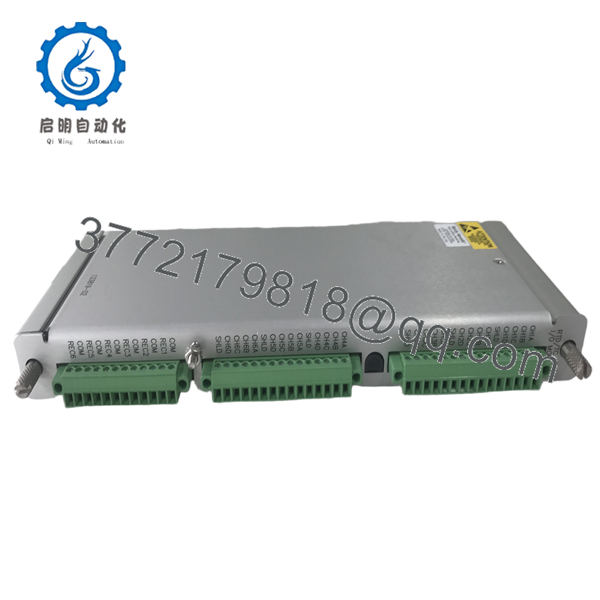
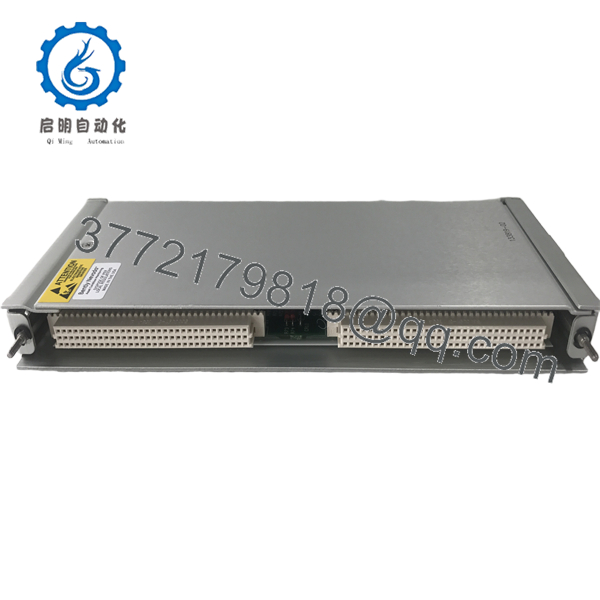
The 133819-02 is the internal termination, non-isolated RTD/TC I/O module used with the 3500/61 Temperature Monitor. It accepts both RTD and thermocouple inputs and provides six independent temperature monitoring channels.
Product Introduction
The Bently Nevada 133819-02 is a rear-mounted RTD/TC Non-Isolated I/O Module designed specifically for the 3500/61 Temperature Monitor. It provides the electrical interface between field-mounted temperature sensors and the monitoring module, supporting both Resistance Temperature Detectors (RTDs) and thermocouples.
The module conditions incoming temperature signals before they are processed by the 3500/61 monitor. Alarm limits are configured through the 3500 Rack Configuration Software, allowing continuous monitoring of bearing temperatures, winding temperatures, process temperatures, and other critical machine parameters. The internal termination design is intended for installations where field wiring is landed directly inside the rack enclosure.

- 133819-02
- 133819-02
Installation & Configuration Guide
Stage 1 – Pre-Installation Preparation (10 minutes)
⚠️ Safety First
- Notify operations of the planned shutdown.
- Apply Lock-Out/Tag-Out procedures.
- Remove power from the 3500 rack.
- Wear a grounded ESD wrist strap.
- Back up the existing 3500 rack configuration.
- Record:
- Sensor types (RTD or TC)
- Alarm setpoints
- Channel assignments
- Rack slot location
- Photograph all internal wiring before removal.
Stage 2 – Remove the Existing Module (5–10 minutes)
- Remove the 3500/61 monitor if required.
- Label every sensor lead.
- Disconnect internal terminal wiring.
- Remove the existing rear I/O module.
- Inspect the backplane connector for bent pins or contamination.
⚠️ Keep the removed module until the replacement has completed operational testing.
Stage 3 – Install the New Module (10 minutes)
- Verify the replacement part number is 133819-02.
- Confirm the application requires the internal termination version.
- Install the module into the rear rack position.
- Reconnect all RTD and thermocouple wiring.
- Reinstall the 3500/61 monitor.
- Restore the saved rack configuration.
Installation Checklist
- ✓ Correct part number
- ✓ Internal termination version confirmed
- ✓ RTD/TC wiring verified
- ✓ Rear connector fully seated
- ✓ Configuration restored
Stage 4 – Power-Up & Functional Testing (15 minutes)
- Restore power to the rack.
- Verify the 3500/61 monitor passes self-test.
- Confirm all six channels report valid temperatures.
- Compare displayed temperatures with calibrated reference values.
- Test Alert and Danger alarm functions.
- Verify recorder outputs if applicable.
⚠️ Troubleshooting Tip
Most commissioning issues are caused by:
- RTD wired as a thermocouple (or vice versa)
- Incorrect sensor type configured in software
- Open or reversed thermocouple wiring
- Installing an internal termination module where an external termination version was originally used
- Incorrect alarm configuration
One mistake that repeatedly delays startups is replacing only the monitor while overlooking the I/O module version. Internal and external termination modules are not interchangeable without rewiring, so always verify the original hardware before ordering.
Frequently Asked Questions (FAQ)
Q1. What is the 133819-02 used for?
It is the RTD/TC Non-Isolated I/O Module with Internal Terminations for the Bently Nevada 3500/61 Temperature Monitor. It connects RTD and thermocouple sensors to the monitoring system.
Q2. How many temperature channels does it support?
The module supports six independent temperature monitoring channels, allowing simultaneous monitoring of multiple machine locations.
Q3. Can it accept both RTD and thermocouple inputs?
Yes. The module supports RTD, thermocouple, or a combination of both, depending on how the 3500/61 monitor is configured using the Rack Configuration Software.
Q4. What is the difference between 133819-02 and 133827-02?
- 133819-02 — RTD/TC Non-Isolated I/O Module with Internal Terminations
- 133827-02 — RTD/TC Non-Isolated I/O Module with External Terminations
Select the version that matches the existing rack wiring to avoid cabinet modifications.
Q5. Can this module operate by itself?
No. The 133819-02 is a rear I/O module and must be installed behind a compatible 3500/61 Temperature Monitor within a Bently Nevada 3500 Series rack.
Q6. What should I verify before ordering?
Confirm the following:
- Part Number: 133819-02
- Compatible monitor: 3500/61
- Internal termination requirement
- RTD or thermocouple sensor types
- Existing rack configuration
- Wiring method and channel assignments
Verifying these details before installation helps prevent wiring changes, configuration errors, and unnecessary commissioning delays.



