
 WhatsApp: +86 16626708626
 Email:
  Phone: +86 16626708626
Description
Key Technical Specifications
| Parameter | Value |
|---|---|
| Manufacturer | Bently Nevada |
| Model Number | 167699-02 |
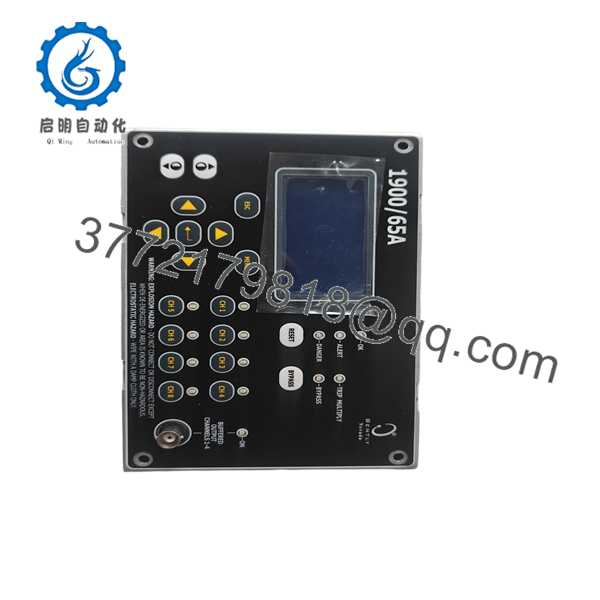
| Product Type | Operator Interface Display Module |
| Compatible System | 1900/65A General Purpose Equipment Monitor |
| Function | Local display, configuration and diagnostics |
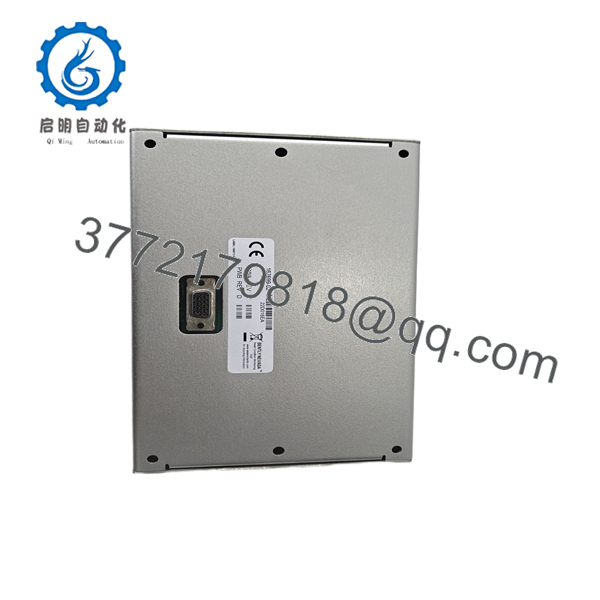
| Mounting | Panel-mounted accessory |
| User Interface | LCD display with keypad |
| Country of Origin | USA |
| Typical Shipping Weight | Approximately 3 kg |
| Operating Role | Local HMI for equipment monitoring |
| Warranty | Typically 12 Months (supplier dependent) |
| Condition | New Original / New Surplus / Tested Refurbished (depending on inventory) |
Product Introduction
The Bently Nevada 167699-02 is the dedicated operator interface display module designed for the 1900/65A General Purpose Equipment Monitor. Rather than functioning as a standalone monitor, it provides a local human-machine interface that allows maintenance personnel to view machine condition data, configure monitoring parameters, acknowledge alarms, and perform diagnostics directly at the equipment.
For plants that rely on continuous vibration and temperature monitoring, the 167699-02 simplifies commissioning and troubleshooting by eliminating the need to connect a laptop for routine status checks. It is widely used on rotating equipment including pumps, compressors, fans, motors, and auxiliary turbine systems.

- 167699-02
- 167699-02
Installation & Configuration Guide
Stage 1 – Pre-Installation Preparation (10 minutes)
⚠️ Safety First
- Notify operations before shutdown.
- Lock out and tag out all power sources.
- Wait at least five minutes for internal capacitors to discharge.
- Wear a grounded ESD wrist strap.
Required Tools
- Phillips screwdriver
- Digital multimeter
- ESD wrist strap
- Camera or smartphone
- Wiring labels
Before removal:
- Record the monitor configuration.
- Photograph all cable connections.
- Verify the existing monitor is a 1900/65A.
Stage 2 – Removing the Existing Display (5 minutes)
- Disconnect control power.
- Remove the display mounting hardware.
- Disconnect interface cable carefully.
- Inspect connectors for bent pins or corrosion.
- Keep the old display available until commissioning is complete.
Stage 3 – Installing the New 167699-02 (10 minutes)
- Verify the replacement part number is 167699-02.
- Connect the interface cable without excessive force.
- Secure the display assembly.
- Confirm all connectors are fully seated.
Checklist
- ✔ Correct part number
- ✔ Connectors fully engaged
- ✔ Mounting secure
- ✔ No damaged cable insulation
Stage 4 – Power-Up & Functional Test (10 minutes)
- Restore monitor power.
- Verify the display initializes correctly.
- Check communication with the 1900/65A monitor.
- Confirm all configured channels appear correctly.
- Review alarm status and acknowledge any historical alarms.
⚠️ If the display remains blank:
- Verify display cable continuity.
- Confirm monitor power.
- Inspect connector orientation.
- Verify compatibility with the installed monitor revision.
Frequently Asked Questions (FAQ)
Q1. Is the 167699-02 a complete vibration monitor?
No. It is only the operator interface. The monitoring functions are performed by the 1900/65A General Purpose Equipment Monitor. The display cannot operate independently.
Q2. Can I hot-swap this display?
It is not recommended. Although replacing the display may appear simple, removing or connecting hardware under power can interrupt communication or potentially damage connectors. Schedule a controlled shutdown whenever possible.
Q3. Does replacing this display erase my monitoring configuration?
No. Configuration data is stored in the 1900/65A monitor, not in the display module. Replacing the display normally does not affect configured alarm limits or monitoring parameters.
Q4. Is the 167699-02 still available?
The module is still available through surplus inventory and industrial spare parts suppliers, but availability varies because the 1900/65A product family is mature. Confirm stock before scheduling maintenance.
Q5. What equipment commonly uses this display?
Typical applications include:
- Steam turbines
- Gas turbines
- Pumps
- Compressors
- Blowers
- Cooling fans
- Electric motors
- General rotating machinery requiring continuous vibration and temperature monitoring.
Q6. What is the most common installation mistake?
The mistake I see most often is assuming the display is faulty when the communication cable is actually loose or installed incorrectly. Before replacing the module, verify cable integrity, connector orientation, and monitor power. Those checks solve many field issues without replacing hardware.



