
 WhatsApp: +86 16626708626
 Email:
  Phone: +86 16626708626
Description
3. Key Technical Specifications
- Model Number: 3500/20-01-02-00
- Manufacturer: Bently Nevada
- Product Type: Rack Interface Module (RIM)
- System Platform: Bently Nevada 3500 Machinery Protection System
- Rack Interface Type: 01 — Standard RIM for standard monitoring applications
- I/O Module Type: 02 — RS232/RS422 interface module
- Agency Approval Option: 00 — None
- Installation Position: Slot 1 adjacent to power supplies
- Communication Interface: RS232 / RS422
- Function: Rack configuration access and machinery data communication
- Power Supply: Supplied through 3500 rack backplane
- Operating Temperature: -30 to +65 °C
- Storage Temperature: -40 to +85 °C
- Humidity: Up to 95% RH, non-condensing
- Dimensions: Approx. 119.9 mm × 24.4 mm × 256.5 mm
- Weight: Approx. 0.46 kg
- Replacement Consideration: 3500/20 production has been discontinued; verify upgrade path such as 3500/22 series where applicable
4. Product Introduction
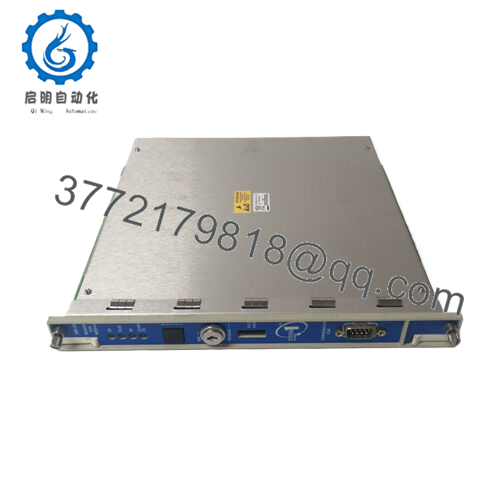
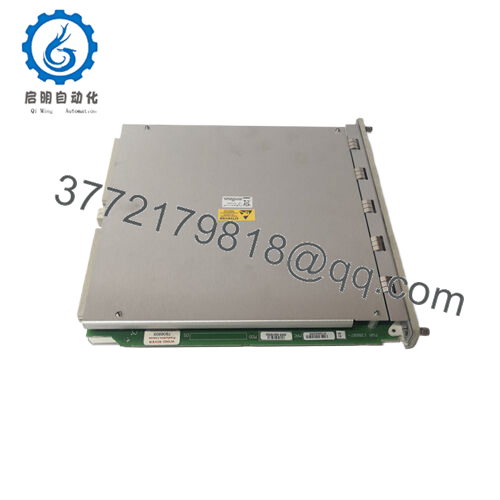
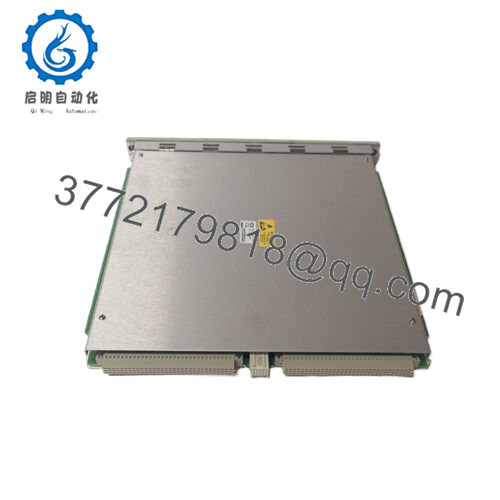
The Bently Nevada 3500/20-01-02-00 is a Rack Interface Module (RIM) used in the 3500 Machinery Protection System. It provides the primary interface between the 3500 rack and external configuration or monitoring systems through an RS232/RS422 I/O connection. The module is installed in rack slot 1 and manages rack communication, configuration access, and machinery monitoring data transfer.
This module is commonly found in turbine, compressor, generator, and other critical rotating equipment protection systems. For replacement work, engineers should verify rack firmware, existing communication wiring, and the required interface type before installation. The 3500/20-01-02-00 has been discontinued in some supply channels, so compatibility checks are required before selecting a replacement.

- 3500/20-01-02-00
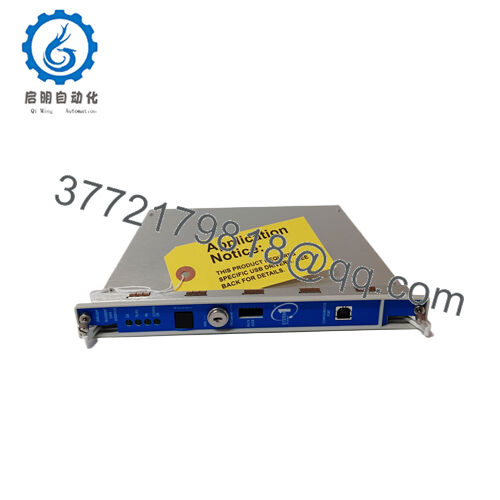
3500/20-01-02-00
5. Installation & Configuration Guide
Stage 1: Pre-Installation Preparation (Approx. 10 minutes)
⚠️ Safety First:
- Notify operations before interrupting machinery monitoring communication.
- Confirm the protection system is in an approved maintenance condition.
- Apply lockout/tagout procedures if required.
- Remove rack power and wait at least 5 minutes before handling the module.
Tools Required:
- ESD wrist strap
- PH1 screwdriver
- Digital multimeter
- Wire labels
- Smartphone for photos
Data Backup:
- Connect to the existing 3500 configuration environment.
- Save the current rack configuration file.
- Record the RIM module slot location.
- Photograph RS232/RS422 wiring connections.
- Record communication parameters used by the plant system.
Stage 2: Removing the Old Module (Approx. 5 minutes)
- Remove the rack front cover if installed.
- Label RS232/RS422 communication wiring.
- Disconnect communication cables carefully.
- Release rack locking tabs.
- Pull the module straight out to protect the backplane connector.
- Inspect the rack slot contacts.
⚠️ Note: Keep the original module until the replacement completes communication testing.
Stage 3: Installing the New Module (Approx. 10 minutes)
- Wear an ESD wrist strap before handling the replacement module.
- Verify the replacement matches Bently Nevada 3500/20-01-02-00.
- Confirm the module is installed in slot 1.
- Insert the module firmly until fully seated.
- Reconnect RS232/RS422 communication wiring.
Configuration Clone (Critical):
- Confirm rack identification settings.
- Verify communication parameters.
- Match existing serial interface configuration.
- Confirm connected PLC/DCS communication settings.
- Compare module status with the previous unit.
Self-Checklist:
[ ] Correct model verified
[ ] Slot 1 installation confirmed
[ ] Communication wiring checked
[ ] Configuration restored
Stage 4: Power-On & Testing (Approx. 15 minutes)
Pre-Power Check:
- Verify rack power supply condition.
- Check communication cable continuity.
- Confirm shield grounding.
Power-On Steps:
- Power up the 3500 rack.
- Check RIM module status indicators.
- Connect configuration software.
- Verify rack recognition.
- Test RS232/RS422 communication.
- Confirm PLC/DCS data exchange.
- Verify alarm and machinery data transmission.
⚠️ Troubleshooting Note:
- No communication: Check RS232/RS422 wiring and serial parameters.
- Rack not recognized: Check slot position and backplane connection.
- Data missing: Verify configuration compatibility.
- Fault after replacement: Check firmware revision differences.
6. Frequently Asked Questions (FAQ)
Q1: What does the Bently Nevada 3500/20-01-02-00 do?
It is the Rack Interface Module for the 3500 system. It provides communication between the 3500 rack and external systems used for configuration, monitoring, or plant integration.
Q2: Can the 3500/20-01-02-00 be hot-swapped?
No. Remove rack power before replacement. The module is installed in the rack communication position and connects directly to the backplane.
Q3: Is the Bently 3500/20-01-02-00 obsolete?
The module is considered an older 3500 generation component, and some suppliers list it as discontinued with replacement options in the 3500/22 family. Verify the required upgrade path before replacing it.
Q4: Will replacing the RIM delete my machine monitoring configuration?
The RIM does not contain the complete machine protection application settings. However, always back up the rack configuration before replacement and verify communication settings after installation.
Q5: What is the difference between 3500/20-01-01-00 and 3500/20-01-02-00?
The difference is the I/O option. The 3500/20-01-02-00 includes the RS232/RS422 I/O module option, while other versions may use different communication interfaces.
Q6: What should I verify before ordering this module?
Check:
- Model: 3500/20-01-02-00
- Rack type: Bently Nevada 3500
- Interface requirement: RS232/RS422
- Existing firmware compatibility
- Communication wiring layout
Q7: Why is this module priced below OEM factory pricing?
Industrial automation spare parts are often sourced from surplus inventory, maintenance stock, or plant shutdown projects. Price depends on condition, testing records, availability, and warranty terms. Confirm whether the unit is New Original, New Surplus, or Refurbished before installation.



