
 WhatsApp: +86 16626708626
 Email:
  Phone: +86 16626708626
Description
Key Technical Specifications
| Parameter | Value |
|---|---|
| Model Number | 3500/22M |
| Manufacturer | Bently Nevada, a Baker Hughes business |
| Product Series | 3500 Machinery Protection System |
| Product Type | Transient Data Interface, TDI |
| Primary Role | Primary rack interface for configuration and machinery-data retrieval |
| Rack Position | Slot 1, immediately adjacent to the left-side power supplies |
| Rack Requirement | Every 3500 rack requires one 3500/22M TDI or one 3500/20 RIM |
| Monitor Compatibility | M-series 3500 monitors, including 3500/40M and 3500/42M families |
| Software Compatibility | Bently Nevada System 1 Condition Monitoring and Diagnostic software; 3500 Rack Configuration Software |
| Replaces / Combines | 3500/20 Rack Interface Module function plus TDXnet-style communications/data-collection capability |
| Standard TDI Option | -01, standard monitoring applications |
| Ethernet I/O Option | -01, 10Base-T / 100Base-TX Ethernet I/O module |
| Fiber Ethernet I/O Option | -02, 100Base-FX fiber-optic Ethernet I/O module |
| Serial Interface | RS-232 configuration/service connection; confirm exact implementation from installed order code |
| Protocols | Bently Nevada host and TDI communications protocols using Ethernet TCP/IP |
| Data Collection | Continuously collects steady-state data; optional capability supports dynamic and transient data collection |
| Input Range | −10 V DC to +10 V DC, as cited in available supplier technical data |
| Transducer Power Supply | −24 V DC |
| Typical Power Consumption | 7.7 W to 10.5 W depending on source and configuration; confirm exact model/order code |
| Operating Temperature | −30 to +65 °C |
| Storage Temperature | −40 to +85 °C |
| Typical Weight | Approximately 0.85 lb / 0.39 kg; verify shipping weight separately |
| Critical-Path Role | Provides configuration and data access but is not part of the rack’s primary machinery-monitoring protection path |
The Bently Nevada 3500/22M TDI is the interface between a 3500 monitoring rack and compatible System 1 and 3500 configuration software. It combines the 3500/20 RIM function with communication-processor data collection, resides in Slot 1 next to the power supplies, and supports Ethernet copper or fiber I/O configurations.
Product Introduction
The Bently Nevada 3500/22M is the Transient Data Interface module for the 3500 Machinery Protection System. It is the rack’s primary configuration and data-access interface, allowing engineering tools and Bently Nevada System 1 software to configure the rack, retrieve steady-state machinery data, and collect enabled dynamic or transient waveform information from compatible M-series monitors.
The TDI is mandatory infrastructure for a 3500 rack unless a 3500/20 RIM is installed instead. It always occupies Slot 1 beside the power supplies. Choose the full order code carefully: the front TDI option, rear I/O type, copper versus fiber Ethernet requirement, and agency approval option must match the existing rack design.
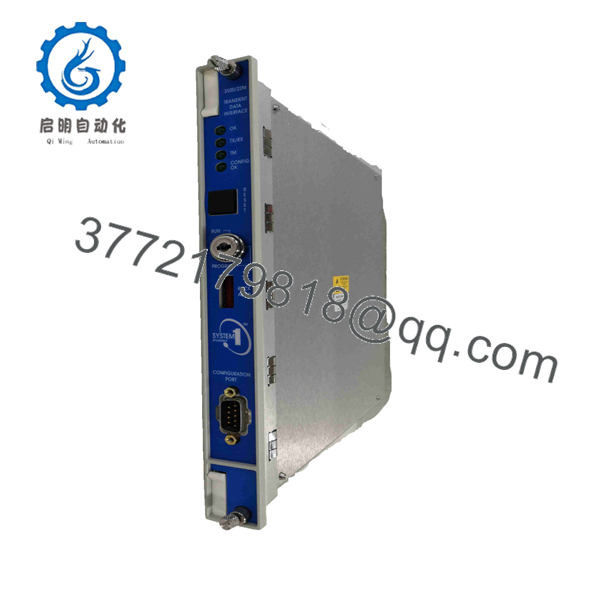
3500/22M
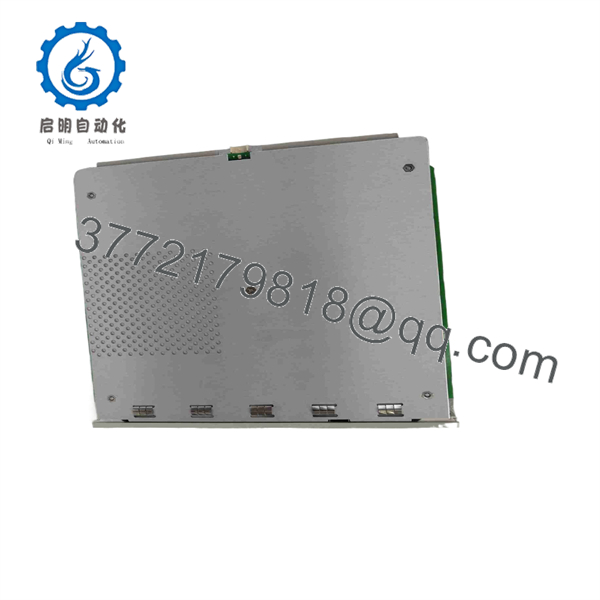
3500/22M
Troubleshooting Quick Reference
| Symptom | Possible Cause | Relevance to This Part | Quick Check Method | Recommendation |
|---|---|---|---|---|
| Engineering workstation cannot connect to the 3500 rack | Wrong IP address, subnet, cable fault, switch-port issue, Ethernet I/O mismatch, firewall rule, TDI fault | ✅ High | Confirm the installed rear I/O option. Check link LEDs, cable continuity, switch-port status, IP address, subnet mask, and workstation network route. Use an approved ping test if site policy permits. | Verify network configuration and physical layer before replacing the 3500/22M. |
| Rack Configuration Software cannot discover the rack | Wrong network adapter selected, incorrect IP settings, TDI not powered or seated, software compatibility issue | ✅ High | Confirm the TDI is installed in Slot 1 and shows normal status. Check the workstation adapter, network settings, and connection path. | Correct software and network setup first. Do not replace the TDI because a laptop uses the wrong Ethernet interface. |
| No Ethernet link LED | Failed cable, disabled switch port, incorrect I/O module, failed network interface, rack power loss | ✅ Medium | Test with a known-good patch cable and known-good switch port. Inspect the rear I/O module and confirm rack power. | Replace cable or restore network service before replacing the TDI. |
| Fiber communication is down | Wrong fiber type, TX/RX reversed, dirty connector, incompatible 100Base-FX network equipment, failed fiber I/O module | ✅ High | Confirm the installed TDI has the -02 100Base-FX I/O option. Inspect and clean fiber connectors using approved methods, then verify TX/RX orientation and switch compatibility. |
Correct fiber plant issues first. Do not look into energized fiber ports. |
| Rack collects steady-state data but transient waveforms are missing | Dynamic-data feature not enabled, channel not configured, licensing or enabling option absent, software collection setup issue | ✅ Medium | Review TDI options, monitor configuration, System 1 settings, and channel enablement. Check whether the applicable dynamic-data feature is installed and configured. | Correct configuration and licensing before replacing a working TDI. |
| TDI shows a module fault at startup | Card not seated, wrong rack slot, backplane issue, incompatible I/O module, damaged front or rear module | ✅ High | De-energize under the approved procedure. Inspect card edge contacts, rear I/O connections, slot location, and module labels. Reseat once and restart. | Replace the TDI only if the module fault remains in a verified rack with the correct matched rear I/O hardware. |
| Rack monitors normally but DCS/System 1 data is unavailable | TDI network issue, external gateway issue, host software issue, switch/VLAN configuration, data-server issue | ✅ High | Compare local monitor status with System 1 or DCS communications. Verify TDI IP reachability, host service status, network logs, and external integration path. | Remember that machinery protection can remain active while the data interface is offline. Troubleshoot communications separately from protection. |
| TDI communication drops intermittently | Duplicate IP address, network loop, marginal switch port, EMI, loose Ethernet connector, poor rack power quality | ✅ Medium | Review switch logs and TDI event history. Check for duplicate IPs, cable strain, shield treatment, and rack supply stability. | Correct network and power issues before declaring the TDI defective. |
| Entire rack is unavailable | Rack power failure, TDI backplane problem, power-supply issue, wiring fault, rack hardware issue | ✅ Medium | Check both 3500/15 supplies, rack LEDs, power input modules, and TDI status. Determine whether redundant supply paths are present. | Diagnose rack power before replacing the TDI. |
| Machine protection still runs but no configuration access is available | TDI, Ethernet I/O, network configuration, or engineering workstation issue | ✅ High | Confirm the machine-monitor cards remain healthy and compare rack status with network access. | Do not bypass protection simply to restore communications. Repair the data path under controlled maintenance. |
❗ Slot 1 is non-negotiable. The 3500/22M belongs in Slot 1, immediately next to the power supplies. A 3500 rack requires one TDI or RIM in that location. Installing it elsewhere creates a rack architecture fault, not a clever workaround.
❗ The full order code matters. A standard copper Ethernet TDI and a 100Base-FX fiber TDI use different rear I/O hardware. Check the installed I/O module and network medium before ordering. A correct front TDI with the wrong I/O type will not restore communications.
❗ Back up the rack configuration before replacement. Save the current 3500 configuration, record the IP address, subnet mask, gateway, Ethernet/fiber settings, host connections, monitor inventory, and any System 1 collection settings. A TDI replacement without those records can turn a 30-minute repair into a long integration outage.
❗ Do not confuse data loss with loss of protection. The TDI is not part of the primary monitoring protection path. A failed TDI can block configuration and data retrieval while monitor cards continue to protect the machine. Confirm actual monitor and relay status before changing machine operating decisions.
If troubleshooting stalls, provide technical support with the full 3500/22M order code, front and rear module photos, rack slot photo, TDI status LEDs, rear I/O label, IP configuration, switch-port status, System 1 or configuration-software error, and rack event log. Keep these checks in mind and you will save yourself 90% of typical rework time.
Frequently Asked Questions (FAQ)
What is the Bently Nevada 3500/22M?
The Bently Nevada 3500/22M is a Transient Data Interface, or TDI, for the 3500 Machinery Protection System. It provides the primary interface between the rack and Bently Nevada System 1 and 3500 Rack Configuration Software.
Is the 3500/22M required in every 3500 rack?
Every 3500 rack requires either one 3500/22M TDI or one 3500/20 Rack Interface Module. The TDI or RIM occupies Slot 1 next to the power supplies.
What does the TDI replace?
The 3500/22M combines the rack-interface function of the legacy 3500/20 RIM with communication-processor data-collection capability similar to TDXnet. It supports rack configuration and retrieval of machinery monitoring information through compatible software.
Does the 3500/22M use Ethernet or fiber?
Either, depending on its I/O configuration. The -01 I/O option provides 10Base-T/100Base-TX copper Ethernet, while the -02 I/O option provides 100Base-FX fiber-optic Ethernet. Verify the exact full order code and rear I/O hardware before purchasing.
Can a failed TDI trip the machine?
The TDI is not part of the 3500 rack’s primary machinery-protection monitoring path. A failure can block rack configuration, data collection, System 1 access, and network visibility, while the protection monitors may continue operating. However, site operating procedures may require data availability or annunciation, so assess the actual rack and process condition before continuing operation.
Can I hot-swap the 3500/22M?
Do not assume it is hot-swappable. Removing the TDI interrupts rack configuration and external data communications and may create system diagnostics. Follow the site’s machinery-protection, change-control, cybersecurity, notification, and return-to-service procedures before replacement.
Why can I see steady-state values but not transient waveforms?
The dynamic-data collection feature may not be enabled or configured for the TDI and relevant monitor channels. Check the current rack configuration, System 1 acquisition settings, feature options, and applicable data-collection enablement before replacing hardware.
Is the 3500/22M obsolete, and should I keep a spare?
The 3500 platform remains common in machinery-protection applications, but lead time varies by the exact order code and I/O configuration. For critical turbines, compressors, generators, and large pumps, stock a verified TDI with the correct copper or fiber interface. Keep the current rack configuration file, network settings, System 1 configuration, and installation records with the spare.



