
 WhatsApp: +86 16626708626
 Email:
  Phone: +86 16626708626
Description
Key Technical Specifications
| Parameter | Value |
|---|---|
| Manufacturer | Bently Nevada |
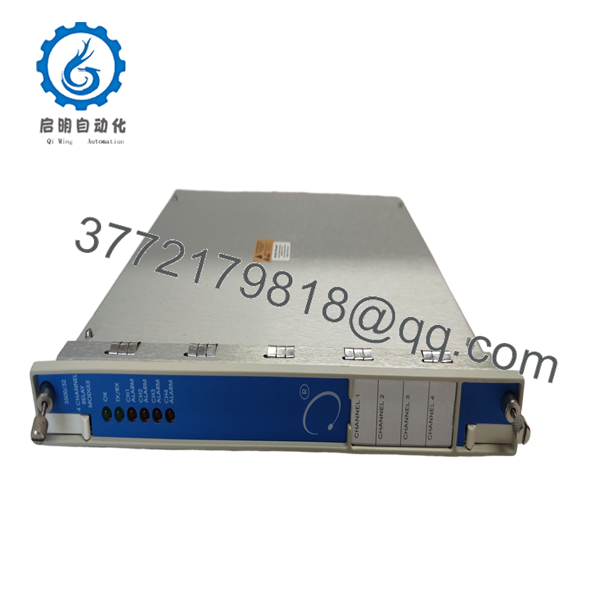
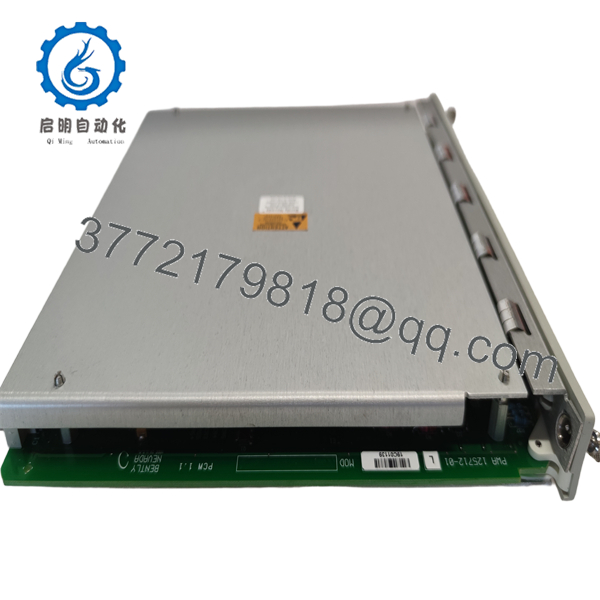
| Model | 3500/32 125712-01 |
| Product Type | 4-Channel Relay Module |
| Series | 3500 Machinery Protection System |
| Relay Channels | 4 independently programmable outputs |
| Logic Functions | AND / OR alarm voting logic |
| Configuration | 3500 Rack Configuration Software |
| Installation | Standard 3500 rack slot |
| Typical Application | Machinery protection and shutdown logic |
| System Compatibility | Bently Nevada 3500 Monitoring System |
| Certification | Supports installations designed to API 670 requirements when used within the 3500 platform |
| Operating Environment | Industrial machinery monitoring systems |
Product Introduction
The Bently Nevada 3500/32 125712-01 is a 4-Channel Relay Module designed for the 3500 Machinery Protection System. It provides programmable relay outputs that convert monitor alarms into external shutdown, annunciation, and control signals for critical rotating equipment such as turbines, compressors, generators, and large pumps.
Unlike dedicated monitoring modules, the 3500/32 focuses on control actions. Each relay can be independently configured using AND/OR voting logic, allowing engineers to implement customized protection strategies without adding external relay hardware. This flexibility makes it a common choice in API 670-compliant machinery protection systems.

- 3500/32 125712-01
- 3500/32 125712-01
Installation & Configuration Guide
Stage 1 – Pre-Installation Preparation (10 minutes)
⚠️ Safety First
- Notify operations before shutting down the equipment.
- Perform Lockout/Tagout (LOTO).
- Remove control power and wait at least five minutes.
- Wear an ESD wrist strap.
Tools Required
- PH1 screwdriver
- Digital multimeter
- ESD wrist strap
- Wire markers
- Smartphone for documentation
Before Removal
- Save the existing rack configuration.
- Record firmware revision.
- Photograph terminal wiring.
- Document relay logic assignments.
Stage 2 – Remove the Existing Module (5 minutes)
- Open the rack front cover.
- Label all field wiring.
- Disconnect terminal connections carefully.
- Release the module locking mechanism.
- Pull the module straight out.
⚠️ Do not discard the old module until the replacement has passed functional testing.
Stage 3 – Install the New Module (10 minutes)
- Verify the replacement part number is 3500/32 125712-01.
- Inspect the backplane connector.
- Insert the module until fully seated.
- Lock the retaining tabs.
- Reconnect wiring.
Checklist
- ✅ Correct model
- ✅ Proper seating
- ✅ Wiring verified
- ✅ Connectors secure
Stage 4 – Power-Up & Functional Test (10 minutes)
- Verify no short circuits exist on the power rail.
- Energize the rack.
- Confirm normal module LED status.
- Connect using 3500 Rack Configuration Software.
- Verify relay assignments.
- Simulate Alert and Danger alarms.
- Confirm each relay changes state correctly.
⚠️ If the relay outputs do not operate correctly, verify configuration logic before replacing the hardware. Incorrect programming is more common than hardware failure.
Frequently Asked Questions
Q1. Can I hot-swap the 3500/32 module?
No. Remove rack power before replacing the module. Hot-swapping can damage the rack backplane or create unpredictable relay states.
Q2. Is the 125712-01 still manufactured?
The module is considered a legacy product. New surplus and professionally tested inventory remain available from industrial automation suppliers, but availability varies.
Q3. Does replacing this module erase my monitoring configuration?
No. Relay logic is stored in the system configuration database. However, always back up the rack configuration before replacing any module.
Q4. Is this module compatible with every 3500 rack?
It is designed for the Bently Nevada 3500 Machinery Protection System. Compatibility depends on the installed rack hardware, power supply, firmware revision, and overall system configuration. Verify compatibility before installation.
Q5. What is the most common installation mistake?
Failing to verify the programmed relay logic after installation. The hardware may be functioning correctly while the relay assignments or voting logic differ from the original configuration.
Q6. Why do experienced engineers keep the old module until commissioning is complete?
Because configuration mistakes, wiring errors, and firmware differences are far more common than defective replacement hardware. Keeping the original module available allows quick comparison if unexpected behavior occurs during startup.
Q7. What role does the 3500/32 play in the protection system?
The 3500/32 does not perform vibration measurements itself. Instead, it receives alarm information from monitoring modules and converts those events into relay outputs that can initiate alarms, equipment shutdowns, or other plant control actions.



