
 WhatsApp: +86 16626708626
 Email:
  Phone: +86 16626708626
Description
3. Key Technical Specifications
- Model Number: 3500/94 147663-01
- Manufacturer: Bently Nevada
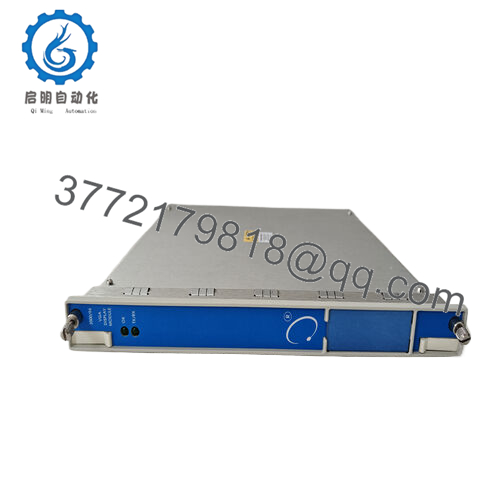
- Product Type: VGA Display I/O Module
- System Platform: Bently Nevada 3500 Machinery Protection System
- Display Interface: VGA video output
- Display Function: Real-time visualization of 3500 monitoring data
- Touch Interface: Supports touch screen display communication
- Rack Compatibility: Bently Nevada 3500 Series rack
- Configuration Software: 3500 Rack Configuration Software
- Supported Display Resolution: 640 × 480, 800 × 600, 1024 × 768 (display dependent)
- Communication: 3500 rack internal communication interface
- Power Supply: Rack supplied power
- Operating Temperature: -20 to +65 °C typical system environment
- Storage Temperature: -40 to +85 °C
- Humidity: Up to 95% RH, non-condensing
- Mounting: 3500 rack I/O module installation
- Cable Distance: VGA display connection can be installed remotely depending on cable configuration
4. Product Introduction
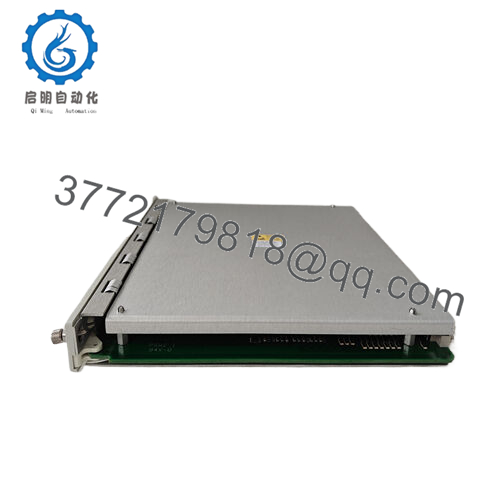
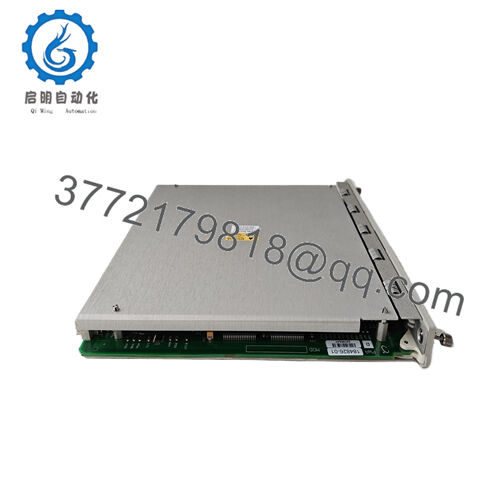
The Bently Nevada 3500/94 147663-01 is a VGA Display I/O Module used with the 3500 Machinery Protection System. It provides a video interface between the 3500 rack and an external VGA display, allowing operators to view vibration, alarm, and machine status information locally.
The module is typically installed in control rooms, machinery protection cabinets, and operator monitoring stations. Replacement work requires checking rack configuration, display settings, and compatibility with the connected VGA monitor before commissioning.

- 3500/94 147663-01
5. Installation & Configuration Guide
Stage 1: Pre-Installation Preparation (Approx. 10 minutes)
⚠️ Safety First:
- Notify operations before removing the display module.
- Confirm the machinery monitoring system can be temporarily interrupted.
- Apply lockout/tagout procedures if required.
- Remove 3500 rack power and wait 5 minutes before handling the module.
Tools Required:
- ESD wrist strap
- PH1 screwdriver
- Digital multimeter
- Wire labels
- Smartphone for photos
Data Backup:
- Connect to the 3500 System Configuration Software.
- Save the existing rack configuration.
- Record 3500/94 module slot location.
- Photograph VGA wiring and display connections.
Stage 2: Removing the Old Module (Approx. 5 minutes)
- Remove the rack front cover if installed.
- Disconnect VGA cable and any touch interface wiring.
- Label cables before removal.
- Release module locking tabs.
- Pull the module straight out from the rack.
- Inspect the backplane connector.
⚠️ Note: Keep the original module until the replacement display function is verified.
Stage 3: Installing the New Module (Approx. 10 minutes)
- Wear an ESD strap before handling the replacement.
- Verify the part number matches Bently Nevada 3500/94 147663-01.
- Confirm the correct rack slot.
- Insert the module firmly until seated.
- Reconnect VGA and touch interface cables.
Configuration Clone (Critical):
- Confirm display type settings.
- Verify language configuration.
- Confirm VGA resolution compatibility.
- Check custom display screens.
- Verify displayed rack data.
Self-Checklist:
[ ] Correct part number verified
[ ] Module seated correctly
[ ] VGA cable connected
[ ] Display configuration restored
Stage 4: Power-On & Testing (Approx. 15 minutes)
Pre-Power Check:
- Verify rack power supply voltage.
- Check VGA cable condition.
- Confirm cable connections.
Power-On Steps:
- Power up the 3500 rack.
- Check module status LEDs.
- Confirm VGA display startup.
- Open 3500 configuration software.
- Verify 3500/94 recognition.
- Check displayed machine parameters.
- Test alarm and status screen display.
⚠️ Troubleshooting Note:
- No display output: Check VGA cable, monitor input selection, and resolution settings.
- Blank screen after replacement: Verify module configuration.
- Communication fault: Check rack slot position and module seating.
- Incorrect data display: Reload saved 3500 configuration.
6. Frequently Asked Questions (FAQ)
Q1: What is the Bently Nevada 3500/94 147663-01 used for?
The 147663-01 is a VGA Display I/O Module for the 3500 system. It allows operators to view machinery monitoring information through a connected display.
Q2: Can the 3500/94 147663-01 be hot-swapped?
No. Remove rack power before replacement. The module connects to the 3500 backplane, and incorrect removal can create communication or hardware faults.
Q3: Does the 147663-01 include the VGA monitor?
Usually no. The 147663-01 is the VGA Display I/O module. The complete display solution may include the module, I/O card configuration, and external VGA display equipment.
Q4: Is the Bently 3500/94 147663-01 obsolete?
It is an established module used in installed 3500 systems. Many facilities continue operating 3500 platforms, but availability depends on surplus inventory and tested stock condition.
Q5: Will I lose my display settings when replacing the module?
The module replacement does not automatically guarantee recovery of display configuration. Save the rack configuration and verify display parameters after installation.
Q6: What should I check before ordering a replacement?
Verify:
- Model: 3500/94
- Part Number: 147663-01
- Rack series: Bently Nevada 3500
- Display type and VGA requirements
- Existing configuration backup
Q7: Why is this module cheaper than OEM factory pricing?
Industrial automation spare parts are often sourced from surplus inventory, maintenance stock, or project leftovers. Pricing depends on condition, testing records, availability, and warranty terms. Confirm whether the unit is New Original, New Surplus, or Refurbished before installation.



