
 WhatsApp: +86 16626708626
 Email:
  Phone: +86 16626708626
Description
Key Technical Specifications
| Parameter | Value |
|---|---|
| Manufacturer | Black Box |
| Model | ACR1000A-R2 |
| Product Family | ServSwitch Agility |
| Product Type | KVM-over-IP matrix extender kit |
| Kit Composition | One transmitter and one receiver |
| Video Interface | Single-head DVI-D |
| Maximum Video Resolution | 1,920 × 1,200 |
| Video Compression | No-loss / pixel-perfect digital-video transmission |
| USB Support | USB HID and USB 2.0 peripheral support |
| Supported USB Devices | Keyboard, mouse, touchscreen, flash drive, and standard HID devices |
| Audio Support | Audio extension over Ethernet LAN |
| Serial Support | Serial extension supported |
| Primary Network Medium | Ethernet LAN |
| Point-to-Point Cabling | CAT6 / CATx |
| Point-to-Point Distance | Up to 330 ft / 100 m |
| Extended Distance | Beyond 100 m through compatible Ethernet switches |
| Matrix Capability | Scalable IP-based KVM matrix architecture |
| Multicast Capability | Video and audio multicast to multiple receiver units |
| Network Switch Requirement | IGMP snooping recommended for multicast operation |
| Video Feature | Magic Eye support for dithered graphics |
| Management Option | ACR1000A-CTL Agility Controller Unit |
| Management Function | Browser-based remote configuration, access control, channel setup, USB class control |
| Form Factor | Desktop / zero-U mounting arrangement |
| Approximate Dimensions | 1.73 × 7.91 × 4.80 in / 4.4 × 20.1 × 12.2 cm per unit |
| Approximate Unit Weight | 1.65 lb / 0.75 kg |
| Power Supply | External 5 V DC power adapter |
| Typical Use | Control rooms, industrial PC rooms, visualization stations, machine-room KVM access, remote HMI access |
The Black Box ACR1000A-R2 is a ServSwitch Agility single-head DVI-D KVM-over-IP extender kit. It sends DVI-D video, USB, USB 2.0, audio, and serial signals across an Ethernet LAN or directly through CAT6 cabling, with point-to-point extension up to 100 m and longer reach through compatible network switches.
Product Introduction
The Black Box ACR1000A-R2 is a ServSwitch Agility KVM-over-IP extender kit for remotely operating a DVI-equipped industrial PC, workstation, server, or control-room computer. It extends single-link DVI-D video, USB keyboard and mouse signals, USB 2.0 peripherals, audio, and serial communications over CATx or an Ethernet network. The kit is useful when the computer must remain inside a secure cabinet, electrical room, server room, or clean machine room.
The ACR1000A-R2 supports up to 1,920 × 1,200 resolution and can operate as a direct transmitter-to-receiver link or as part of a scalable IP KVM matrix. For multi-user switching, access control, and remote configuration, use the separate ACR1000A-CTL controller. Verify DVI-D source compatibility, network-switch multicast settings, USB device requirements, and transmitter/receiver part numbers before ordering.
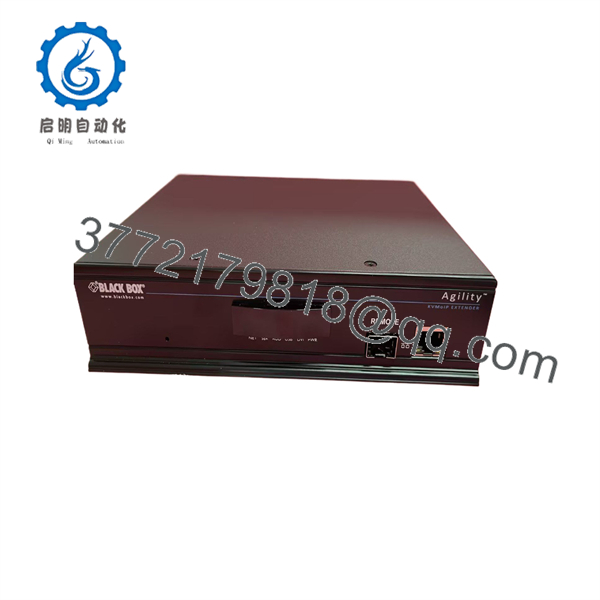
ACR1000A-R2
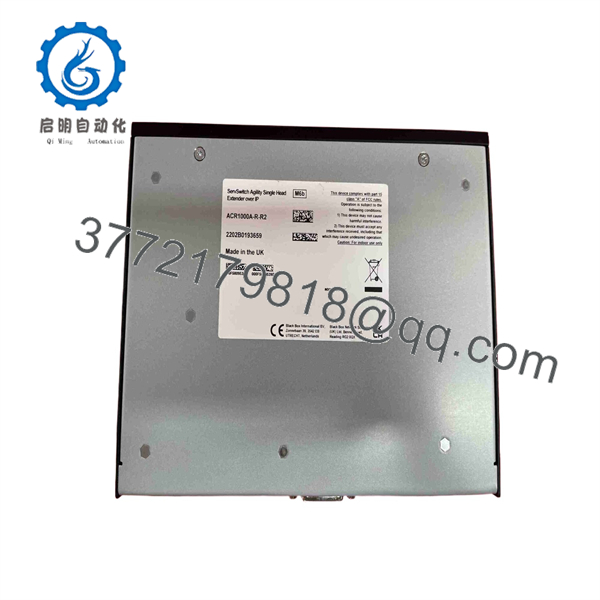
ACR1000A-R2
Troubleshooting Quick Reference
| Symptom | Possible Cause | Relevance to this Part | Quick Check Method | Recommendation |
|---|---|---|---|---|
| No power LEDs on transmitter or receiver | Missing 5 V DC power, failed adapter, damaged DC connector, incorrect power supply | ⚠️ Medium | Measure 5 V DC at the unit power connector; verify the power adapter output and inspect the cable for damage | Confirm stable 5 V DC before replacing either KVM unit |
| Receiver powers up but display remains black | Wrong DVI input selected, unsupported source output, loose DVI connector, transmitter not linked | ⚠️ Medium | Confirm the monitor input selection; reseat DVI-D connectors; test the source with a local monitor; verify transmitter and receiver network link LEDs | Check the source video and Ethernet link first. A black screen does not automatically mean the receiver failed |
| Video is present but has artifacts or intermittent dropouts | Network congestion, faulty CAT6 cable, switch configuration issue, damaged DVI cable | ⚠️ Medium | Test with a known-good short CAT6 cable point-to-point; replace DVI cables; review switch port statistics for errors or dropped packets | Use certified cabling and isolate the network path before replacing the ACR1000A-R2 |
| Video works locally but not over the network | Transmitter and receiver are on separate VLANs, blocked multicast traffic, incorrect IP configuration | ⚠️ Medium | Check IP addresses, subnet masks, VLAN assignment, switch-port status, and network access rules | Confirm Layer 2/Layer 3 connectivity and KVM system configuration before condemning the extender |
| USB keyboard and mouse do not work | USB cable not connected to source, unsupported USB device, USB emulation setting, receiver-side connection issue | ⚠️ Medium | Test with a basic wired USB keyboard and mouse; confirm the transmitter USB connection to the host PC; disconnect nonessential USB peripherals | Start with standard HID devices. Add touchscreens, flash drives, and specialty USB hardware only after basic HID control works |
| USB flash drive or touchscreen is not detected | USB class restriction, USB 2.0 bandwidth demand, device not supported in the current configuration | ⚠️ Medium | Test a known-good low-power USB HID device; review controller configuration and USB class permissions | Use the ACR1000A-CTL configuration tools if USB classes are restricted. Do not assume every high-bandwidth USB device will behave like a keyboard |
| Video works point-to-point but fails through a managed switch | Multicast handling disabled, IGMP snooping misconfigured, switch QoS or VLAN rules blocking traffic | ⚠️ Medium | Test with a direct CAT6 link; then verify IGMP snooping, multicast querier, VLAN membership, and port configuration | Configure the switch for Agility multicast operation. IGMP snooping is recommended to prevent unnecessary multicast traffic across the LAN |
| Multiple receivers show unstable video | Multicast flooding, insufficient switch capacity, duplicate system configuration | ⚠️ Medium | Check switch CPU/load, multicast group membership, port utilization, and receiver assignments | Enable IGMP snooping and confirm the switch can support the required multicast traffic |
| Keyboard works but mouse movement is erratic | USB HID emulation issue, nonstandard mouse driver, USB polling behavior, local device conflict | ❌ Low | Test with a basic wired USB mouse; disconnect local USB devices; restart the host only under an approved procedure | Use standard HID equipment during diagnosis. Investigate host drivers before replacing the KVM hardware |
| Audio is missing but video works | Incorrect audio source selection, loose cable, OS audio output routed elsewhere, transmitter audio connection missing | ❌ Low | Test source audio locally; verify input/output cabling and operating-system audio device selection | Correct host audio configuration and cabling before replacing the extender |
| Serial device is not communicating | Incorrect baud rate, parity, flow-control setting, wrong null-modem/cable wiring | ❌ Low | Compare serial settings at both ends; test with a known-good serial loopback or terminal application | Match baud rate, data bits, parity, stop bits, and flow control. Do not blame the KVM extender for a serial parameter mismatch |
| Replacement unit does not join the existing KVM matrix | Incorrect transmitter/receiver model, stale controller configuration, duplicate IP settings, incompatible firmware | ✅ High | Record existing unit labels, IP details, controller configuration, firmware revisions, and channel assignments before replacement | Match the specific transmitter and receiver variants. Reapply the approved configuration only after confirming model compatibility |
| KVM system operates slowly only during busy plant-network periods | Switch oversubscription, multicast flooding, insufficient uplink capacity, unrelated traffic | ❌ Low | Monitor switch bandwidth and error counters; move the system temporarily to an isolated test switch | Keep KVM video traffic on a properly designed network segment. A replacement extender will not repair an overloaded switch |
| Receiver or transmitter is unusually hot | Poor ventilation, incorrect power adapter, internal failure, high ambient temperature | ⚠️ Medium | Check ambient cabinet temperature, ventilation clearance, power adapter voltage, and enclosure condition | Improve airflow and verify correct power first. Replace the unit if overheating continues under normal conditions |
❗ Network warning: Do not connect an Agility KVM pair to an unmanaged or unknown shared LAN and expect predictable behavior. In a matrix or multicast installation, the network switch configuration matters as much as the KVM hardware. IGMP snooping is specifically recommended to prevent multicast traffic from flooding every switch port.
❗ Video warning: The ACR1000A-R2 supports DVI-D video up to 1,920 × 1,200. It does not convert analog VGA signals. If the source uses VGA, DisplayPort, HDMI, or a newer GPU output, use an appropriate active converter only after confirming resolution, EDID, and compatibility.
❗ USB warning: Start troubleshooting with a basic wired USB keyboard and mouse. A touchscreen, barcode reader, encrypted USB device, camera, license dongle, or specialized USB device can introduce enumeration and bandwidth problems that look like a KVM hardware failure.
❗ Configuration warning: Document IP addresses, VLANs, controller settings, receiver/transmitter labels, channel assignments, and firmware revisions before replacement. I have seen a good replacement receiver sit unused for hours because the old system’s controller configuration was never exported.
If you need technical support, provide photos of each unit’s full label, DVI and USB connections, power supply labels, Ethernet switch port LEDs, network topology, switch model, IP/VLAN settings, and any controller configuration screenshots. Include source-PC resolution, monitor model, USB devices, and observed link or status LEDs.
Frequently Asked Questions
What is included with the Black Box ?
The is an Agility KVM extender kit containing one transmitter and one receiver. It is intended to extend a single-head DVI-D KVM connection between a source computer and a remote user station. Confirm the exact seller contents, because used or surplus kits may not include all original accessories.
What signals can the extend?
It extends single-head DVI-D video, USB HID devices, USB 2.0 peripherals, audio, and serial communications over an Ethernet LAN or point-to-point CAT6 connection. Standard USB HID support includes keyboard and mouse emulation, with additional support for devices such as touchscreens and flash drives.
What is the maximum video resolution?
The maximum supported resolution is 1,920 × 1,200. Verify the source computer output and monitor resolution before ordering. If your application requires dual displays, 4K video, DisplayPort, or HDMI, this single-head DVI-D model is not the correct solution.
How far can I extend the KVM connection?
For a direct point-to-point installation, the maximum distance is 330 ft / 100 m over or equivalent CATx cabling. You can extend farther by using compatible Ethernet switches as part of the IP-based KVM network.
Do I need the ACR1000A-CTL controller?
For a basic point-to-point transmitter-to-receiver link, confirm the intended operating mode with the system documentation. For centralized matrix management, browser-based remote configuration, access permissions, channel creation, USB device-class control, and multi-user administration, Black Box specifies the separate ACR1000A-CTL controller unit.
Can I use the with a standard Ethernet switch?
Yes, provided the switch and network are configured appropriately. For multicast video/audio distribution, use a managed switch with IGMP snooping enabled; this prevents multicast traffic from being sent to ports that do not belong to the KVM group. Also confirm VLAN design, uplink capacity, port speed, and switch policies before deployment.
Can I use this model with HDMI, DisplayPort, or VGA equipment?
Not directly. The uses DVI-D. DVI-D is digital-only and does not carry analog VGA. HDMI or DisplayPort sources may require an adapter or active converter, but compatibility depends on resolution, EDID behavior, HDCP status, and the source device. Test the complete signal chain before using it on a critical workstation.
Is the same as ACR1000A-R-R2?
No—verify the exact product identifier. The commonly refers to the transmitter-and-receiver extender kit, while ACR1000A-R-R2 is the receiver-only unit. The transmitter-only companion is identified as ACR1000A-T-R2. Ordering a receiver when you need a complete kit is a common procurement mistake.
What condition should I request for a control-room spare?
Request New Original / New Surplus with original labels, paired transmitter/receiver model confirmation, power supplies, and actual photos, or Refurbished (tested) with a documented test report. A worthwhile test includes 5 V DC power-up, DVI video at 1,920 × 1,200, USB keyboard/mouse operation, USB 2.0 device enumeration, audio, serial communications, point-to-point link testing, and at least several hours of continuous operation. Request exact stock status, lead time, warranty, and return terms before buying.



