
 WhatsApp: +86 16626708626
 Email:
  Phone: +86 16626708626
Description
Key Technical Specifications
| Parameter | Technical Specification |
| Manufacturer | Bosch Rexroth / Indramat |
| Part Number / Type Code | DKC02.3-100-7-FW |
| Product Family | EcoDrive DKC Series |
| Interface Option | SERCOS Fiber Optic Interface (Series 02) |
| Design Version | Version 3 |
| Rated Current Output | 100 A |
| DC-Bus Nominal Voltage | 700 VDC |
| Control Voltage Input | 24 VDC (±15%) |
| Output Voltage Range | 3-Phase 0–800 VAC |
| Motor Compatibility | Indramat MKD, MHD, and MKE synchronous AC servo motors |
| Protection Rating | IP20 |
| Operating Temperature | 0 °C to +45 °C (up to +55 °C with derating) |
| Physical Dimensions | 360 mm (H) x 105 mm (W) x 261 mm (D) |
| Weight | 9.7 kg (21.3 lbs) |
Product Introduction & Supply Chain Strategy
The Bosch Rexroth Indramat DKC02.3-100-7-FW is a 100 A digital AC servo drive controller operating on a 700 VDC bus architecture. Designed with an integrated SERCOS fiber optic interface, this EcoDrive controller executes closed-loop motion control algorithms for Indramat MKD and MHD servo motors in packaging, CNC machining, and high-speed handling systems.
Because Bosch Rexroth has declared the EcoDrive 02 series obsolete, securing this module as New Surplus ensures uninterrupted plant operations without forcing an expensive controller migration. Sourcing factory-unused surplus avoids the internal degradation associated with aged power stage capacitors and worn IGBT gates common in second-hand units. Maintaining 1-2 units on-site safeguards your Total Cost of Ownership (TCO) by keeping critical machinery running during unscheduled drive failures.
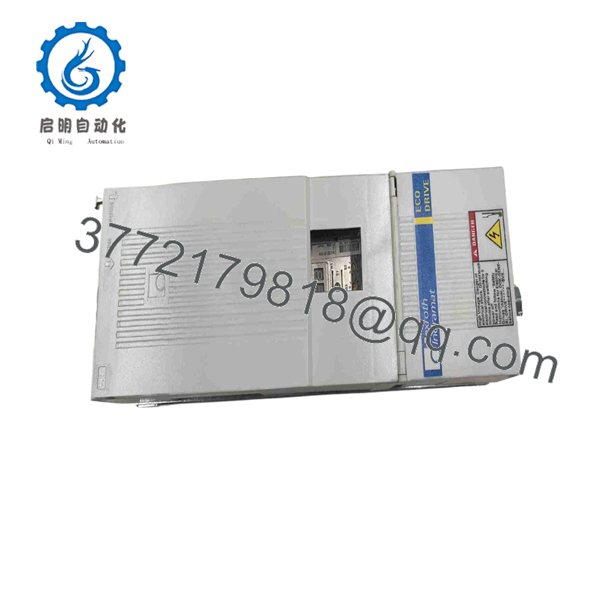
DKC02.3-100-7-FW
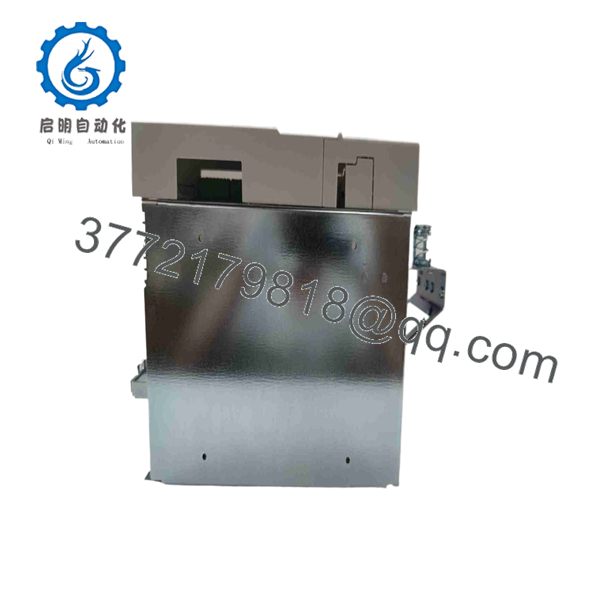
DKC02.3-100-7-FW
Installation & Configuration Guide
Stage 1: Pre-Installation (Prep & Safety)
- Perform Lock-Out/Tag-Out (LOTO) on the incoming 3-phase power, 24 VDC control power, and external DC bus links.
- Put on a grounded ESD wrist strap before handling fiber optic cables, terminal blocks, or firmware modules.
- Label all fiber optic SERCOS cables (Tx/Rx) and record the unit’s drive address setting from the front S1 DIP switch bank.
Stage 2: Removal
- Wait at least 5 minutes after switching off power to allow the 700 VDC bus capacitors to fully discharge below 50 VDC.
- Disconnect the fiber optic SERCOS connectors, 24 VDC logic connector, motor power cable, and encoder feedback connector.
- Unbolt the mounting screws from the top and bottom of the unit and carefully remove the 9.7 kg drive from the enclosure backplate.
Stage 3: Installation (Clone & Seat)
- Inspect the rear heat sink and connection pins of the new surplus DKC02.3-100-7-FW unit for physical integrity.
- Insert the existing firmware software module (GSM/FWA card) into the replacement drive’s top firmware slot.
- Replicate the S1 DIP switch address settings exactly as configured on the original drive.
- Mount the drive securely onto the cabinet backplate, ensuring full metal-to-metal contact for ground continuity.
- Reattach the fiber optic cables taking care not to bend them past their minimum bend radius (30 mm).
Stage 4: Power-On & Testing
- Apply 24 VDC logic control power before enabling the main AC line power.
- Verify the 2-digit, 7-segment display shows
bb(Ready for Operation) orP0(SERCOS Phase 0 communication). - Enable 3-phase power to energize the 700 VDC bus.
- Confirm the SERCOS loop transitions successfully through Phase 1 to Phase 4 (
AFdrive enabled status) with no error codes on the display.
Firmware/Software Versions & Upgrade Notes
- Firmware Card Requirement: The
-FWdesignation indicates that firmware is ordered or transferred separately. The drive unit requires an Indramat FWA/GSM plug-in firmware card to operate. - Firmware Portability: Swap the existing firmware card directly into the new surplus drive unit to preserve all parameters, motor feedback profiles, and SERCOS configuration settings without needing DriveTop software.
- Compatibility Notes: Ensure the replacement firmware card version matches the original drive’s firmware release (e.g., FWA-ECODRV-ASE-02VRS-MS). Attempting to jump firmware major versions without re-commissioning can result in SERCOS phase initialization errors (e.g.,
C0201orC0202).
Frequently Asked Questions (FAQ)
Is this Indramat DKC02.3-100-7-FW drive brand new or refurbished?
This unit is strictly New Surplus (Original Unused stock). It has never been installed in a production environment, pulled from a decommissioned line, or subjected to board-level repairs.
Why does the model number end in “-FW”?
The -FW suffix stands for “Firmware.” It signifies that the physical drive controller hardware is shipped without embedded fixed firmware. The operational logic is loaded via an external plug-in firmware module (FWA card) that inserts into the top slot of the drive.
Can I replace a DKC02.3-100-7-FW with another current rating, such as a 40 A version?
No. The 100 designation specifies a 100 A peak output current capacity. Replacing it with a lower-rated unit (e.g., DKC02.3-040) will overload the output stage when driving larger motors, triggering over-current faults (F208 or F878).
How do I transfer drive parameters to this new surplus unit?
If you transfer your existing plug-in firmware card (FWA card) to the new surplus drive, all drive parameters, motor data, and SERCOS settings transfer automatically. No external software connection is required.
What warranty comes with this New Surplus drive?
All New Surplus Indramat .3-100-7-FW drive controllers include a 1-year functional warranty from the date of purchase.



