
 WhatsApp: +86 16626708626
 Email:
  Phone: +86 16626708626
Description
Key Technical Specifications
| Parameter | Value / Specification |
| Manufacturer | Bosch Rexroth / Indramat |
| Part Number | HDS02.2-W040N-HS12-01-FW |
| Product Line | DIAX04 Drive System |
| Cooling Method | Internal Air Cooling with integrated fan (W) |
| Rated Current | 40 A |
| Design Version | Line 02, Version 2 (HDS02.2) |
| Command Interface | HS12 Configuration (SERCOS interface / digital control slot) |
| DC Bus Voltage | 300 V DC to 700 V DC (supplied via HDV/HVR power supply) |
| Enclosure Protection | IP20 (NEMA 1 equivalent) |
| Operating Temperature | 0 °C to +45 °C (32 °F to 113 °F) |
| Storage Temperature | −30 °C to +85 °C (−22 °F to 185 °F) |
| Compatible Motors | Rexroth MKD, MHD, 2AD, and ADF AC servo/spindle motors |
Product Introduction & Supply Chain Strategy
The Bosch Rexroth HDS02.2-W040N-HS12-01-FW is a 40-Amp DIAX04 modular drive controller engineered for high-precision motion control applications. Powered via central HVR or HDV power supply modules, it delivers rapid response times and tight speed/position loop regulation across CNC machine tools, automotive transferring lines, and high-speed packaging machinery.
Maintaining a New Surplus HDS02.2-W040N-HS12-01-FW in your local spare parts matrix is a vital risk-mitigation strategy. Because the DIAX04 platform is a legacy architecture, OEM factory replacement leads can cause multi-week plant shutdowns. Purchasing genuine New Surplus guarantees original factory insulation integrity, pristine internal bus capacitors, and zero power-stage thermal degradation—preventing the unpredictable trip faults and short service lives associated with second-hand refurbished options.
Installation & Configuration Guide
Stage 1: Pre-Installation (Prep & Safety)
- Perform Lock-Out/Tag-Out (LOTO) on the central DIAX04 power supply module (HVR/HDV) and 24 V DC control power feeds.
- DANGER: Wait at least 5 minutes for the DC bus capacitors to discharge. Measure DC bus terminals (L+ and L-) with a calibrated multimeter to confirm voltage is below 50 V DC before touching any electrical connection.
- Put on a grounded ESD wrist strap before handling plug-in software modules (FW) or option cards.
- Document all fiber-optic SERCOS cable locations, address switches, and terminal wiring.
Stage 2: Removal
- Unplug the SERCOS fiber-optic connectors carefully; install protective dust caps on the cable ends immediately.
- Disconnect motor power cables, encoder feedback plugs, and DC bus copper busbars.
- Loosen the top and bottom mounting screws securing the HDS unit to the rack, then pull the controller straight forward off the panel rails.
Stage 3: Installation (Clone & Seat)
- Position the new Bosch Rexroth HDS02.2-W040N-HS12-01-FW onto the cabinet mounting rack, maintaining required top/bottom air ventilation clearances (minimum 100 mm).
- Transfer the plug-in software module (firmware card) and configuration modules from the original drive to the designated slots on the new HDS controller.
- Reattach the DC bus bars and torque all power connections according to Rexroth specification to prevent high-resistance thermal junctions. Reconnect motor power and encoder leads.
Stage 4: Power-On & Testing
- Re-verify phase wiring, earth grounding continuity, and fiber-optic bend radiuses.
- Energize 24 V DC auxiliary power. Verify the diagnostics display lights up and displays phase state bb (Base Readiness).
- Apply main DC bus power. Confirm the display transitions to Ab (Drive Ready) and clear any pending bus alarms using the host CNC or controller before initiating axis motion.
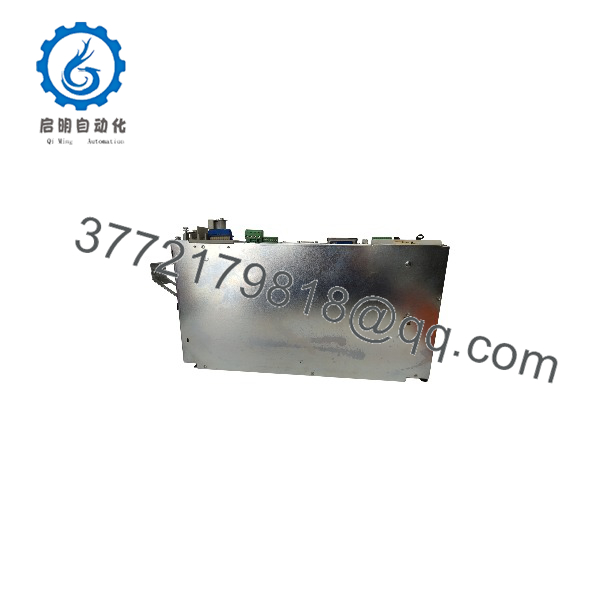
HDS02.2-W040N-HS12-01-FW
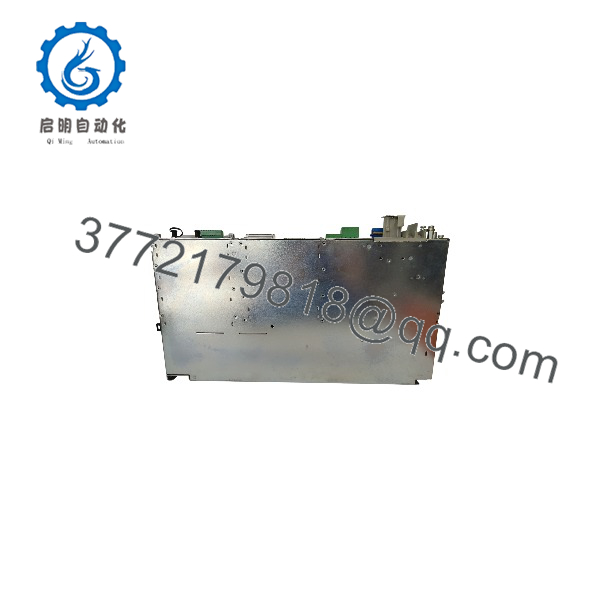
HDS02.2-W040N-HS12-01-FW
Firmware/Software Versions & Upgrade Notes
- Firmware Module Requirement: The “FW” suffix indicates that this controller operates using a plug-in firmware module (FWA-DIAX04-…). The hardware drive unit requires this firmware card to initialize drive parameters and motor profiles.
- Command Interface Matching: The HS12 slot configuration specifies particular SERCOS digital interface parameters. The host controller’s firmware build must match the SERCOS revision encoded on the drive’s firmware module.
- Parameter Flash Caution: When replacing an HDS02.2 drive, transfer the existing parameter module/firmware card directly to the new controller to retain custom motor tuning, axis scaling, and absolute encoder offsets.
- Upgrade Warning: Do not change firmware release generations without backing up parameters via Rexroth DriveTop software. An unaligned firmware version can cause communication timeouts (F236/F237) or motor commutation errors.
Frequently Asked Questions (FAQ)
Q: How do I verify this Rexroth .2-W040N-HS12-01-FW is 100% Brand New Surplus?
A: Every unit we deliver is guaranteed Brand New Surplus. It arrives in original factory packaging with clean mounting flanges, untouched terminal block connectors, pristine DC bus connectors without scoring, and authentic OEM serial stickers. It has never been installed in a live panel or subjected to field usage.
Q: Why choose New Surplus over a cheaper refurbished controller?
A: Refurbished DIAX04 drives frequently retain aged internal electrolytic capacitors and power IGBTs subjected to years of thermal cycling. When these components fail under load, they can cause destructive short circuits that damage connected motors or power supply modules. New Surplus provides unaged factory components, full operational life expectancy, and absolute peace of mind.
Q: Does this controller include the plug-in firmware module (FW card)?
A: The base part number indicates compatibility with the FW module architecture. Depending on your order selection, we can supply the unit with your specific firmware card version pre-installed or ready for your existing card transfer. Contact our engineering team with your full card part number to confirm.
Q: What does the “W040N” designation mean in the part number?
A: “W” designates internal air cooling via an integrated cooling fan assembly, “040” indicates a 40 Amp current rating, and “N” specifies natural/standard thermal dissipation paths.
Q: Can I unplug the SERCOS fiber-optic cables while power is active?
A: No. Disconnecting fiber-optic lines while the system is live interrupts the SERCOS ring, triggering immediate emergency stops across all connected axes on that ring and risking contamination of the optical transceiver lenses.
Q: What warranty coverage comes with this drive controller?
A: We cover this Bosch Rexroth .2-W040N-HS12-01-FW drive with a comprehensive 1-Year Warranty. All units undergo visual and electrical insulation verifications prior to shipment.



