WhatsApp: +86 16626708626
 Email:
 Phone: +86 16626708626
Description
Core Product Summary
The Bosch Rexroth VEP40.3CEN is an embedded industrial operator terminal from the IndraControl VEP 40.3 series. It combines a 12.1-inch TFT touchscreen with an embedded PC platform for machine visualization and operator interaction. The documented configuration uses an Intel Ultra Low Voltage Celeron 600 MHz processor, a minimum of 256 MB RAM, and CompactFlash storage.
The visualization version provides one 10/100 Base-T Ethernet connection, two USB 2.0 Type-A ports, and one RS-232 serial interface. It operates from a 24 V DC supply and is intended for integration into industrial machine panels and control enclosures. Its front panel is rated IP65, while the complete device is rated IP20.
Key Technical Specifications
| Parameter | Specification |
|---|---|
| Manufacturer | Bosch Rexroth |
| Product family | IndraControl VEP 40.3 |
| Model | VEP40.3CEN |
| Full documented type code | VEP40.3CEN-256NN-MAD-128-NN-FW |
| Part number | R911170850 |
| Product type | Embedded operator terminal / HMI |
| Display technology | TFT |
| Display size | 12.1 inches (304 mm) |
| Resolution | 800 × 600 pixels (SVGA) |
| Color capability | 262,144 colors |
| Operation | Touchscreen |
| Processor | Intel Ultra Low Voltage Celeron, 600 MHz |
| RAM | Minimum 256 MB |
| CompactFlash | Minimum 128 MB; two slots |
| Operating system | Windows CE 4.2 |
| Ethernet | 1 × RJ45, 10/100 Base-T |
| USB | 2 × USB 2.0, Type A |
| Serial interface | 1 × RS-232, 9-pin D-Sub |
| Power supply | 24 V DC |
| Input voltage range | 19–30 V DC |
| Maximum input current | 1.5 A |
| Maximum power consumption | 36 W |
| Front-panel protection | IP65 |
| Complete-device protection | IP20 |
| Approximate weight | 3.8 kg |
| Approximate dimensions | 350 × 290 × 73 mm |
Specifications are based on Bosch Rexroth’s VEP 40.3 documentation and the published VEP 40 technical data. RAM and storage figures are documented platform minimums; the installed configuration should be checked on the individual unit.
Engineering Selection Highlights
12.1-inch touchscreen interface
The 800 × 600 TFT display provides a local operator interface for machine status, process visualization, and control-related information. Touch operation allows users to interact directly with configured visualization screens.
Embedded PC architecture
The Celeron 600 MHz processor and Windows CE 4.2 platform support the terminal’s embedded visualization environment. The device is a PC-based operator terminal rather than a conventional passive display.
Multiple communication interfaces
The combination of Ethernet, USB 2.0, and RS-232 supports connection to compatible industrial networks, peripheral devices, and serial equipment. Actual communication functionality depends on the application software and connected system.
24 V DC industrial power input
The specified 19–30 V DC input range provides flexibility when integrating the terminal into a suitable 24 V DC control-power system.
Front-panel protection
The IP65 front-panel rating supports installation where the operator-facing surface requires protection against dust and water jets. The complete device is IP20, so the rear enclosure and electrical connections require appropriate cabinet protection.
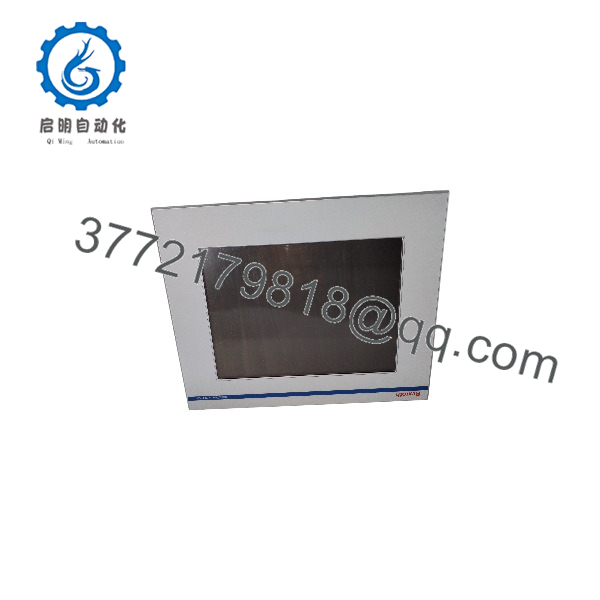
VEP40.3CEN
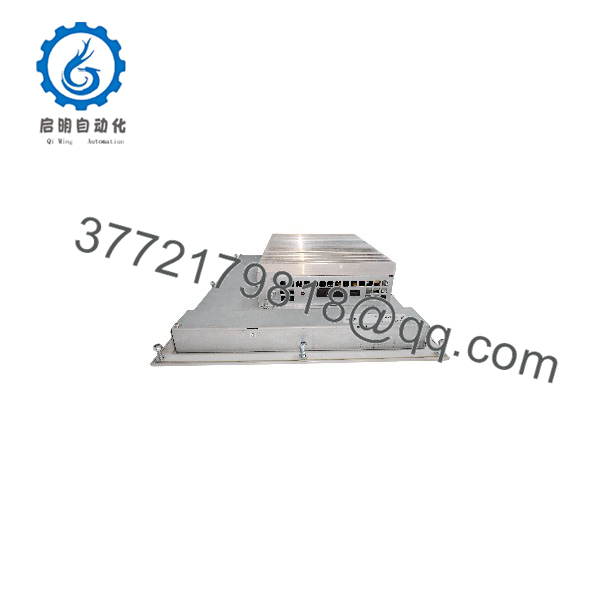
VEP40.3CEN
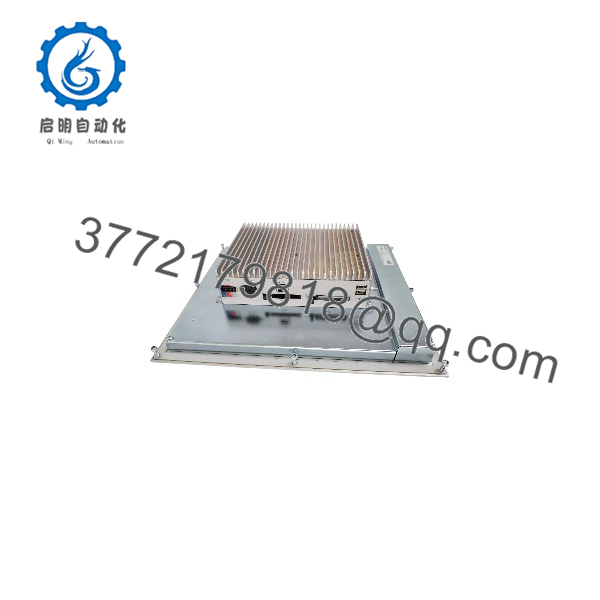
VEP40.3CEN
System Compatibility & Integration Requirements
The VEP40.3CEN is the visualization configuration of the IndraControl VEP 40.3 family. Its standard interface arrangement includes:
- Ethernet: One RJ45 10/100 Base-T connection.
- Serial communication: One RS-232 interface using a 9-pin D-Sub connector.
- USB peripherals: Two USB 2.0 Type-A ports.
- Power: 24 V DC input, with an accepted range of 19–30 V DC.
The VEP40.3CEN should not be confused with the VEP40.3CEU. The CEU configuration is identified as the PROFIBUS DP control-component version, while the CEN configuration is the visualization version. The CEU’s fieldbus-related configuration should not be assumed to exist on the CEN.
Before replacing an installed terminal, verify the complete type code, application software, visualization project, communication settings, and physical connector arrangement. A matching screen size or series designation alone does not establish full interchangeability.
Dimensions, Mounting & Connection Notes
The VEP40.3CE housing dimensions are approximately:
- Width: 350 mm
- Height: 290 mm
- Depth: 73 mm
- Weight: approximately 3.8 kg
The terminal is designed for panel installation. Confirm the mounting cutout and fixing dimensions against the VEP40.3CEN mechanical drawings before preparing a replacement panel.
Installation considerations:
- Allow approximately 50 mm of free space around the device for cooling and cable routing.
- Keep the connector panel accessible for wiring and maintenance.
- Avoid direct sunlight and UV exposure, which can reduce display readability and increase heat buildup.
- Route cables with suitable loops and strain relief.
- Maintain separation from electrical noise sources where practical.
- Connect or disconnect the power connector only when the supply is switched off.
- Use a 24 V DC supply with the protective separation required by the manufacturer’s installation instructions.
Detailed Product Overview
The Bosch Rexroth VEP40.3CEN is part of the IndraControl VEP 40.3 embedded terminal range. It was developed for industrial machines that require an integrated operator interface rather than a separate display connected to a general-purpose computer. Its embedded PC architecture combines display, processing, storage, and communication functions in one panel-mounted unit.
The 12.1-inch TFT touchscreen is a defining feature of this configuration. With an 800 × 600 pixel resolution and 262,144-color capability, it provides the visual interface for machine-specific operating screens. Operators can interact with configured applications directly through the touchscreen, while the embedded platform handles the visualization software.
The PC section uses an Intel Ultra Low Voltage Celeron processor operating at 600 MHz. The documented platform specifies at least 256 MB of RAM and CompactFlash storage with two slots and a minimum capacity of 128 MB. Windows CE 4.2 is the standard operating system identified for this generation. These hardware and software characteristics are important when checking application compatibility, restoring an existing system, or planning a replacement.
For external communication, the VEP40.3CEN provides one 10/100 Base-T Ethernet port, two USB 2.0 Type-A ports, and one RS-232 serial interface. These connections support integration with compatible network equipment and peripherals. They do not, by themselves, guarantee compatibility with a particular PLC, drive, or communication protocol; the installed application and system configuration must also be considered.
Power is supplied through a 24 V DC input. The documented operating range is 19–30 V DC, with a maximum input current of 1.5 A and maximum power consumption of 36 W. The front panel has an IP65 protection rating, while the complete terminal has an IP20 rating. This distinction is important for cabinet design: the front surface can be exposed to conditions covered by its rating, but the rear electronics and connections require a suitably protected installation environment.
For maintenance and replacement work, the complete type designation is more useful than the shortened model name. The documented CEN configuration is VEP40.3CEN-256NN-MAD-128-NN-FW, associated with order number R911170850. Confirm these identifiers and the installed software configuration before ordering a replacement or attempting to restore an existing machine interface.
Applications & System Role
The VEP40.3CEN is intended for machine-level visualization and operator interaction. Its role is to provide a local interface between personnel and the machine’s control environment.
Typical system functions include:
- Machine operation: Displaying operator screens and machine operating information.
- Process visualization: Presenting process values, operating states, and configured graphical interfaces.
- Equipment monitoring: Providing a local view of machine conditions and system messages.
- Industrial communication: Connecting to compatible equipment through Ethernet or RS-232.
- Maintenance access: Supporting service and diagnostic tasks through the configured application environment.
The terminal’s actual control and visualization capabilities depend on its installed software and the architecture of the machine in which it is integrated.
Frequently Asked Questions
Q1: What is the Bosch Rexroth VEP40.3CEN?
It is a 12.1-inch embedded industrial operator terminal in the IndraControl VEP 40.3 series, designed for machine visualization and touchscreen operation.
Q2: What is the complete order code for VEP40.3CEN?
The documented full type code is VEP40.3CEN-256NN-MAD-128-NN-FW, with Bosch Rexroth part number R911170850.
Q3: What power supply does the VEP40.3CEN require?
It uses a 24 V DC supply. The documented input voltage range is 19–30 V DC.
Q4: Which communication interfaces are available?
The visualization configuration provides one 10/100 Base-T Ethernet port, two USB 2.0 Type-A ports, and one RS-232 serial interface.
Q5: Does the VEP40.3CEN support PROFIBUS DP?
The CEN is the visualization configuration. The VEP40.3CEU is the documented PROFIBUS DP control-component variant. Do not assume the CEN has the CEU’s fieldbus hardware.
Q6: What is the protection rating of the VEP40.3CEN?
The front panel is rated IP65, while the complete device is rated IP20. The rear section must therefore be installed in an appropriately protected enclosure.
Q7: What should be checked before replacing a VEP40.3CEN?
Check the complete type code, part number, display and mounting dimensions, installed operating system, visualization application, communication configuration, and connector arrangement. Confirm the replacement against the original machine documentation before installation.