
 WhatsApp: +86 16626708626
 Email:
  Phone: +86 16626708626
Description
Key Technical Specifications
| Parameter | Specification |
| Manufacturer | B&R Industrial Automation |
| Model Number | 8BVI0440HWS0-000-1 |
| Product Family | ACOPOSmulti |
| Module Type | Single-Axis Inverter Module |
| Continuous Current | 44 A |
| Peak Current | 88 A (Short-term acceleration) |
| Nominal DC Bus Voltage | 750 VDC (260 to 800 VDC operating range) |
| Continuous Power Output | ~32.5 kW |
| Cooling Method | Cold Plate / Pass-Through Heat Sink (Wall Mounting) |
| Expansion Plug-In Slots | 2 Slots (for Encoders, POWERLINK, or SafeMotion Cards) |
| Integrated Safety / I/O | 2x Safe Enable Inputs (24 VDC), Motor Brake Output (24 VDC / 4.2 A) |
| Operating Temperature | +5°C to +40°C |
Product Introduction & Supply Chain Strategy
The B&R 8BVI0440HWS0-000-1 is a high-power single-axis inverter module from the ACOPOSmulti servo drive family. Designed for multi-axis machinery in packaging, plastics, printing, and CNC automation, it draws power from a centralized 750 VDC bus bar to control synchronous servo motors and asynchronous induction motors with precision.
An inverter failure on a multi-axis line halts the entire machine rail and upstream processing. Sourcing refurbished inverter modules carries extreme risks, including degraded DC bus capacitors, fatigued power IGBT modules, and thermally stressed backplane interfaces. Carrying a genuine New Surplus 8BVI0440HWS0-000-1 unit in your plant inventory guarantees zero-runtime silicon, factory-fresh power electronics, and immediate restoration of high-speed motion axes without long lead times.
Installation & Configuration Guide
1.Stage 1: Pre-Installation (Prep & Safety):DC Bus Discharge & Safety.
- Execute complete Electrical Lock-Out/Tag-Out (LOTO) on the main power supply and 24 VDC auxiliary feeds.
- Wait at least 10 minutes after isolation and verify that DC bus voltage across the power rail drops below 50 VDC using a calibrated voltmeter.
- Wear an anti-static ESD wrist strap before handling module expansion slots or parameter cards.
- Inspect cold plate thermal paste application surfaces on the module backplate.
2.Stage 2: Removal:Module Extraction.
- Remove protective front safety covers and unbolt the DC bus bar bridging clips above and below the module.
- Unplug motor power output connectors, 24 VDC brake lines, and network option modules.
- Loosen top and bottom mechanical mounting screws securing the inverter to the backplate rack.
- Pull the module straight out from the mounting backplane to prevent guide rail damage.
3.Stage 3: Installation (Clone & Seat):Option Card Transfer & Mounting.
- Transfer all plug-in expansion cards (e.g., 8AC114.60-2 POWERLINK card or encoder interface modules) from the original unit to slots 1 and 2 of the new inverter.
- Apply a uniform layer of thermal conductive grease to the rear cold plate surface.
- Mount the 8BVI0440HWS0-000-1 inverter into the ACOPOSmulti mounting rail and tighten mounting screws to specified torque.
- Reattach DC bus bars and ensure terminal screws are torqued tightly to eliminate high-resistance electrical connections.
4.Stage 4: Power-On & Testing:Power-On & Network Sync.
- Apply 24 VDC control power; verify status LEDs initialize and display network readiness.
- Energize the main 750 VDC bus supply and observe LED indicators for normal DC link voltage levels.
- Download the drive configuration parameters and motor tables from Automation Studio software.
- Perform a slow speed jog command to confirm proper motor commutation and zero over-current or encoder fault codes.
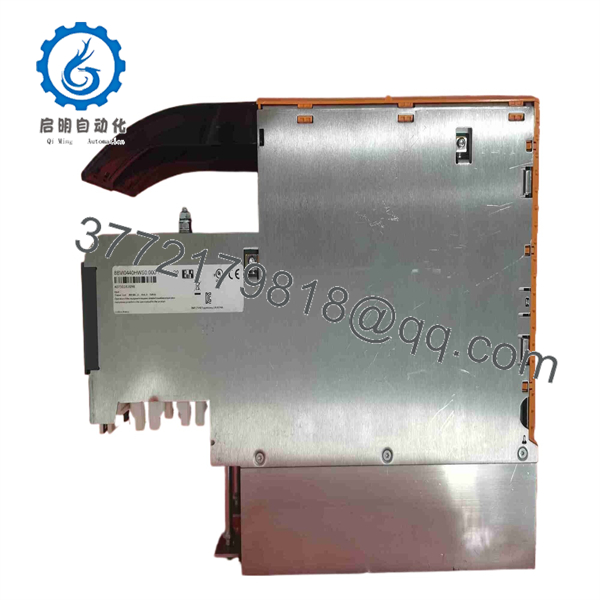
8BVI0440HWS0-000-1
Firmware/Software Versions & Upgrade Notes
- Automation Studio Integration: Drive configuration and firmware updates are managed directly via B&R Automation Studio (Version 3.0 or higher) over POWERLINK networks.
- Automatic Firmware Download: When inserting a replacement 8BVI0440HWS0-000-1 inverter into an existing POWERLINK network, the PLC controller automatically flashes the matching ACOPOSmulti drive firmware during bootup if auto-update is enabled.
- Option Module Firmware: Ensure that expansion cards installed in Slots 1 and 2 match the expected hardware IDs in your Automation Studio project to avoid system startup mismatch errors (
0xA075base hardware ID).
Frequently Asked Questions (FAQ)
Q: Why choose a New Surplus 8BVI0440HWS0-000-1 inverter over a refurbished unit?
A: Refurbished drive modules have experienced thousands of hours of thermal cycling, causing stress on internal IGBT transistors and drying out electrolytic smoothing capacitors. Our New Surplus inventory consists of unused, zero-runtime hardware that offers long-term reliability and prevents secondary production outages.
Q: Is this module guaranteed to be authentic B&R manufacture?
A: Yes. Every unit in our inventory is guaranteed genuine original B&R equipment. Each inverter undergoes thorough physical inspection, terminal verification, and power-on testing prior to shipment.
Q: Does this drive module require an external power supply for logic functions?
A: Yes, ACOPOSmulti inverters require a 24 VDC supply for onboard control electronics, motor brake control, and safety circuits, while motor power is drawn from the connected 750 VDC bus rail.
Q: Can I hot-swap this inverter module while the DC bus is energized?
A: Absolutely not. Removing or installing an inverter module while the 750 VDC bus rail is energized causes massive arc discharges, destroys bus terminal contacts, and damages internal drive components. Always discharge the DC bus completely before servicing.
Q: What is the function of the expansion slots on the front panel?
A: The two option slots accommodate ACOPOSmulti plug-in modules, such as network interfaces (POWERLINK, PROFIBUS), feedback encoder interfaces (Resolver, EnDat, SSI), or SafeMotion safety boards.
Q: What warranty coverage applies to this New Surplus drive?
A: We provide a full 1-Year Comprehensive Replacement Warranty. If any hardware defect occurs under standard operating conditions within 12 months, we will replace the unit or issue a full refund.



