
 WhatsApp: +86 16626708626
 Email:
  Phone: +86 16626708626
Description
3. Key Technical Specifications
| Parameter | Value |
|---|---|
| Bus Interface | PCI-Universal (3.3 V / 5 V), PCI-X compatible |
| Protocol | Profibus-DP V0 Master/Slave Class 1 & 2; DP-V1 support on some variants |
| Data Rate | Up to 12 Mbps |
| Processor | On-board AMD SC520 (offloads host CPU) |
| Memory | 16 MB SDRAM + Flash |
| Form Factor | PCI |
| Configuration | Serial or Ethernet port for remote configuration/diagnostics |
| Isolation / Features | Hardware Plug & Play, status indicators |
| Status | Mature / legacy fieldbus interface |
4. Product Introduction & Supply Chain Strategy
The PCU-DPIO V4 is a PCI-Universal Profibus-DP Master/Slave interface card from the BradCommunications applicomIO family. It enables PC-based control systems to connect directly to Profibus-DP I/O devices and networks at speeds up to 12 Mbps, with an on-board processor that reduces host CPU load.
These cards were widely used in industrial PC, soft-PLC, and SCADA applications requiring deterministic fieldbus connectivity. Because many existing machines and control systems still rely on this hardware, genuine New Surplus units provide a reliable way to maintain or expand installations without the risks associated with used or refurbished cards. Holding buffer stock supports lower total cost of ownership by minimizing downtime on critical Profibus networks.
5. Installation & Configuration Guide
Stage 1: Pre-Installation (Prep & Safety)
Power down and unplug the host PC. Wear a grounded ESD wrist strap. Record the existing card’s configuration, station address, baud rate, and any application-specific settings. Photograph cable and slot connections.
Stage 2: Removal
Open the PC chassis. Disconnect the Profibus cable and any configuration/diagnostic cables. Remove the bracket screw and carefully extract the existing card from the PCI slot.
Stage 3: Installation (Clone & Seat)
Align the new PCU-DPIO V4 with a compatible PCI-Universal slot and seat it firmly. Secure the bracket. Reconnect the Profibus cable (observing proper termination and shielding practices) and any remote configuration port cables.
Stage 4: Power-On & Testing
Close the chassis and power up the system. Install or verify the applicomIO / BradCommunications driver and configuration software. Set the station address, baud rate, and Master/Slave mode to match the original application. Verify network communication and I/O data exchange before returning the system to production.
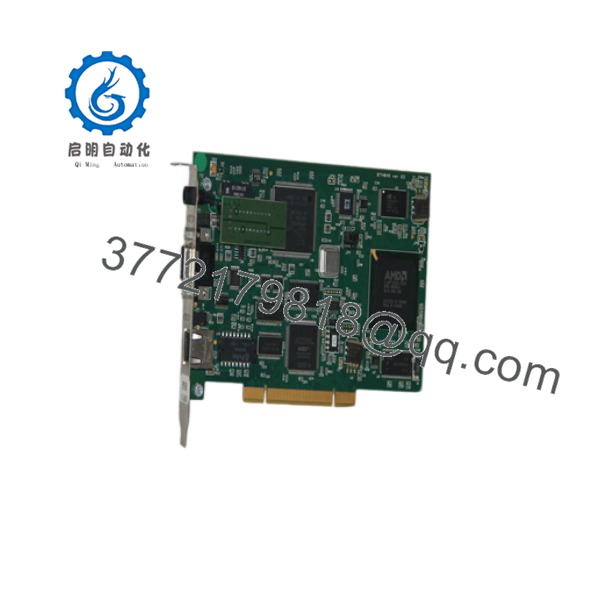
PCU-DPIO V4
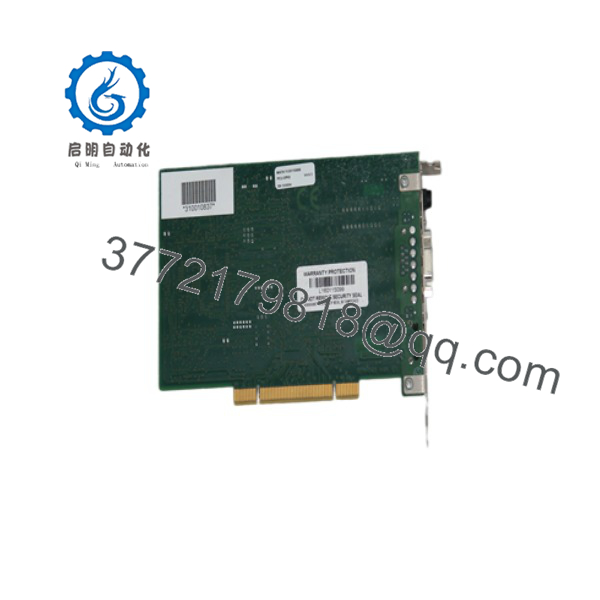
PCU-DPIO V4
6. Firmware/Software Versions & Upgrade Notes
The PCU-DPIO uses BradCommunications / applicomIO configuration and diagnostic tools. Always back up the existing configuration and network parameters before replacement.
Confirm that the driver and configuration software versions are compatible with the host operating system and the specific card revision (V4). After installation, verify card detection, firmware status, and cyclic data exchange. Incorrect baud rate, address, or GSD file settings can prevent network operation or cause bus faults.
7. Frequently Asked Questions (FAQ)
Is this card new or refurbished?
This is Brand New Surplus / Original New. It has never been installed in a system and is not a repaired or rebuilt unit.
Why choose New Surplus over used Profibus cards?
Fieldbus interface cards operate in electrically noisy industrial environments. New Surplus units retain full expected service life and isolation integrity, reducing the risk of intermittent communication failures common with aged hardware.
What Profibus functionality does the PCU-DPIO V4 provide?
It supports Profibus-DP Master and Slave operation (Class 1 & 2) at speeds up to 12 Mbps, with an on-board processor for efficient data handling.
Is the card compatible with modern PCs?
It requires a PCI-Universal (3.3 V/5 V) slot. Confirm physical and electrical compatibility with the target motherboard, as many newer systems have moved exclusively to PCIe.
Is the product still actively manufactured?
It is a mature product. Availability is primarily through remaining New Surplus inventory and specialized industrial suppliers.
What is the main risk of using a refurbished unit?
Degraded connectors, aging components, or incomplete configuration recovery can lead to unstable network communication or complete loss of fieldbus connectivity.
What warranty is provided?
New Surplus units typically carry a 1 year warranty covering defects in materials and workmanship under normal industrial operating conditions.



