
 WhatsApp: +86 16626708626
 Email:
  Phone: +86 16626708626
Description
Key Technical Specifications
| Parameter | Specification |
| Model Part Number | AAP3798102-00037 |
| System Compatibility | Cameron Maestro Legend / Maestro Universal Control |
| Display Type | 10.4-inch Color LCD Panel |
| Operator Interface | Integrated membrane keypad overlay with numeric entry |
| Primary System Use | Centrifugal and reciprocating air compressor automation |
| Communication Protocols | Serial (Modbus RTU / RS-485), Industrial Ethernet (Modbus TCP) |
| Operating Voltage | 24 V DC (system backplane supply) |
| Enclosure Rating | Industrial-grade front panel, oil- and dust-resistant seal |
| Unit Weight | Approx. 5.00 lbs (2.27 kg) |
Product Introduction & Supply Chain Strategy
This product is a Brand New Surplus unit. It is not used, not pulled from a decommissioned plant, and not refurbished. All modules undergo rigorous quality verification to ensure OEM-level reliability. The Cameron AAP3798102-00037 serves as the primary User Interface Module (UIM) for the Maestro Legend control system, delivering real-time pressure, temperature, and motor current monitoring for high-capacity industrial compressors.
Securing a genuine New Surplus AAP3798102-00037 eliminates severe total cost of ownership (TCO) risks caused by sudden display failure or keypad degradation. While second-hand or repaired panels suffer from worn membrane switches and dimmed backlight inverters, keeping factory-sealed inventory on-site prevents catastrophic air system downtime, avoiding unplanned production line stops that can cost upwards of $50,000 per hour.
Installation & Configuration Guide
Stage 1: Pre-Installation (Prep & Safety)
- Enforce strict Lock-Out/Tag-Out (LOTO) protocols on the compressor control cabinet and main power feeder.
- Put on a grounded ESD wrist strap before handling the replacement module.
- Take clear photos of rear serial wiring connections, DIP switch node addresses, and baud rate settings on the existing panel.
Stage 2: Removal
- Unplug the serial communication harness and 24 V DC power connectors from the rear interface ports.
- Loosen and remove the cabinet door mounting clamps or panel screws surrounding the bezel.
- Carefully extract the old UIM straight forward from the enclosure cutout to avoid tearing the front sealing gasket.
Stage 3: Installation (Clone & Seat)
- Align rear DIP switch and jumper block settings on the AAP3798102-00037 to match the old unit exactly.
- Position the module into the enclosure cutout, ensuring the perimeter environmental gasket seats flush.
- Secure the mounting brackets evenly to establish a dust-tight seal without over-tightening the hardware.
Stage 4: Power-On & Testing
- Reattach all power, communication, and earth ground cables to their designated terminals.
- Energize the 24 V DC control circuit and observe the boot sequence on the 10.4-inch display.
- Verify communication handshaking with the main Maestro PLC card, test membrane keypad responsiveness, and clear active alarm queues.
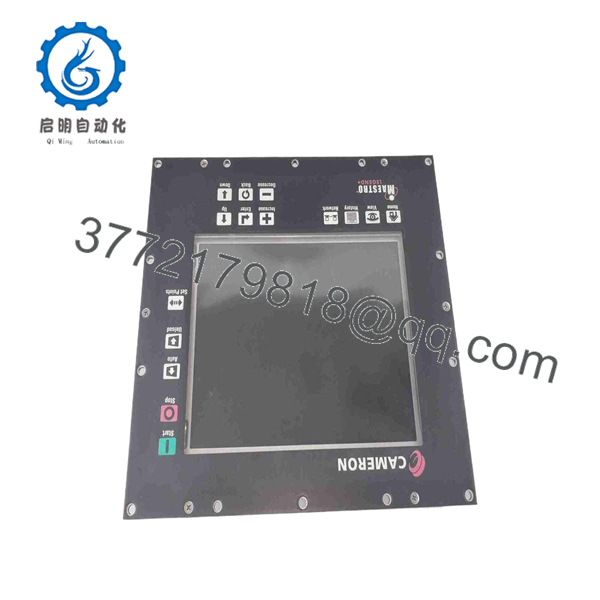
AAP3798102-00037
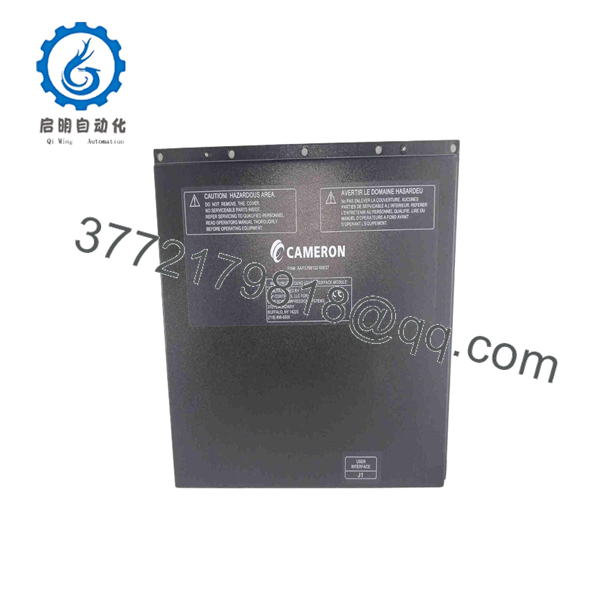
AAP3798102-00037
Firmware/Software Versions & Upgrade Notes
- Recommended Version: Requires Maestro Legend System Firmware V2.40 or higher for full display scaling and parameter navigation.
- Compatibility Matrix: Compatible with Cameron / Cooper Compression / Ingersoll Rand Maestro Universal Control architectures. Verify part number suffix matching when swapping older revision panels like AAP3798102-00130 or AAP3798102-00131.
- Upgrade/Downgrade Warning: Changing display module hardware without confirming host controller firmware compatibility can result in communication timeouts or unmapped key commands. Always verify configuration settings on the primary compressor controller before putting a new interface panel online.
Frequently Asked Questions (FAQ)
Q: Why is your New Surplus pricing lower than OEM direct, but higher than refurbished options?
A: Our pricing reflects the market cost of sourcing genuine, unused global inventory. Refurbished parts are cheap because they carry high failure risks from aged membrane keypads and worn displays. Our New Surplus inventory delivers original OEM build quality at a fraction of factory list price.
Q: Is this AAP3798102-00037 module truly unused?
A: Yes. Every unit is brand-new, stored in protective ESD packaging, and shows zero wear on mounting bezels, terminal pins, or keypads. Packaging is opened solely for visual inspection and quality control verification.
Q: Can I hot-swap this operator panel while the air compressor is running?
A: No. Disconnecting the UIM while live can trip the host controller’s watch-dog safety relay, causing an immediate emergency shutdown. Always power down control power before servicing the interface panel.
Q: Will installing this module erase my compressor runtime parameters and setpoints?
A: No. System operating parameters, pressure setpoints, and historical alarm logs reside on the main Maestro PLC card or EEPROM memory, not inside the screen interface itself. The new UIM retrieves these values automatically upon boot.
Q: What warranty coverage comes with this module?
A: We provide a full 1-year replacement warranty on all New Surplus modules, covering complete functional operation under normal industrial operating conditions.



