
 WhatsApp: +86 16626708626
 Email:
  Phone: +86 16626708626
Description
Key Technical Specifications
| Parameter | Value |
|---|---|
| Manufacturer | CCC (Compressor Controls Corporation) |
| Model | FAN-10-2 |
| Product Type | Fan cooling module |
| System Compatibility | CCC Vanguard Series 5 control system |
| Application | Compressor control and turbomachinery automation cabinets |
| Cooling Method | Forced-air cooling |
| Fan Quantity | 2 × DC cooling fans |
| Fan Voltage | 24 VDC |
| Fan Size | 120 × 38 mm |
| Fan Bearing Type | Dual ball bearing |
| Airflow | Approx. 180 CFM maximum |
| Fan Speed | 0–3,000 RPM |
| Total Power Consumption | Approx. 30 W |
| Rack Interface | CompactPCI (cPCI) system architecture |
| Monitoring Function | Fan status and cooling condition monitoring |
| Installation Type | Vanguard Series 5 rack-mounted module |
| Operating Temperature | Industrial cabinet environment |
| Typical Application | Oil & gas compressor control, petrochemical, power generation |
| Replacement Status | Legacy spare component |
Product Introduction
The CCC FAN-10-2 is a cooling fan module designed for the Compressor Controls Corporation Vanguard Series 5 control platform. It provides forced-air cooling inside the controller rack to maintain operating temperatures for CPU modules, I/O cards, communication modules, and power supply assemblies.
The FAN-10-2 is used in compressor control systems where maintaining the original Vanguard Series 5 hardware configuration is required. Replacement work should verify rack compatibility, fan status monitoring functions, power supply capacity, and cabinet airflow direction before returning the controller to service.
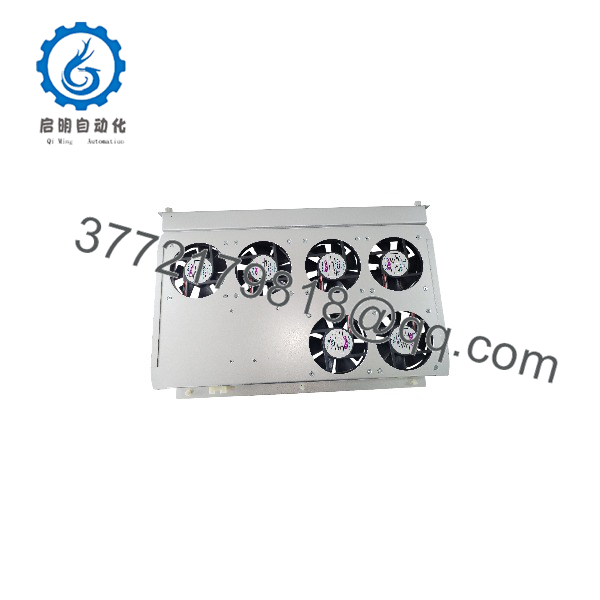
FAN-10-2
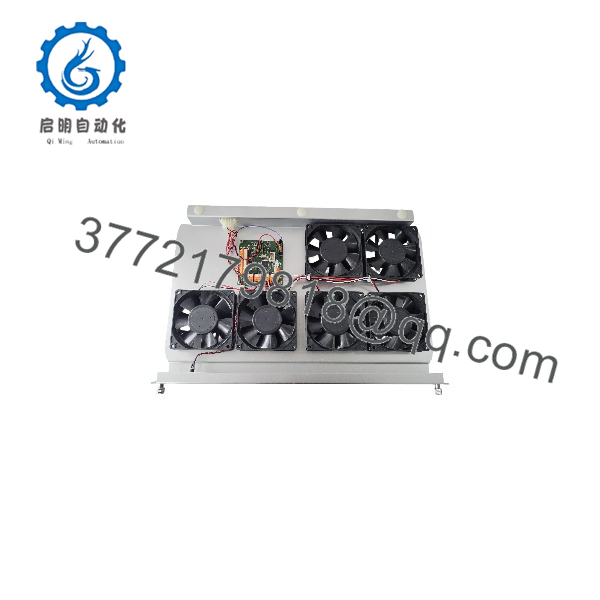
FAN-10-2
Installation & Configuration Guide
Stage 1: Pre-Installation Preparation (Approx. 15 minutes)
⚠️ Safety First
- Notify operations before replacing the CCC FAN-10-2 module.
- Confirm compressor control equipment is placed into an approved maintenance state.
- Apply lockout/tagout procedures to cabinet power.
- Wait at least 5 minutes for stored electrical energy discharge.
- Verify the 24 VDC supply is isolated before removing the fan module.
Tools Required
- ESD wrist strap
- PH1 screwdriver
- Digital multimeter
- Wire labels
- Smartphone for photos
- CCC Vanguard Series 5 documentation
Data Backup
Before removal:
- Record:
- Module part number
- Rack location
- Fan alarm status
- Controller operating condition
- Photograph:
- Fan module position
- Power connections
- Status LEDs
- Airflow direction
- Document:
- Cabinet cooling arrangement
- Connected monitoring signals
- Existing alarm conditions
Stage 2: Removing the Old Module (Approx. 10 minutes)
- Remove cabinet access panels if required.
- Confirm power isolation.
- Label fan power and monitoring connections.
- Release the module locking mechanism.
- Pull the FAN-10-2 straight out from the rack.
Inspect:
- Rack connector contacts
- Fan blades
- Air filters
- Dust accumulation
- Signs of overheating
⚠️ Note: Keep the original FAN-10-2 until the replacement passes cooling and alarm verification. The old module provides a reference for installation direction and configuration.
Stage 3: Installing the New Module (Approx. 15 minutes)
- Wear an ESD strap before handling the replacement.
- Verify:
- Model:C
- System: Vanguard Series 5
- Function: Rack cooling module
⚠️ Configuration Clone — Critical Step
- Match the original installation:
- Fan airflow direction
- Rack position
- Power connection
- Alarm monitoring connection
- Insert the module into the correct rack position.
- Ensure the connector is fully seated.
- Lock the module securely.
- Restore power connections.
Self-Checklist
- t verified
- Airflow direction matched
- Power wiring checked
- Rack connection secured
- Fan alarm wiring restored
Stage 4: Power-On & Testing (Approx. 20 minutes)
Pre-Power Check
- Verify 24 VDC supply polarity.
- Check for wiring shorts.
- Confirm fan inlet and outlet paths are clear.
- Inspect cabinet filters.
Power-On Steps
- Energize the Vanguard Series 5 rack.
- Confirm fan startup.
- Observe fan status indicators.
- Verify:
- Fan rotation
- Airflow direction
- Cooling alarm status
- Controller temperature condition
- Monitor operation under normal load.
⚠️ Troubleshooting Note
- Fan does not start: Check 24 VDC supply and connector seating.
- Fan alarm remains active: Verify fan feedback signal and module compatibility.
- High cabinet temperature: Inspect airflow blockage, filters, and cabinet ventilation.
Frequently Asked Questions (FAQ)
Can C be hot-swapped under power?
Verify the installed Vanguard Series 5 cabinet configuration before performing a live replacement. Some CCC cPCI-based assemblies may support hot-swap functions, but maintenance procedures should follow the installed system documentation. Do not remove the module without confirming the approved procedure.
What is the main function of C ?
e provides forced-air cooling for CCC Vanguard Series 5 controller racks. It protects CPU, I/O, communication, and power modules from excessive cabinet temperatures.
Is C obsolete?
e is associated with the legacy Vanguard Series 5 platform. Many compressor control installations continue operating these systems, so spare fan modules are maintained for planned replacement and emergency repairs.
e replace other CCC fan modules?
Not automatically. CCC fan modules are designed for specific rack platforms. For example, Vanguard Series 5 hardware uses different architecture from older CCC systems. Confirm the exact controller series and mechanical interface before replacement.
Will replace affect the compressor control program?
e is a cooling component and does not store the compressor control application. However, a failed cooling module can create thermal alarms or force protective shutdowns if cabinet temperature rises.
Whye price different between suppliers?
Legacy automation spare parts are commonly available as New Original stock, New Surplus inventory, or Refurbished (tested) units. Price differences depend on condition, inspection records, remaining availability, and warranty terms.
What should I verify before orderinC ?
Check:
- Exact model :
- Controller platform: Vanguard Series 5
- Rack compatibility
- Fan voltage requirement
- Connector type
- Existing cooling configuration
How should a s be tested before installation?
A proper inspection process should include:
- Verify OEM label and part number.
- Inspect fan blades and housing condition.
- Check 24 VDC input operation.
- Verify fan rotation and airflow.
- Test alarm feedback functions.
- Monitor operation under load.
- Generate a functional test report.
Test photos and records should be retained for maintenance traceability.



