WhatsApp: +86 16626708626
 Email:
 Phone: +86 16626708626
Description
Key Technical Specifications
| Parameter | Value |
|---|---|
| Manufacturer | Coperion K-Tron |
| Product | KCM Feeder Control Module |
| Current Generation | KCM-III |
| Product Type | Feeder controller / motor drive module |
| Enclosure Protection | IP65 / NEMA 4 |
| Supply Voltage | 115 or 230 VAC |
| Supply Frequency | 50–60 Hz |
| Display | 5-inch color LCD |
| Maximum Humidity | 95% at 35°C, non-condensing |
| Operating Temperature | 0 to 50°C |
| Storage Temperature | −25 to 80°C |
| DC Drive Output | Up to 450 W |
| 1.6 kW DC Drive Output | Up to 1.6 kW |
| 2 HP AC VFD Drive | Up to 1.6 kW |
| Stepper Drive | 50 W |
| Vibratory Drive | 120 W output |
| Digital Outputs | 3 relays + 4 open collectors |
| Analog Output | 0–20 mA, 4–20 mA, or 0–10 V |
| Digital Inputs | 4 × 5 V CMOS + 2 × 24 V inputs |
| Analog Input | 0–20 mA, 4–20 mA, 0–5 V, or 0–10 V |
| Frequency Input | 0–20 kHz, maximum 12 V DC |
| Communication | K-Tron feeder/control-network interfaces; KCM-III also offers built-in Ethernet |
| Enclosure Material | Stainless steel on KCM-III |
| Cable Glands | 8 × M16 and 4 × M20 on the documented KCM-III specification |
Coperion’s official KCM-III specification gives the above electrical and environmental data, including IP65 protection, 115/230 VAC supply, 0–50°C operating temperature, and the listed I/O and drive capacities.
Revision warning: “KCM” covers more than one generation and configuration. Do not assume that every KCM has the KCM-III 5-inch LCD, Ethernet interface, stainless-steel enclosure, or identical drive capacity. Match the installed unit’s complete nameplate and hardware revision before ordering.
Product Introduction
The Coperion K-Tron KCM is a feeder control module that combines control electronics with a motor-drive or vibratory-drive function. It is designed for direct installation on Coperion K-Tron feeders, reducing the need for a separate remote control cabinet and minimizing field wiring between the feeder and controller. Coperion identifies the KCM enclosure as IP65 / NEMA 4.
The KCM-III is the later-generation implementation, adding a 5-inch color LCD, stainless-steel enclosure, built-in Ethernet, and optional Wi-Fi. It can control different feeder drive technologies and interfaces with Coperion’s operator and line-control systems.
Installation & Configuration Guide
Stage 1: Pre-Installation Preparation — 10 Minutes
⚠️ Safety First: The KCM uses mains power and may control a motor or other feeder drive. Place the feeder in the approved maintenance state, isolate the electrical supply, apply lockout/tagout, and verify absence of voltage before opening or removing the controller.
Tools Required:
- ESD wrist strap
- CAT-rated digital multimeter
- Appropriate insulated screwdrivers
- Wire labels
- Smartphone or camera
- Manufacturer-approved torque tools where required
Data Backup:
- Record the complete KCM nameplate information.
- Photograph the controller, terminals, connectors, and cable glands.
- Record the existing software/firmware revision if accessible.
- Document motor type and drive configuration.
- Record feeder calibration and configuration values before replacement.
- Photograph communication wiring and network settings.
- Confirm whether the installed unit is a KCM, KCM-II, KCM-III, or another K-Tron controller revision.
⚠️ Do not order solely from “KCM IP65.” Coperion has produced multiple KCM configurations. The exact hardware revision matters when matching connectors, software, drive electronics, and communications.
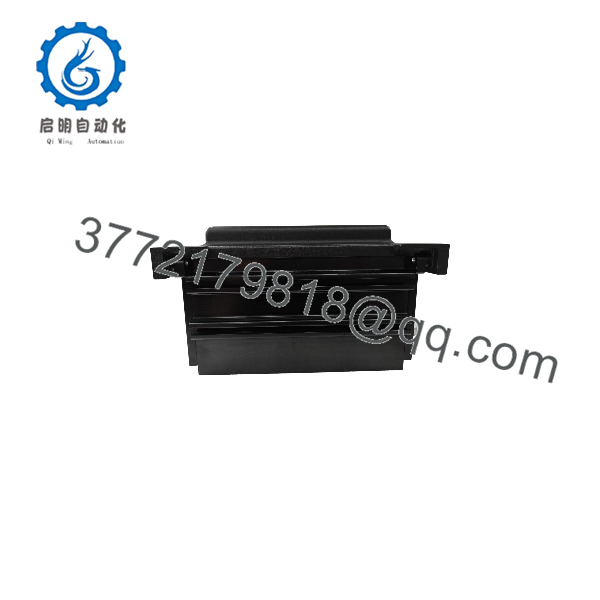
KCM IP65
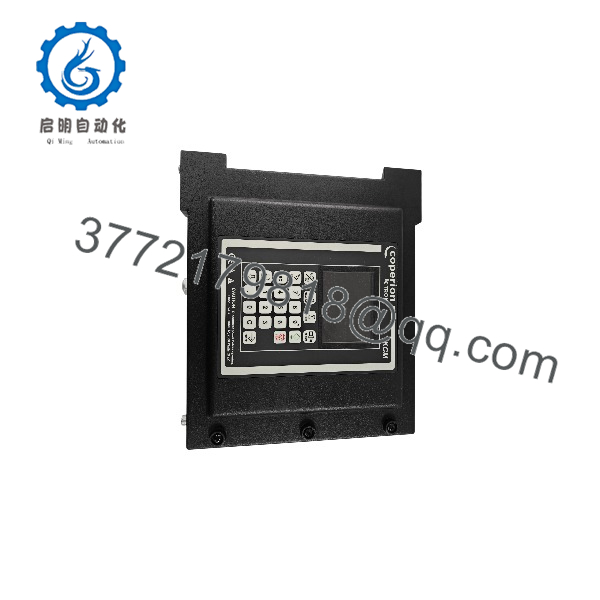
KCM IP65
Stage 2: Removing the Old KCM — 10 Minutes
- Stop the feeder using the normal process-control procedure.
- Isolate the KCM’s incoming power.
- Apply site-approved lockout/tagout.
- Verify the absence of hazardous voltage with a suitable meter.
- Photograph all terminal connections.
- Label field wiring if the existing labels are incomplete.
- Disconnect power, motor, sensor, communication, and auxiliary wiring as applicable.
- Release the KCM from its feeder-frame mounting.
- Remove the unit without pulling or stressing cables.
- Inspect the feeder mounting surface and cable entries.
⚠️ Keep the original KCM until the replacement has completed commissioning. The old controller is often the best reference for terminal assignments, configuration, and firmware information.
Stage 3: Installing the Replacement KCM — 10 Minutes
- Verify the replacement’s complete identification against the old unit.
- Confirm the enclosure and mounting arrangement.
- Verify the required supply voltage: 115 or 230 VAC, as applicable to the configuration.
- Confirm the motor-drive type before connecting the motor.
- Install the controller on the feeder frame.
- Reconnect power wiring according to the applicable Coperion documentation.
- Reconnect load-cell/weight, speed, sensor, and feeder-control wiring.
- Reconnect the communication interface.
- Check every terminal against the photographs taken before removal.
- Ensure cable glands are properly installed and sealed to preserve the intended enclosure protection.
Self-Checklist:
- Correct KCM generation
- Correct nameplate/order number
- Supply voltage verified
- Motor-drive type verified
- Sensor wiring checked
- Weight signal wiring checked
- Communication wiring checked
- Cable glands secured
- Enclosure properly closed
- IP65 sealing surfaces undamaged
Stage 4: Power-On & Testing — 10–15 Minutes
- Perform a final wiring inspection.
- Verify the incoming supply voltage before connecting operational loads.
- Restore power under the approved commissioning procedure.
- Observe the KCM display and diagnostic indications.
- Confirm the controller initializes without a hardware fault.
- Verify feeder configuration and drive parameters.
- Confirm weight-signal and speed-feedback values.
- Test communication with the applicable Coperion operator interface or line controller.
- Perform a controlled feeder start at low output.
- Confirm motor direction and speed feedback.
- Verify the feeder reaches the required setpoint.
- Check alarms and diagnostic history.
⚠️ Do not immediately run the feeder at production rate after replacing a KCM. First verify the weight signal, speed feedback, motor direction, and control parameters. Incorrect calibration or drive configuration can produce an apparently functional feeder with an incorrect material rate.
Configuration Checks
For a KCM replacement, the critical parameters are normally not limited to the controller itself. Check:
- Feeder type
- Motor/drive configuration
- Maximum feeder speed
- Minimum feeder speed
- Weight calibration
- Tare/zero information
- Speed feedback
- Material/feed-rate parameters
- Communication address
- Line-controller configuration
- Alarm limits
- Software/firmware compatibility
Coperion’s KCM architecture places the control and drive functions directly at the feeder, while feeder-line control can communicate with the individual KCM units through the plant control architecture.
Frequently Asked Questions (FAQ)
What is the Coperion KCM?
The Coperion K-Tron KCM is a feeder control module that combines feeder control with a motor-drive or vibratory-drive function. It mounts directly on the feeder frame and can interface with Coperion operator and line-control systems.
What does IP65 mean for the KCM?
indicates protection against dust ingress and protection against water jets from specified directions. Coperion describes the KCM enclosure as for direct feeder mounting. This does not mean the controller is suitable for immersion or pressure washing beyond its specified enclosure conditions.
What is the difference between KCM and KCM-III?
KCM is the broader product designation. KCM-III is a redesigned generation with a 5-inch color LCD, stainless-steel enclosure, built-in Ethernet, and optional Wi-Fi. Coperion also specifies different drive and I/O configurations for the KCM-III.
What power supply does the KCM-III use?
The documented KCM-III accepts 115 or 230 VAC, 50–60 Hz. Certain higher-power drive configurations require 230 VAC. Verify the actual controller’s configuration before applying power.
Can the KCM control a loss-in-weight feeder?
Yes. Coperion’s K-Tron feeder architecture uses the KCM as the local feeder controller, with applications including loss-in-weight, volumetric, weigh-belt, batcher, flow-meter, and other feeder configurations.
Does the KCM contain the motor drive?
Depending on the configuration, yes. Coperion describes the KCM as combining the feeder control function with a motor-drive or vibratory-drive function. Available configurations include DC, AC VFD, stepper, and vibratory drive options.
What should I verify before purchasing a replacement KCM?
Verify the complete model/order number, KCM generation, drive type, supply voltage, enclosure configuration, display, firmware/software compatibility, communication interface, connector arrangement, and feeder application. “KCM ” alone is not sufficiently precise for a guaranteed drop-in replacement.
Is the KCM obsolete?
The KCM platform has multiple generations, and Coperion currently documents the KCM-III as part of its SmartConnex feeder-control architecture. Therefore, do not classify a specific KCM unit as obsolete without checking its complete order number and hardware revision. Coperion’s current product information still identifies KCM-III as a feeder control product.
What condition should I specify when purchasing a KCM?
For a production-critical feeder, specify New Original / New Surplus, Factory Sealed, or Refurbished and Tested. For used units, request photographs of the nameplate, display, enclosure, connectors, and terminal area. For a replacement controller, also request the firmware/software revision and confirmation that the drive configuration matches the existing feeder.