
 WhatsApp: +86 16626708626
 Email:
  Phone: +86 16626708626
Description
Key Technical Specifications
| Parameter | Specification |
|---|---|
| Manufacturer | Dell Technologies / Dell OEM |
| Part Numbers / Model | 825W (DP/N: W122K, C122K, 0W122K, 0C122K, D825E-00) |
| Form Factor | Hot-Plug Redundant Module |
| Wattage Output | 825 W maximum power output |
| Input Voltage Range | 100 V AC to 240 V AC auto-ranging (50/60 Hz) |
| Max Input Current | 10.0 A – 5.0 A |
| Efficiency Rating | 80 PLUS Silver certified |
| Hot-Swappable | Yes (in dual/redundant PSU server chassis configurations) |
| Status Indicator | Rear multi-color LED diagnostic indicator (AC/DC status) |
| Server Compatibility | Dell PowerEdge R810, R815, R910, T610, and select PowerVault arrays |
Product Introduction & Supply Chain Strategy
The Dell 825W power supply unit provides steady, high-efficiency DC power distribution for enterprise Dell PowerEdge servers and storage arrays. It features full hot-swap capability, allowing IT teams to replace failing power units live without taking mission-critical hypervisors or database clusters offline.
Procuring this module as New Surplus ensures hardware stability without paying inflated OEM service list pricing for older server generations. Refurbished power supplies present elevated risks of coil whine, dried output capacitors, and thermal degradation that lead to unexpected server reboots. Stocking 1 to 2 units on-site as insurance stock protects data centers from emergency downtime and avoids high express freight surcharges.
Installation & Configuration Guide
WARNING: Electrostatic Discharge & Handling Precaution Always grip the power supply module by its integrated release handle. Do not insert fingers into the cooling fan aperture or touch exposed output contacts.
Stage 1: Pre-Installation (Prep & Safety)
- Inspect the back side of the server chassis to identify the faulty power supply bay using the amber LED indicator.
- Verify that the server’s second power supply unit is active and powered on a separate circuit to guarantee uninterrupted hot-swap capability.
- Unpack the New Surplus Dell 825W unit from its ESD shielding bag and verify the connector pins are free of debris.
Stage 2: Removal
- Disconnect the C13 AC power cord from the retention clip and inlet on the failing power supply module.
- Depress the orange/amber release latch on the power supply handle.
- Pull the handle outward firmly to slide the old PSU module out of the chassis bay.
Stage 3: Installation (Clone & Seat)
- Align the Dell 825W module with the empty power supply bay guide rails.
- Slide the unit straight into the chassis until the internal power connector mates completely with the backplane.
- Press firmly until the orange release latch clicks, securing the module flush against the server chassis rear panel.
Stage 4: Power-On & Testing
- Connect the C13 AC power cable securely to the new power supply inlet and secure the cord retaining clip.
- Observe the PSU rear LED indicator: it should turn solid green within 3–5 seconds to indicate normal operation.
- Log into the Dell iDRAC (Integrated Dell Remote Access Controller) web console to clear power supply alerts and confirm healthy power redundancy status.
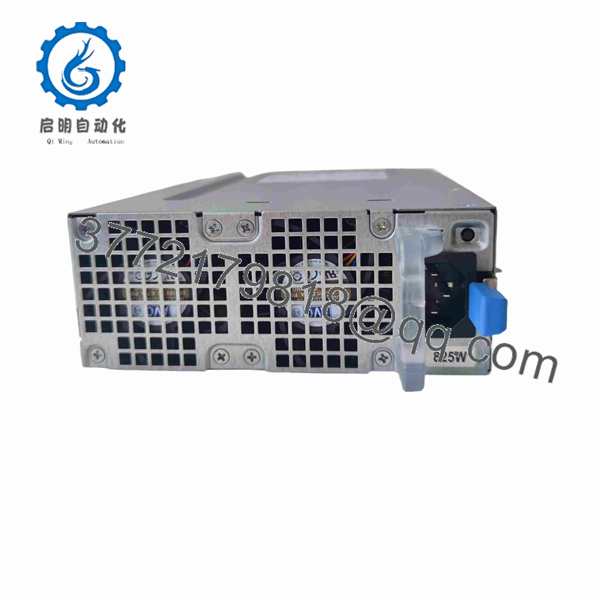
825W
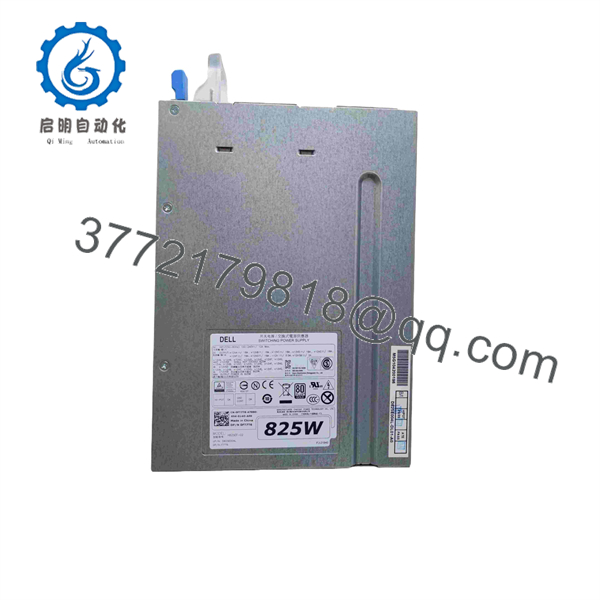
825W
Firmware/Software Versions & Upgrade Notes
- Power Management Firmware: Managed automatically via server iDRAC / Lifecycle Controller.
- Compatibility Notice: Ensure both power supply units in a redundant pair share identical wattage ratings (825 W). Mixing an 825 W unit with a 570 W or 1100 W module in the same node will trigger a power mismatch fault and disable redundancy.
- Upgrade/Downgrade Caution: Always update the server’s iDRAC and Lifecycle Controller firmware to the latest baseline before installing replacement power hardware to prevent false power supply mismatch alerts.
Frequently Asked Questions (FAQ)
Is this Dell 825W power supply genuinely brand new or pulled from a decommissioned server? This is a New Surplus unit. It has never been placed in continuous service or pulled from an active data center environment. All stock comes from verified spare parts inventory reserves, factory original packaging, or unused system spares. Every unit undergoes complete physical inspection and voltage verification.
Why should I choose New Surplus over a refurbished server power supply? Refurbished server power supplies undergo external cleaning, but their internal electrolytic capacitors and power transistors retain wear from years of 24/7 heat exposure. Aged power supplies in refurbished condition are susceptible to voltage ripple and sudden thermal shutdowns under high CPU/RAM loads. New Surplus provides original OEM component longevity (10+ years expected life).
Can I hot-swap this Dell 825W unit while the server is running? Yes, provided your PowerEdge server is configured with a dual-PSU backplane and the second power supply is currently receiving AC power and operating normally (solid green LED). The system will draw power from the active PSU while you replace the faulty 825W unit without interruption.
Which Dell PowerEdge server models accept this 825W power supply? This specific 825W form factor (DP/N: W122K / C122K / D825E-00) is designed for 11th Generation Dell PowerEdge servers, including the PowerEdge R810, R815, R910, T610, and select PowerVault storage enclosures. Always verify the Dell Part Number (DP/N) on your existing module prior to ordering.
What warranty protection comes with this New Surplus power supply module? Each Dell 825W unit includes a comprehensive 1-year replacement warranty. If any operational defect or power fault occurs under standard operating conditions, we replace the unit immediately from our warehouse buffer stock to ensure your IT infrastructure stays online.



