
 WhatsApp: +86 16626708626
 Email:
  Phone: +86 16626708626
Description
Key Technical Specifications
| Parameter | Specification / Value |
| Max Output Power | 685 W |
| Input Voltage Range | 100 to 240 V AC (50/60 Hz) |
| Efficiency Rating | 80 Plus Platinum (Up to 94% efficiency) |
| Input Current | 9.0 A at 100 V AC / 4.5 A at 240 V AC |
| Form Factor | Proprietary Hot-Plug Server Bay Module |
| Cooling System | Internal high-static pressure cooling fan |
| Operating Temperature | 10 to 45 °C (50 to 113 °F) |
| Compatibility | Dell PowerEdge R620, R710, R720, R720xd, T620 |
| Hot-Swappable | Yes (in redundant 1+1 configurations) |
Product Introduction & Supply Chain Strategy
The Dell D685EF-00 is a 685 W 80 Plus Platinum enterprise server power supply designed to deliver clean, redundant DC power to Dell PowerEdge rack and tower servers. It features hot-plug capabilities that allow direct replacement without powering down critical IT infrastructure during operational maintenance.
Sourcing this module as New Surplus ensures maximum system uptime by providing pristine internal capacitors and cooling fans. Unlike refurbished power supplies—which frequently carry hidden thermal stress, accumulated dust, and degraded electrolytic capacitors—a New Surplus unit guarantees OEM-level efficiency and reliability. Keeping 1 to 2 units on-site as buffer stock eliminates server rack downtime and lowers Total Cost of Ownership (TCO) compared to emergency server hardware replacements.
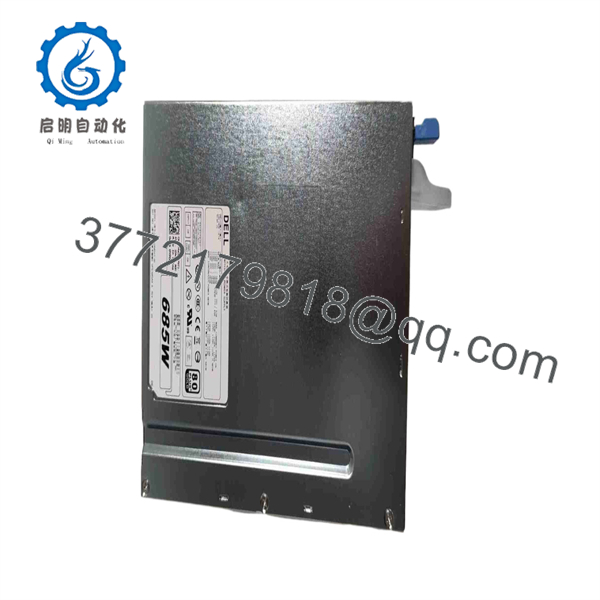
D685EF-00
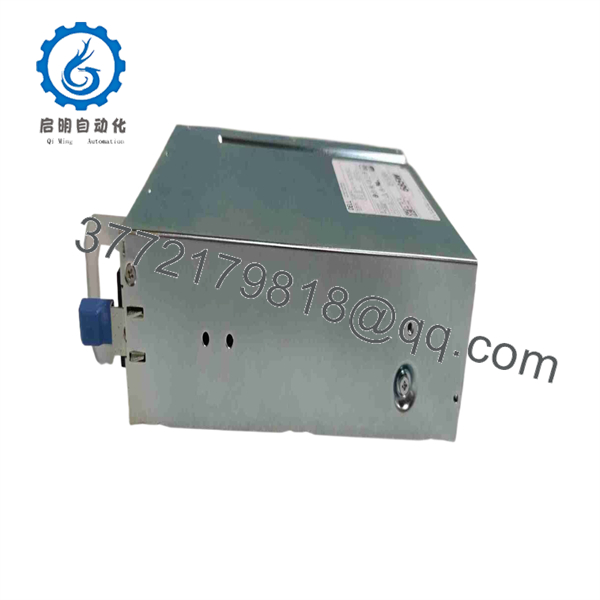
D685EF-00
Installation & Configuration Guide
Stage 1: Pre-Installation (Prep & Safety)
- Confirm server power redundancy status in the iDRAC management interface before pulling or replacing any module.
- Put on a grounded ESD wrist strap before handling power distribution components or opening chassis bays.
- Inspect the replacement module housing, handle latch, and card-edge connector for damage.
Stage 2: Removal
- Unplug the AC power cord from the faulty D685EF-00 module latch.
- Press the release latch handle inward while pulling firmly on the module handle.
- Support the bottom of the power supply with your free hand as it slides out of the chassis bay.
Stage 3: Installation (Clone & Seat)
- Align the new Dell D685EF-00 module with the empty server power supply bay.
- Slide the unit smoothly into the bay until the orange release latch clicks securely into place.
- Plug the AC power cable into the module socket and secure it with the cable retention clip.
Stage 4: Power-On & Testing
- Check the rear LED indicator on the module (Solid Green = Normal Operation, Amber = Fault/Mismatch).
- Log in to the Dell iDRAC console to confirm power supply redundancy status and load balance.
- Verify that server fan profiles stabilize and report clean power delivery across all rails.
Firmware/Software Versions & Upgrade Notes
- Power Supply Management (PMBus) Revision: Ensure the replacement PSU firmware matches existing redundant units in the same chassis to prevent power distribution mismatches.
- Compatibility Notes: While backward compatible across several PowerEdge generations, mixing different wattage ratings (e.g., pairing a 685 W PSU with a 750 W PSU) inside the same server chassis will disable redundancy features.
- Firmware Update Caution: Always update PSU firmware via Lifecycle Controller or iDRAC when the server is operating under low load or scheduled maintenance windows.
Frequently Asked Questions (FAQ)
Why is this unit priced lower than OEM direct but higher than refurbished PSUs?
Our pricing reflects genuine New Surplus inventory acquired from global enterprise server spares. It bypasses conventional distribution markups while delivering unused OEM hardware. Refurbished server power supplies often contain aged capacitors that lead to premature power failure under heavy server load.
Is this Dell D685EF-00 unit genuinely brand new?
Yes. This module is a brand-new, unused surplus component. It has never seen field service, server chassis duty cycles, or continuous power load, remaining stored in protective packaging until inventory verification.
Is it safe to hot-swap this power supply while the server is running?
Yes, provided your server is equipped with dual power supplies configured in a redundant (1+1) power mode and the healthy PSU is functioning normally. If the server operates on a non-redundant single PSU, powering down the server is required.
Can I mix this 685 W power supply with a different wattage module in the same chassis?
No. Server power management controllers require identical power supply wattage and efficiency ratings in both slots to support redundant load balancing. Mixing wattages will trigger a power mismatch error in iDRAC.
What warranty is included with this server power supply?
Every Dell D685EF-00 New Surplus power supply includes a 1-year replacement warranty, providing complete operational confidence compared to brief 30-day guarantees on used server hardware.



