
 WhatsApp: +86 16626708626
 Email:
  Phone: +86 16626708626
Description
3. Key Technical Specifications
| Parameter | Value |
| Display Type | TFT Color Touch Screen |
| Screen Size | 10.4-inch (Diagonal) |
| Resolution | VGA (640 x 480 Pixels) |
| Processor | RISC CPU, 32-bit, 600 MHz |
| Memory | 64 MB Internal RAM |
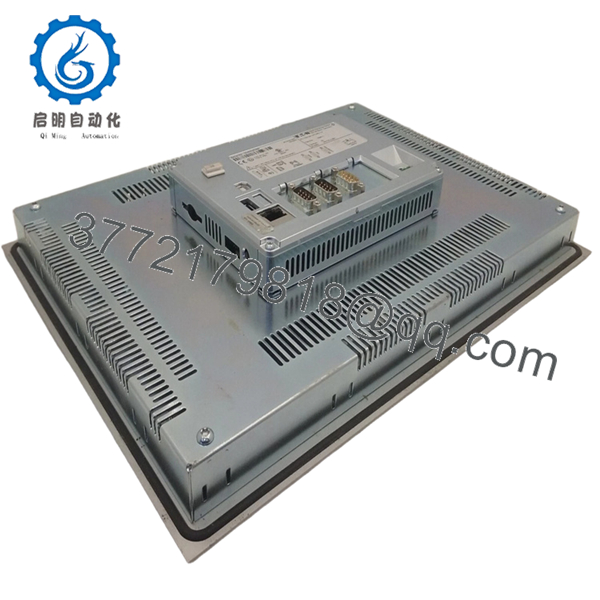
| Communication Ports | 1x Ethernet 10/100, 1x RS485, 1x CANopen/easyNet |
| Operating System | Windows CE 5.0 (Professional License) |
| Supply Voltage | 24 V DC (Nominal) |
| Protection Rating | IP65 (Front side) / IP20 (Rear side) |
| Operating Temp | 0 to 55 °C |
4. Product Introduction & Supply Chain Strategy
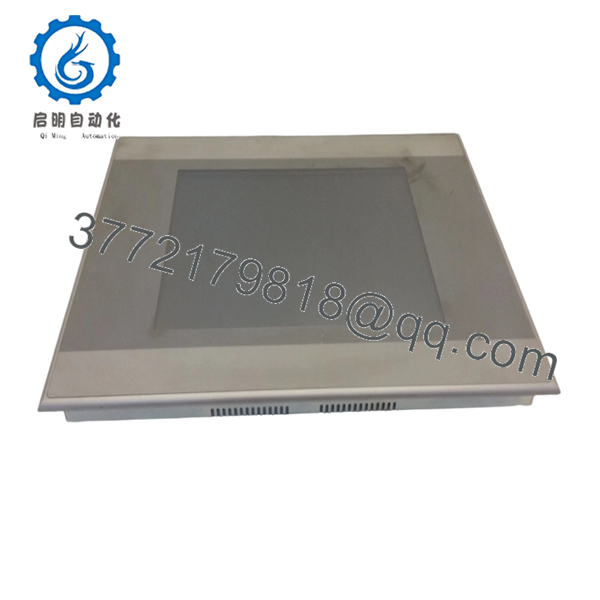
The Eaton XV-152-D6-10TVRC-10 is a high-performance HMI/PLC hybrid designed for demanding industrial environments. It provides visual machine control and data processing in a single unit, utilizing the Galileo or CODESYS programming environments to manage complex automation sequences across the factory floor.
From a supply chain perspective, sourcing this module as New Surplus is a calculated risk-mitigation move. As automation lifecycles evolve, relying on refurbished HMIs introduces the danger of degraded backlights or unresponsive touch membranes. Investing in New Surplus units ensures original component integrity and maximum MTBF (Mean Time Between Failure), providing a 10-year reliability window that refurbished parts simply cannot match.
5. Installation & Configuration Guide
Stage 1: Pre-Installation (Prep & Safety)
Ensure the system is powered down using standard lock-out/tag-out procedures. Use an ESD-safe wrist strap to prevent static discharge. Before removal, document the existing IP address and station ID from the system settings. Check the rear of the unit to identify all connected communication cables (Ethernet, CANopen, RS485).
Stage 2: Removal
Loosen the retaining clips or screws located around the perimeter of the HMI housing. Gently slide the unit forward out of the panel cutout. Disconnect the 24 V DC power terminal block first, followed by communication and ground cables.
Stage 3: Installation (Clone & Seat)
Verify the panel cutout is clean and the gasket on the new XV-152-D6-10TVRC-10 is intact to maintain the IP65 seal. Insert the unit into the cutout and tighten the mounting brackets evenly to 0.1 Nm to avoid warping the frame. Connect the ground wire to the designated PE terminal before connecting other data lines.
Stage 4: Power-On & Testing
Apply 24 V DC power and monitor the boot sequence. The Windows CE environment should initialize without “System File Missing” errors. Verify communication by checking the link LEDs on the Ethernet and CANopen ports. Load the specific project file via SD card or Ethernet and test touch-point calibration.

- XV-152-D6-10TVRC-10
- XV-152-D6-10TVRC-10
6. Firmware/Software Versions & Upgrade Notes
- Target Firmware: This unit typically ships with Windows CE 5.0 Core or Professional.
- Compatibility: Fully compatible with Eaton Galileo 8.x and CODESYS 2.3/3.5 visualization.
- Upgrade Risk: Do not attempt a firmware flash unless the application software requires a higher OS version. Firmware mismatches can lead to communication driver failures with older PLC slaves. Always backup the existing .prg and .chk files before attempting a hardware swap or software update.
7. Frequently Asked Questions (FAQ)
Q: Why should I pay more for this New Surplus unit than a refurbished one?
A: Refurbished HMIs often have “burn-in” on the screens or weakened capacitors in the power supply. A 500 savings on a used unit is erased the moment it fails and causes 10,000 of downtime. This is New Surplus—zero hours of operation and original OEM reliability.
Q: Is this unit “hot-swappable”?
A: No. Always remove power before disconnecting the 24 V DC terminal or communication cables. Swapping under power can cause electrical arcs that damage the communication ports or the internal CPU.
Q: Does this come with the original software license?
A: Yes, these units include the Windows CE license pre-installed. However, your specific machine application software (the project file) must be loaded by your engineering team.
Q: What is the expected lifespan of the backlight?
A: These TFT displays are rated for approximately 50,000 hours. Because this is a New Surplus unit, you are getting the full lifespan, whereas a refurbished unit may already have 30,000 hours of wear.
Q: Can I use this to replace a different XV-152 model?
A: Only if the suffix matches or is a documented direct replacement. The “10TVRC” designation specifies the screen type and communication interfaces (CANopen). Changing these suffixes without verifying the hardware configuration will lead to wiring and protocol mismatches.



