
 WhatsApp: +86 16626708626
 Email:
  Phone: +86 16626708626
Description
3. Key Technical Specifications
| Parameter | Value |
|---|---|
| Manufacturer | Eaton |
| Model | XV-303-15-C02-A00-1B |
| Product Series | XV300 |
| Product Type | Industrial HMI |
| Display Size | 15-inch TFT LCD |
| Resolution | 1024 × 768 (XGA) |
| Display Colors | 16.7 Million |
| Touch Technology | Projected Capacitive (Multi-Touch) |
| Operating System | Windows Embedded Compact 7 |
| Processor | ARM Cortex-A8, 1 GHz |
| RAM | 1 GB DDR3 |
| Flash Memory | 2 GB eMMC |
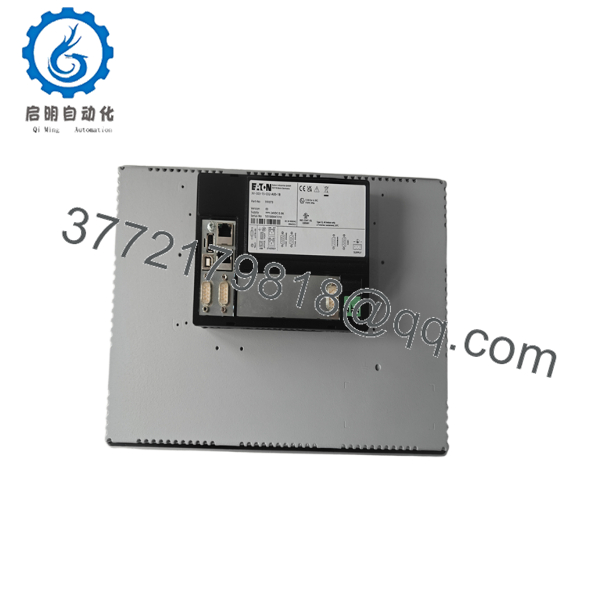
| Ethernet | 2 × 10/100 Mbps RJ45 |
| USB | 2 × USB Host, 1 × USB Device |
| Serial Interface | 1 × RS-232 |
| SD Card Slot | Yes |
| Power Supply | 24 VDC (18–30 VDC) |
| Front Protection | IP65 |
| Rear Protection | IP20 |
| Operating Temperature | 0°C to +50°C |
| Mounting | Flush Panel Mount |
| Certifications | CE, UL, cUL, RoHS |
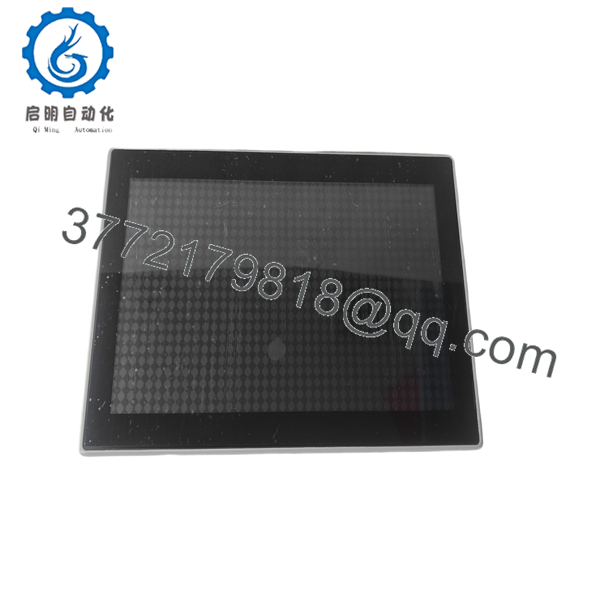
The XV-303-15-C02-A00-1B belongs to Eaton’s XV300 HMI family, providing a 15-inch capacitive multi-touch display, dual Ethernet ports, and a modern embedded operating system for industrial visualization applications. It is intended for machine builders and industrial automation systems requiring high-resolution graphics and reliable communication.
4. Product Introduction
The EATON XV-303-15-C02-A00-1B is a high-performance industrial Human Machine Interface (HMI) designed for demanding automation applications. The XV300 platform combines modern multi-touch technology with industrial reliability, enabling operators to monitor production, acknowledge alarms, adjust process parameters, and visualize complex machine data through an intuitive graphical interface.
Powered by a 1 GHz ARM Cortex-A8 processor and Windows Embedded Compact 7, the XV300 delivers responsive screen performance while supporting advanced visualization software and industrial communication protocols. Dual Ethernet interfaces allow simultaneous connections to automation networks and engineering workstations, while USB and SD storage simplify application deployment, backups, and firmware maintenance.
The rugged front panel provides IP65 protection, making the unit suitable for installation in manufacturing environments exposed to dust, moisture, and routine washdown procedures. Typical applications include packaging machinery, food and beverage processing, plastics manufacturing, automotive assembly, material handling systems, and OEM equipment.
5. Installation & Configuration Guide
Stage 1 – Preparation
Safety
- Shut down the machine safely.
- Apply Lock-Out/Tag-Out procedures.
- Verify the 24 VDC power supply.
- Wear ESD protection.
- Back up the HMI project before replacement.
Required Tools
- Phillips screwdriver
- Engineering laptop
- Ethernet cable
- USB flash drive
- Digital multimeter
- SD card (optional)
Stage 2 – Removing the Existing HMI
- Disconnect the 24 VDC power supply.
- Remove Ethernet, serial, and USB connections.
- Label all cables.
- Release the panel mounting clips.
- Carefully remove the HMI from the cabinet.
Do not interrupt power during firmware upgrades or project downloads, as this may corrupt the operating system or application.
Stage 3 – Installing the Replacement
- Verify the model is XV-303-15-C02-A00-1B.
- Install the HMI into the panel cutout.
- Tighten mounting clamps evenly.
- Connect power and communication cables.
- Restore the visualization project.
- Verify all communication interfaces.
Installation Checklist
- ✔ Correct model installed
- ✔ 24 VDC power verified
- ✔ Ethernet configured
- ✔ Touchscreen calibrated (if required)
- ✔ Project restored successfully
Stage 4 – Commissioning
- Power on the HMI.
- Verify the boot process completes successfully.
- Test touchscreen responsiveness.
- Confirm PLC communication.
- Verify alarms, trends, and recipes.
- Test operator functions before returning the machine to production.
Troubleshooting
No display
- Verify the DC supply voltage.
- Check fuse protection.
- Inspect power wiring.
Touchscreen not responding
- Remove protective shipping film.
- Verify calibration if supported.
- Restart the HMI.
Communication failure
- Verify IP address settings.
- Confirm PLC communication drivers.
- Check Ethernet cabling and switch status.
Field Experience: During replacements, communication issues are more often caused by network configuration differences than hardware faults. Before removing the original HMI, record the IP address, subnet mask, gateway, communication driver settings, and firmware version to simplify commissioning.

- XV-303-15-C02-A00-1B
- XV-303-15-C02-A00-1B
6. Frequently Asked Questions (FAQ)
Q1. What is the primary function of the XV-303-15-C02-A00-1B?
The XV-303-15-C02-A00-1B provides a graphical operator interface for industrial automation systems, allowing operators to monitor processes, acknowledge alarms, modify operating parameters, and visualize machine performance through a high-resolution multi-touch display.
Q2. Does this model include an integrated PLC?
No. The XV-303-15-C02-A00-1B is an HMI-only device. Machine control logic is executed by an external PLC, while the XV300 provides visualization, diagnostics, and operator interaction.
Q3. What are the advantages of the projected capacitive touchscreen?
Compared with traditional resistive touchscreens, the projected capacitive display offers:
- Multi-touch operation
- Higher optical clarity
- Improved durability
- Better resistance to wear
- Support for gesture-based navigation
These features improve usability while maintaining industrial reliability.
Q4. Which industries commonly use the XV300?
Typical applications include:
- Packaging equipment
- Automotive manufacturing
- Food and beverage processing
- Material handling systems
- Pharmaceutical production
- Plastics and rubber machinery
- Water and wastewater treatment
- OEM machine automation
Q5. What is the most common replacement mistake?
A common issue is restoring only the visualization project without matching the communication parameters to the connected PLC. Differences in IP addresses, protocol drivers, or controller firmware can prevent successful communication even though the HMI starts normally.
Q6. Is the XV-303-15-C02-A00-1B suitable for harsh industrial environments?
Yes. The unit is designed for industrial applications with an IP65-rated front panel, a rugged enclosure, and reliable operation from 0°C to +50°C. It is suitable for installation in factory control panels where protection against dust and water splashes is required. Before installation, verify that the enclosure and panel cutout maintain the specified environmental protection rating.



