
 WhatsApp: +86 16626708626
 Email:
  Phone: +86 16626708626
Description
Key Technical Specifications
| Parameter | Value |
| Display Type | TFT Color Touchscreen |
| Display Size | 10.4 inches |
| Resolution | VGA (640 x 480 pixels) |
| Operating Voltage | 24 V DC (18–30 V DC permissible range) |
| Processor | 32-bit RISC CPU (400 MHz) |
| On-Board Memory | 64 MB RAM / 32 MB Flash |
| Communication Interfaces | 1x Ethernet (10/100 Mbit/s), 1x RS-232, 1x CANopen / PROFIBUS DP (variant dependent) |
| Front Bezel Rating | IP65 / NEMA 4X (indoor use) |
| Operating Temperature | 0 to +50 °C |
| Dimensions (W x H x D) | 325 mm x 244 mm x 59 mm |
| Certifications | CE, UL, cUL |
Product Introduction & Supply Chain Strategy
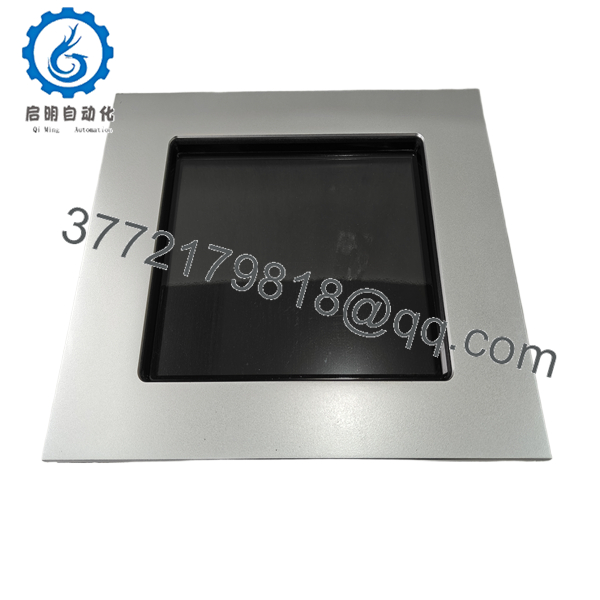
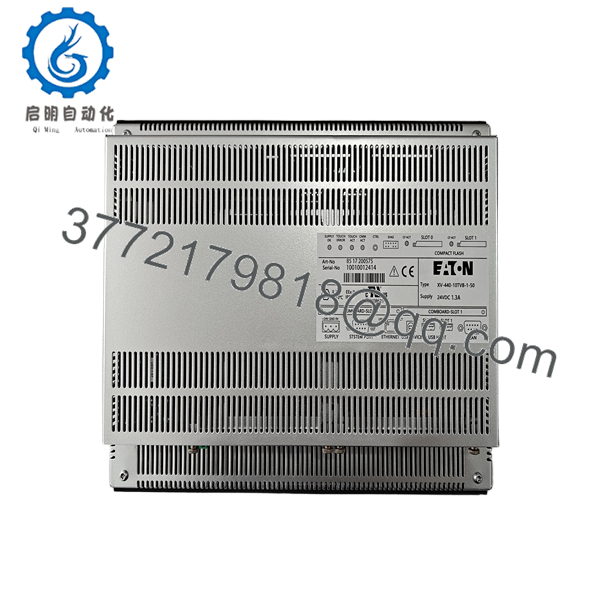
The Eaton XV-440-10TVB-1-50 is a 10.4-inch TFT color touchscreen operator interface built for real-time process visualization and machine control. Running on the xSystem platform, it bridges field-level sensors and controllers with higher-level industrial networks via built-in serial and Ethernet connectivity.
Securing this unit as New Surplus protects your operations against unexpected downtime without paying inflated list prices for rare factory allocations. Unlike refurbished units with degraded backlight LEDs and worn resistive touch matrices, New Surplus units deliver full operational lifespan and prevent secondary costs caused by sudden component failures in critical production lines.
Installation & Configuration Guide
Stage 1: Pre-Installation (Prep & Safety)
- Execute full Lock-Out/Tag-Out (LOTO) procedures on the panel enclosure feed.
- Put on an ESD wrist strap connected to a verified ground point.
- Take high-resolution photos of the rear DIP switches, port cabling, and terminal wiring before removing the existing unit.
Stage 2: Removal
- Unplug the 24 V DC power terminal block and communication cables (Ethernet, Serial, CAN/PROFIBUS).
- Loosen the panel mounting clamps around the perimeter of the cutout.
- Carefully lift the unit forward out of the enclosure cutout to avoid damaging the panel gasket.
Stage 3: Installation (Clone & Seat)
- Match all DIP switch settings on the replacement XV-440-10TVB-1-50 to mirror the original unit exactly.
- Inspect the panel cutout gasket; place the new HMI flat into the cutout.
- Tighten the mounting clamps evenly to achieve an IP65 seal without warping the plastic housing.
Stage 4: Power-On & Testing
- Verify 24 V DC power polarity with a digital multimeter before reinserting the power terminal block.
- Apply power and observe the boot sequence LEDs. Confirm the unit passes self-test handshakes.
- Download the runtime visualization project file via GALILEO software and verify active communication with the connected PLC.

- XV-440-10TVB-1-50
- XV-440-10TVB-1-50
Firmware/Software Versions & Upgrade Notes
- Target Software Environment: Programmed and configured using Eaton GALILEO visualization software (v8.x or compatible legacy versions).
- Firmware Compatibility: The operating system image must match the project target release. Loading a project compiled for a newer OS revision on legacy hardware without updating the system image will cause runtime communication failures.
- Upgrade/Downgrade Warning: Never cycle power during an OS image flash. A power loss while writing to internal Flash memory bricking the mainboard, requiring factory-level bench restoration.
Frequently Asked Questions (FAQ)
Is this Eaton XV-440-10TVB-1-50 unit truly new, or is it pulled from a cabinet?
This unit is 100% Brand New Surplus. It has never been installed in an active industrial panel or pulled from a decommissioned plant. It remains in its original protective packaging, inspected strictly for quality control verification.
Why is New Surplus priced lower than OEM factory orders but higher than refurbished parts?
New Surplus inventory comes from excess factory stock, spare parts consolidation, or cancelled projects. You receive an authentic, un-used OEM component without paying full list price, while avoiding the high failure rates associated with worn, refurbished hardware.
How does using New Surplus protect my Total Cost of Ownership (TCO)?
Refurbished HMIs frequently suffer from dimmed CCFL backlights, brittle touch membranes, and aged power supply capacitors. While a refurbished panel might save 300 upfront, a premature failure causing two hours of line downtime can easily cost 20,000. New Surplus delivers full service life.
Can I hot-swap this HMI while the control cabinet is powered?
No. Always disconnect the 24 V DC power supply before removing or connecting terminal blocks and communication interfaces. Unplugging active serial or bus cables can create ground loops or voltage spikes that damage the communication transceivers on the main board.
Will my program automatically transfer when I plug in the new unit?
No. The application project must be downloaded to the unit using Eaton GALILEO software over an Ethernet or serial connection, or loaded via a memory card if configured. You must have a backup copy of the project file ready to restore functionality.
What warranty covers this New Surplus unit?
We back this unit with a comprehensive 1-year replacement warranty. Every unit undergoes functional testing, power-rail verification, and visual ESD checks prior to shipment to ensure immediate operational readiness.



