
 WhatsApp: +86 16626708626
 Email:
  Phone: +86 16626708626
Description
Key Technical Specifications
| Parameter | Value |
|---|---|
| Manufacturer | Eaton |
| Model | XV-460-57TQB-1-50-1 |
| Product Series | XV400 |
| Product Type | Industrial HMI |
| Display | 5.7-inch Color TFT |
| Resolution | 320 × 240 (QVGA) |
| Touch Technology | Infrared Touch |
| Display Colors | 65,536 or 256 selectable |
| Supply Voltage | 24 V DC |
| Processor | 32-bit RISC, 400 MHz |
| System Memory | 64 MB DRAM |
| Operating System | Windows CE |
| Ethernet | 10/100Base-T |
| Serial Interface | RS232 |
| CAN Interface | CAN/easyNet |
| USB | 1 × USB Host, 1 × USB Device |
| Expansion | CompactFlash slot, communication module slot |
| Front Protection | IP65 stainless steel front |
| Rear Protection | IP20 |
| Heat Dissipation | Approximately 24 W |
The “-1” suffix is commonly treated as a hardware revision or ordering variant. Confirm the exact catalog number and firmware requirements before replacing an existing unit.
Product Introduction
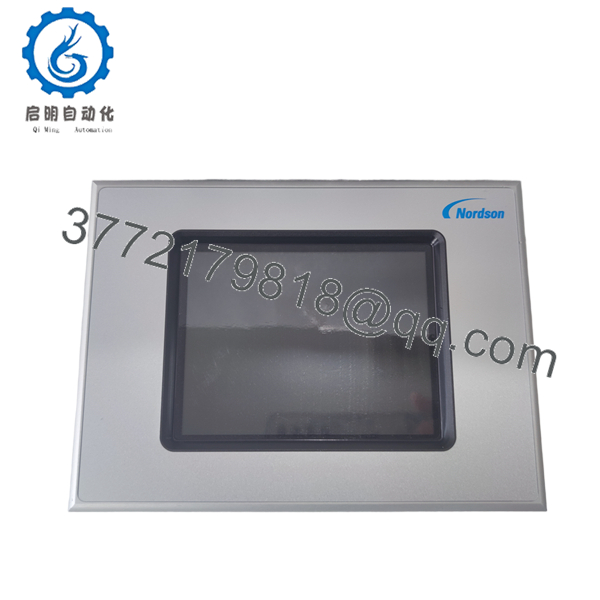
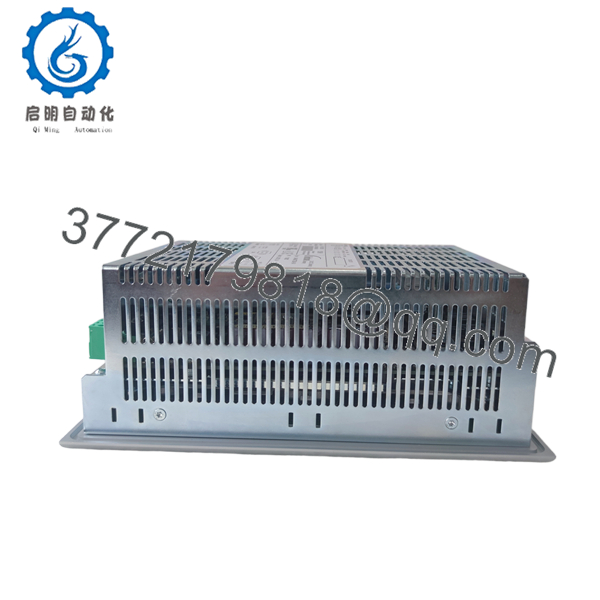
The Eaton XV-460-57TQB-1-50-1 is a 5.7-inch industrial HMI from the XV400 Series designed for machine control, process monitoring, and operator interaction. It combines a TFT color display with Ethernet, RS232, CAN, and USB interfaces, making it suitable for integration with PLCs and distributed automation systems.
A stainless-steel front panel and IP65 protection make the unit appropriate for demanding industrial environments. Optional PLC runtime licensing allows the panel to perform both visualization and control tasks, reducing cabinet space in compact machine designs. Before replacing an existing panel, verify the firmware revision, CompactFlash contents, and engineering software version to avoid commissioning delays.
Installation & Configuration Guide
Stage 1 – Pre-Installation Preparation (10 minutes)
⚠️ Safety First
- Notify production personnel of the planned shutdown.
- Apply Lock-Out/Tag-Out procedures.
- Disconnect the 24 V DC power supply.
- Wait at least five minutes before handling the panel.
- Wear an ESD wrist strap.
- Back up:
- HMI application
- PLC project (if applicable)
- Communication parameters
- CompactFlash card contents
- Photograph all wiring and connector locations.
Stage 2 – Remove the Existing Unit (5–10 minutes)
- Disconnect all communication cables.
- Label every connector before removal.
- Remove the mounting clamps.
- Carefully lift the HMI from the cabinet cutout.
- Inspect the power connector and communication ports for damage.
⚠️ Keep the original unit until the replacement has completed full functional testing.
Stage 3 – Install the Replacement (10 minutes)
- Confirm the replacement model matches XV-460-57TQB-1-50-1.
- Install the panel evenly to protect the front gasket.
- Reconnect Ethernet, RS232, CAN, USB, and power wiring.
- Install the CompactFlash card if required.
- Restore network settings and communication parameters.
Installation Checklist
- ✓ Correct model verified
- ✓ Power polarity confirmed
- ✓ Ethernet connected
- ✓ CAN termination verified
- ✓ Panel gasket properly compressed
Stage 4 – Startup & Commissioning (10 minutes)
- Apply 24 V DC power.
- Verify normal boot sequence.
- Confirm Windows CE starts correctly.
- Check Ethernet communication.
- Download or restore the HMI application if required.
- Verify PLC communication and test all operator screens.
⚠️ Troubleshooting Tip
Most startup issues after replacement are caused by:
- Firmware revision differences
- Missing CompactFlash system files
- Incorrect IP configuration
- CAN node address mismatch
- Engineering project version incompatibility
These problems occur far more frequently than hardware defects.

- XV-460-57TQB-1-50-1
- XV-460-57TQB-1-50-1
Frequently Asked Questions (FAQ)
Q1. Can this HMI be hot-swapped?
No. Power down the control cabinet before removing or installing the panel. Hot swapping can damage the HMI or interrupt PLC communications.
Q2. Is the XV-460-57TQB-1-50-1 still used in new projects?
Generally no. The XV400 platform is mainly retained to support installed systems. For new equipment, newer Eaton HMI families are typically recommended.
Q3. Does the panel include PLC functionality?
The hardware supports optional PLC functionality, but the PLC runtime requires a separate software license.
Q4. Will replacing the HMI erase my application?
Not if the project has been backed up. Many installations store the runtime project on a CompactFlash card or reload it from the engineering workstation after installation.
Q5. Which communication interfaces are available?
The standard hardware includes Ethernet, RS232, CAN/easyNet, USB Host, and USB Device interfaces, with additional communication options available through expansion modules.
Q6. What should I verify before ordering a replacement?
Check the complete model number, hardware revision, firmware version, communication configuration, and CompactFlash contents. Matching these details before installation can prevent extended downtime during commissioning.



