
 WhatsApp: +86 16626708626
 Email:
  Phone: +86 16626708626
Description
Key Technical Specifications
| Parameter | Value |
| Display Type | CSTN Color Display with Infrared Touch Matrix |
| Display Size | 5.7 inches |
| Resolution | QVGA (320 x 240 pixels) |
| Supply Voltage | 24 V DC (18–30 V DC range) |
| Processor | 32-bit RISC CPU |
| On-Board Memory | 16 MB RAM / 8 MB Flash |
| Fieldbus Interface | 1x CANopen (SUB-D 9-pin), 1x Ethernet 10/100 Mbit/s |
| Serial Ports | 1x RS-232 |
| Front Panel Protection | IP65 / NEMA 4X (indoor) |
| Operating Temperature | 0 to +50 °C |
| Cutout Dimensions | 198 mm x 142 mm |
| Certifications | CE, UL, cUL |
Product Introduction & Supply Chain Strategy
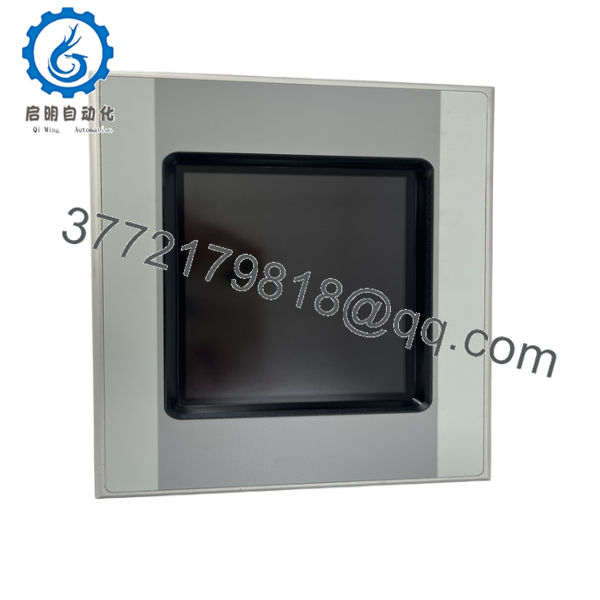
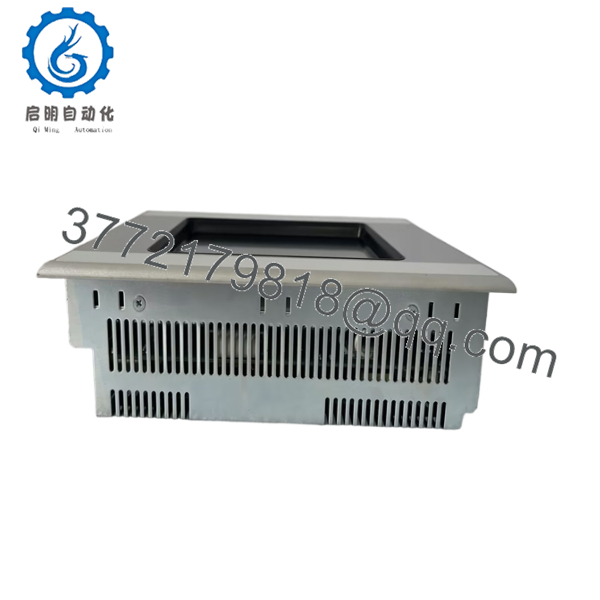
The Eaton XVH-340-57CAN-1-10 is a compact 5.7-inch industrial HMI designed for precise machine operation in CANopen and Ethernet-based automation networks. Utilizing a durable infrared touch screen rather than a resistive film, it operates reliably even when operators wear heavy work gloves or when contaminants coat the bezel.
Securing this unit as New Surplus makes sound supply-chain sense for legacy lines. Because refurbished panels often suffer from degraded infrared emitter arrays or cracked housing seals, acquiring an unused New Surplus unit avoids sudden line stops and eliminates the high secondary costs of unplanned plant downtime.
Installation & Configuration Guide
1.Pre-Installation & Safety Prep:10-15 min.
Perform full Lock-Out/Tag-Out (LOTO) on the control cabinet feed. Put on an ESD wrist strap grounded to the enclosure frame. Photograph the existing rear wiring, baud-rate jumpers, and CAN bus termination settings before disconnecting anything.
2.Unit Extraction:5 min.
Disconnect the 24 V DC power connector, RJ45 Ethernet cable, and 9-pin CANopen SUB-D plug. Loosen the retaining frame clamps on the back of the panel and ease the old HMI forward through the cutout.
3.Clone Configuration & Mounting:10 min.
Set the DIP switches and CAN termination resistor on the replacement XVH-340-57CAN-1-10 to mirror the original unit exactly. Seat the new panel into the enclosure cutout, ensuring the IP65 perimeter gasket seals flat against the sheet metal. Tighten clamps evenly.
4.Power-On & Communication Verification:10 min.
Measure the 24 V DC feed to verify correct polarity and voltage levels before plugging in the power terminal block. Apply power, verify the boot sequence passes self-tests, and reload the application project using GALILEO software to verify the CANopen node handshake.

- XVH-340-57CAN-1-10
- XVH-340-57CAN-1-10
Firmware/Software Versions & Upgrade Notes
- Software Platform: Programmed using Eaton GALILEO visualization software. Ensure your project version aligns with the runtime version installed on the panel memory.
- Compatibility Notes: The CANopen communication stack requires exact node ID and baud rate matching (e.g., 125 kbps, 250 kbps, 500 kbps) set within GALILEO and confirmed via hardware switch settings.
- Firmware Flashing Hazard: Never power down or pull the Ethernet cable while transferring an OS image or runtime file. A interrupted write cycle corrupts the bootloader on internal Flash, rendering the CPU board unbootable without bench-level recovery.
Frequently Asked Questions (FAQ)
Is this Eaton XVH-340-57CAN-1-10 unit guaranteed to be new?
Yes, this unit is 100% Brand New Surplus. It has never been installed in a working cabinet, pulled from a decommissioned plant, or repaired. It remains in its original OEM protective packaging.
Why does an infrared touch screen matter for industrial environments?
Infrared touch technology relies on light beams across the screen surface rather than a flexible plastic membrane. This design resists physical wear, continues operating if light surface scratches occur, and senses touches from gloved hands without requiring pressure.
How does buying New Surplus lower my Total Cost of Ownership (TCO)?
While refurbished options seem cheaper up front, aged infrared diodes and dried-out power supply capacitors in used panels lead to intermittent failure. Installing a New Surplus unit gives you the full expected service life of 10 to 15 years, preventing costly emergency shutdowns.
Can I hot-swap this HMI while the CANopen network is active?
No. Always turn off power to the panel before pulling power leads or communication cables. Removing the CAN connector while the bus is live can cause communication errors on adjacent nodes or damage serial transceiver chips due to transient voltage spikes.
Do I need to program the CANopen node address on the hardware?
Yes. The CANopen node address and bus termination must match your machine’s network layout. Configure these settings via the DIP switches on the rear panel or through the internal system menu before initiating the network handshake.
What warranty comes with this unit?
We back this unit with a full 1-year replacement warranty. Every panel passes physical inspection, power-rail checks, and communication testing prior to shipment.



