
 WhatsApp: +86 16626708626
 Email:
  Phone: +86 16626708626
Description
3. Key Technical Specifications
| Parameter | Value |
| Display Type | Color TFT, 256 Colors |
| Screen Size | 5.7-inch Diagonal |
| Resolution | QVGA (320 x 240 Pixels) |
| Touch Technology | Infrared (IR) Touch |
| Processor | 32-bit RISC CPU, 400 MHz |
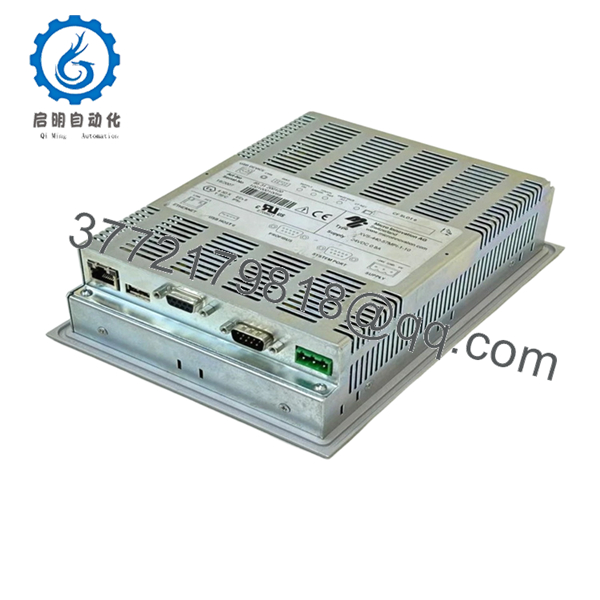
| Communication | 1x MPI/Profibus-DP, 1x Ethernet, 1x RS232, 1x CAN |
| Memory | 64 MB Internal RAM, expandable via CompactFlash |
| Supply Voltage | 24 V DC (18–30 V DC) |
| Front Dimension | 212 x 156 mm |
| Protection Rating | IP65 (Front side) |
4. Product Introduction & Supply Chain Strategy
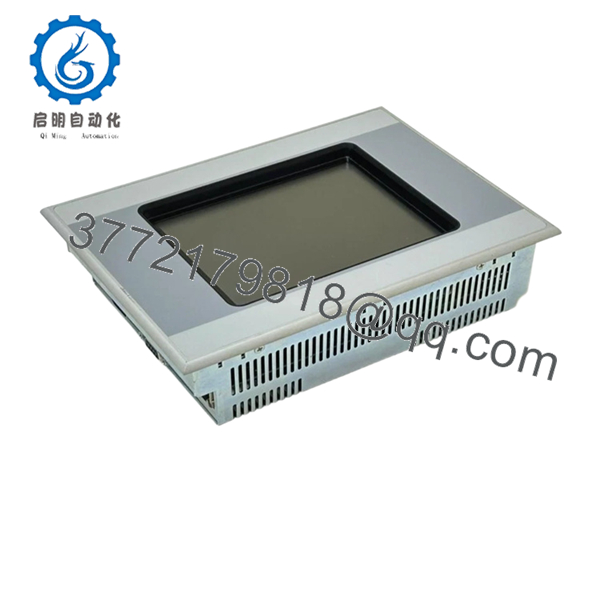
The Eaton XVS-440-57MPI-1-10 is a rugged, compact HMI specifically engineered for demanding automation tasks that require direct integration with MPI/Profibus fieldbus networks. Its 5.7-inch display and robust infrared touch frame make it an ideal choice for space-constrained control panels where reliability is the primary design metric.
Strategically, sourcing this as New Surplus is the only way to avoid the hidden pitfalls of aging components found in refurbished units. As these modules reach the end of their production lifecycle, finding original units—rather than repaired ones—is essential for avoiding “unplanned maintenance cycles.” New Surplus units guarantee 100% component integrity, providing the exact operational reliability required to bridge the gap until your next full system migration.
5. Installation & Configuration Guide
Stage 1: Pre-Installation (Prep & Safety)
Lock out the main power to the control cabinet. Use an ESD-safe wrist strap. Before removing the old unit, download the current project file and record the MPI address and baud rate settings. These settings are critical for seamless communication with your existing PLC.
Stage 2: Removal
Unscrew the rear mounting brackets. Carefully remove the unit from the panel cutout, ensuring no tension is placed on the communication cable. Place the old unit in an anti-static bag for disposal or long-term cold storage.
Stage 3: Installation (Clone & Seat)
Ensure the front gasket is seated correctly in the bezel groove. Insert the XVS-440-57MPI-1-10 into the panel. Tighten the rear tensioning brackets in a cross-pattern to ensure an even, air-tight seal against the cabinet face. Connect the 24 V DC power supply to the terminal block, confirming the 24 V and 0 V terminals are wired correctly to prevent internal damage.
Stage 4: Power-On & Testing
Power on the system and enter the configuration menu. Input the recorded MPI station address and verify the communication link LED is active. Perform a touch calibration check to ensure the IR sensors detect inputs accurately across the 5.7-inch display area.

- XVS-440-57MPI-1-10
- XVS-440-57MPI-1-10
6. Firmware/Software Versions & Upgrade Notes
- Software Requirement: Typically configured via Galileo or MX-Pro.
- Compatibility: Designed primarily for Siemens S7-300/400 MPI/Profibus networks.
- Firmware Warning: Do not attempt firmware updates while the unit is controlling a live machine. Ensure you have the current firmware version saved as a binary file to restore the unit if an update is interrupted.
7. Frequently Asked Questions (FAQ)
Q: Why use Infrared (IR) touch on a screen this small?
A: IR touch is highly durable. Unlike resistive touch that wears out from constant pressing, IR touch uses light beams. It won’t degrade over time, making it superior for 24/7 industrial use.
Q: Is this “New Surplus” unit better than a repair?
A: Absolutely. A repair only fixes what is currently broken, whereas our New Surplus units have not been used and have not experienced the thermal cycling that degrades internal components. You are purchasing a factory-sealed unit with its full original design life.
Q: Can I use this for non-Siemens controllers?
A: While the “MPI” designation refers specifically to Siemens protocols, this HMI supports a variety of other communication drivers via the RS232 and Ethernet ports. Check your specific engineering software driver list for compatibility.
Q: What happens if the MPI address is configured incorrectly?
A: The HMI will fail to establish a link with the PLC, and you will likely see a “Communication Error” on the screen. Always double-check the address (usually set between 1 and 31) before deploying.
Q: How does this model compare to the 12-inch version?
A: Functionally, they are identical in processing power and protocol support, but the 5.7-inch model is designed for high-density panels where mounting space is limited.



