
 WhatsApp: +86 16626708626
 Email:
  Phone: +86 16626708626
Description
Key Technical Specifications
- Model code: XVS-440-57MPI-1-1U
- Brand: Eaton
- Series: XVS-400
- Display size: 5.7 in
- Display type: STN color display
- Touch type: Infrared touch
- Supply voltage: 24 V DC
- Communication interfaces: Ethernet, RS-232, PROFIBUS/MPI, USB device
- Front protection: IP65
- Rear protection: IP20
- Operating temperature: 0 to 50 C
- Storage temperature: -20 to 60 C
- Built-in depth: 62 mm
- Front dimensions: 345 mm x 260 mm
- Weight: About 1.8 kg
Product Introduction
Eaton XVS-440-57MPI-1-1U is a 5.7 in HMI-PLC touch panel used for machine control, operator input, and local visualization. It runs on 24 V DC and fits legacy control cabinets that use Ethernet, RS-232, or PROFIBUS/MPI.
This model is often used in retrofit work where the cabinet space is tight and the original machine interface is still on the field. The infrared touch and panel-level PLC function make it a practical swap for older XVS400 systems, but compatibility still depends on exact firmware and network setup.
Troubleshooting Quick Reference
| Symptom | Possible Cause | Relevance to this Part | Quick Check Method | Recommendation |
|---|---|---|---|---|
| No power-up at all | Missing 24 V DC, blown fuse, wiring fault | ❌ Low | Measure input voltage at the terminals with a multimeter | Check cabinet power and fuse status first |
| Backlight on, no boot screen | Corrupt runtime, missing memory card, startup file issue | ✅ High | Check boot messages and media contents | Reload the project before assuming hardware failure |
| PLC logic not responding | Application fault, stopped task, bad download | ✅ High | Read the controller status and diagnostic buffer | Verify the program state before replacing the panel |
| Ethernet comms fail | Wrong IP, cable issue, switch port fault | ✅ High | Ping the device, check link LEDs, swap the patch cable | Fix network settings and cabling first |
| PROFIBUS/MPI device not seen | Wrong node address, bad termination, wiring fault | ✅ High | Check node address, termination, and bus activity | Match the fieldbus setup to the original unit |
| Touch input is inaccurate | Calibration drift, damaged touch layer, dirty overlay | ✅ High | Run touch calibration and inspect the faceplate | Recalibrate first; replace if the touch layer keeps failing |
If you are stuck, send technical support photos of the nameplate, wiring, ports, startup screen, and PLC diagnostic logs.
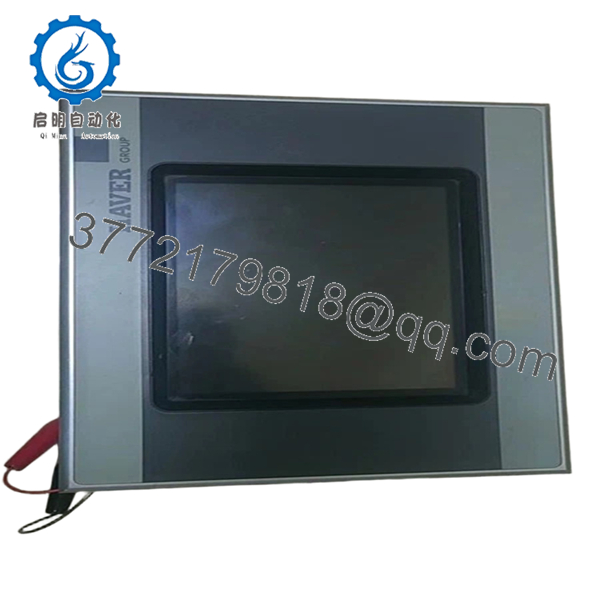
- XVS-440-57MPI-1-1U
Frequently Asked Questions (FAQ)
Q: Is the XVS-440-57MPI-1-1U obsolete?
A: Yes, treat it as a legacy XVS400 part. That means stock usually comes from surplus or remaining inventory, not current factory production. The real issue is often availability and matching the original machine configuration, not basic reliability.
Q: Is this a direct replacement for another Eaton HMI?
A: Only if the cutout, depth, power, and interface list match your old unit exactly. The XVS family can look similar across variants, but the port mix and software expectations can differ enough to break a swap. Check the suffix before you order.
Q: Can I hot-swap this panel?
A: No. Kill power first and confirm the cabinet is de-energized. Pulling a live panel can damage the comms ports, storage, or internal electronics.
Q: Does it have PLC functionality?
A: Yes, this platform is built as an HMI-PLC. That saves cabinet space, but it also means the project file, runtime image, and memory state matter during replacement. Back up the current configuration before you remove the old panel.
Q: What condition is this usually sold in?
A: Most units like this are sold as New Original or New Surplus. That is why pricing is often below factory direct stock. Ask for traceability, test status, and a clear statement on whether the unit is new surplus or refurbished.
Q: What usually causes replacement problems on this model?
A: Firmware mismatch, wrong PROFIBUS/MPI settings, bad startup files, and wiring assumptions are the common ones. I have seen a panel blamed for a fault that turned out to be a bus termination problem. Take photos of the old setup before removal and mirror it exactly.
Q: What should I verify before installation?
A: Verify supply voltage, built-in depth, front cutout, connector layout, and the exact communication protocol in use. Do not wire from memory. Even similar-looking revisions can differ enough to force a full rework cycle.



