
 WhatsApp: +86 16626708626
 Email:
  Phone: +86 16626708626
Description
Key Technical Specifications
| Parameter | Value |
|---|---|
| Manufacturer | ELAU / Schneider Electric |
| Model | DB-5 |
| Schneider Reference | VBO03S00 |
| Order Number | 13130266-001 |
| Product Function | Distribution box for iSH servo systems |
| DC-Bus Voltage | 270–680 VDC |
| DC-Bus Current | 20 A continuous |
| Control Voltage | 24 VDC, −15% / +25% |
| Control Current | Maximum 12 A |
| Brake Control Voltage | 24 VDC, −10% / +6% |
| Outputs | 4 hybrid outputs |
| Communication | SERCOS |
| Distributed Signals | DC bus, 24 V control, SERCOS, Inverter Enable |
| Protection Rating | IP65 with covers correctly installed |
| Cooling | Natural convection |
| Operating Temperature | +5 to +40°C |
| Storage Temperature | −25 to +70°C |
| Approx. Weight | 0.85 kg |
| Approvals | CE, cULus |
The DB-5 order number and hardware identification should be checked against the installed unit before replacement. ELAU documentation identifies 13130266-001 as the DB-5 item number and records hardware version on the unit nameplate.
Product Introduction
The ELAU DB-5 VBO03S00 (13130266-001) is a PacDrive M iSH distribution box used between the PS-5 power supply and integrated iSH servo motors. It distributes the DC bus, 24 V control power, SERCOS communication, and Inverter Enable signals through the ELAU hybrid-cable system.
One DB-5 provides four downstream connections for iSH motors or additional DB-5 units. The enclosure is rated IP65 when connectors, seals, and unused-port covers are correctly installed. Because this is a legacy PacDrive component, verify the order number, hardware revision, connector condition, and existing cable topology before procurement.
Installation & Configuration Guide
Stage 1: Pre-Installation Preparation — 10 minutes
⚠️ Safety First: The DB-5 carries a high-voltage DC bus. Do not treat it like a conventional 24 V distribution block. Notify operations, place the machine in a safe state, apply lockout/tagout, and isolate the PS-5 supply.
- Remove all applicable power sources according to the machine manufacturer’s shutdown procedure.
- Allow the DC bus to discharge for the period specified by the PacDrive documentation.
- Verify the DC bus with an appropriately rated multimeter before touching conductors.
- Wear an ESD wrist strap when handling electronic connectors.
- Photograph the complete DB-5 before disconnecting anything.
- Record the DB-5 order number, hardware revision, serial number, and every connected cable.
- Photograph connector orientation and cable routing.
- Keep the old DB-5 available until commissioning is complete.
Tools: ESD strap, appropriately rated multimeter, insulated hand tools, wire labels, camera/smartphone, and the applicable ELAU PacDrive documentation.
⚠️ Do not rely on a simple five-minute discharge rule for this device. The actual DC-bus discharge condition must be verified before contact.
Stage 2: Removing the Old Module — 10 minutes
- Confirm zero-energy condition using the machine’s approved electrical safety procedure.
- Label each hybrid cable before removal.
- Photograph every connector and unused-port cover.
- Disconnect the cables without twisting or forcing the connector bodies.
- Protect disconnected connectors from dust and mechanical damage.
- Remove the DB-5 from its machine mounting arrangement.
- Inspect the old unit for damaged seals, cracked housing, corrosion, bent connector contacts, or contamination.
⚠️ Do not pull on the cable itself. The hybrid cables carry power and communication conductors; mechanical damage can create a second fault after the distribution box has been replaced.
Stage 3: Installing the New Module — 10 minutes
- Verify the replacement nameplate: DB-5 / 13130266-001 / VBO03S00 should match the existing application.
- Compare the hardware version with the removed unit.
- Inspect every connector before installation.
- Check that sealing surfaces and unused-port covers are clean and undamaged.
- Mount the replacement DB-5 in the same orientation.
- Reconnect each hybrid cable according to the photographs and machine wiring documentation.
- Do not interchange cables simply because the connectors appear identical.
- Secure all connectors completely.
- Confirm cable routing does not place excessive bending or pulling force on the connector.
Self-check:
- Correct DB-5 reference
- Hardware revision recorded
- Correct cable connected to each port
- Connectors fully seated
- Unused ports properly protected
- Housing and seals intact
- Mounting hardware secure
Stage 4: Power-On & Testing — 10 minutes
- Perform a final visual inspection before energizing the system.
- Confirm the DC-bus wiring and 24 V control supply are correctly connected.
- Energize the PacDrive system according to the OEM machine procedure.
- Check the DB-5 and connected iSH devices for abnormal status indications.
- Verify SERCOS communication from the PacDrive controller.
- Check each connected iSH axis individually.
- Confirm that the controller recognizes all expected axes.
- Execute a controlled low-risk motion test.
- Verify feedback, enable behavior, and brake operation where applicable.
- Return the machine to normal operating conditions only after the axis checks pass.
⚠️ If communication fails immediately after replacement, do not repeatedly cycle power. First compare the connector assignment, hybrid cable condition, hardware identification, and SERCOS topology against the original installation.
Technical Pitfalls — What Usually Causes Rework
1. Firmware / Hardware Revision Mismatch
The DB-5 is not a programmable PLC CPU, so firmware should not be treated like a normal controller firmware upgrade. However, the hardware revision and PacDrive generation still matter. Record the old nameplate before ordering.
2. Cable or Connector Misidentification
❗ This is the mistake I would check first after an unexplained replacement failure. A DB-5 has multiple hybrid connections, and a connector that physically fits does not automatically prove that the cable belongs in that position.
3. IP65 Installation Error
The IP65 rating depends on the physical condition and correct installation of connectors, seals, and unused-port covers. A damaged seal can turn an apparently successful electrical replacement into a machine-environment problem.
4. DC-Bus Safety
The DB-5 distributes a 270–680 VDC bus. Treat the enclosure as high-energy equipment. Verify isolation and bus discharge with approved measurement procedures before touching the system.
5. SERCOS Topology
The DB-5 is part of the PacDrive iSH distribution architecture. The original ELAU documentation shows DB-5 units used to distribute the connection to iSH modules and to extend the installation to additional distribution boxes.
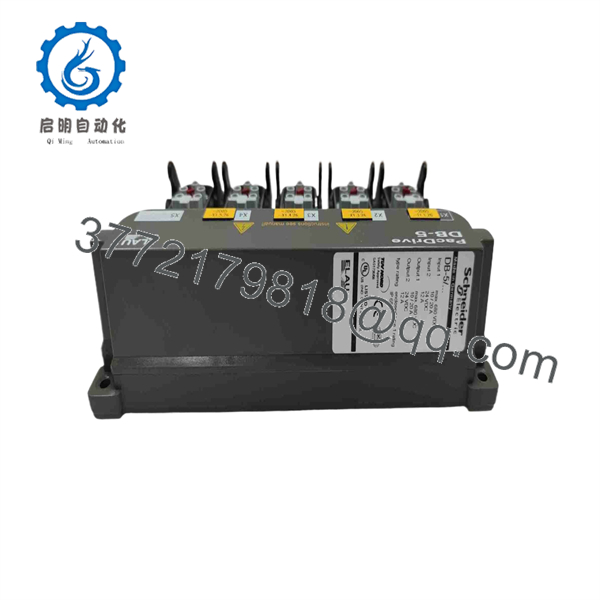
DB-5 VBO03S00
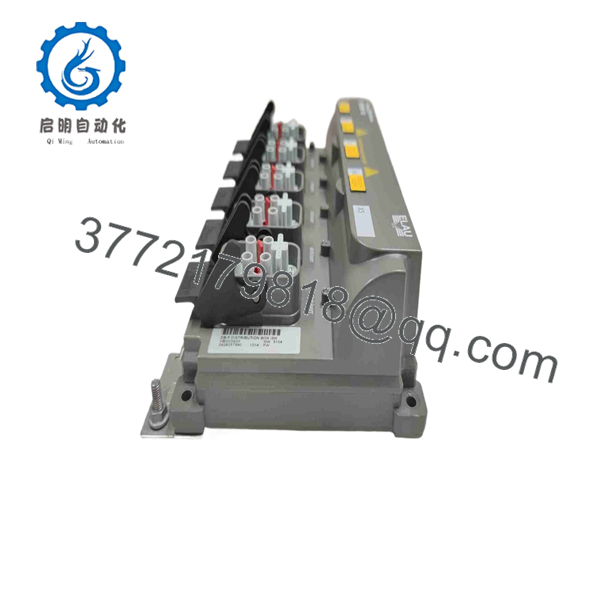
DB-5 VBO03S00
Frequently Asked Questions (FAQ)
Can I hot-swap the ELAU DB-5?
No. Do not treat the DB-5 as a hot-swappable I/O module. It distributes a high-voltage DC bus as well as control and SERCOS signals. Isolate the system and verify the DC bus condition before replacement.
Is DB-5 obsolete?
The PacDrive M DB-5 is a legacy/discontinued component, and current supply is primarily through remaining inventory and industrial automation spare-parts channels. Some suppliers currently list VBO03S00 / 13130266-001 as discontinued or legacy stock.
What is the exact replacement reference?
For the standard unit identified in the documentation, use:
DB-5 → VBO03S00 → 13130266-001
Do not order solely from the name “DB-5.” Confirm the complete nameplate because PacDrive installations contain other components with similar naming conventions.
Will replacing the DB-5 erase my PacDrive program?
The DB-5 is a distribution box, not the PacDrive application controller. Replacing it does not normally remove the controller’s application program. However, the replacement can still prevent the machine from running if the SERCOS network, hybrid cables, enable circuit, or connected iSH devices are incorrectly wired.
Why is DB-5 difficult to source?
It belongs to the older ELAU PacDrive M iSH architecture. Current availability depends heavily on remaining inventory, machine decommissioning, and tested surplus stock. A current supplier listing may show New Surplus, Used, or Refurbished condition; these conditions should not be treated as equivalent.
What should I verify before buying a DB-5?
Send the supplier a clear nameplate photograph, including the complete order number, hardware revision, serial number, connector arrangement, and photos of all connected cables. For this part, that information is more useful than simply specifying “DB-5.”
What condition should I expect from surplus stock?
Condition varies. A unit advertised as New Original / New Surplus should be physically inspected for original markings, connector condition, storage damage, and evidence of prior installation. A used or refurbished unit should have documented functional testing. Do not assume a seller’s “tested” statement means the unit was tested in a complete PacDrive system.
QC note: For a DB-5, meaningful inspection should include nameplate verification, connector inspection, housing/seal inspection, insulation and continuity checks appropriate to the test procedure, and—where equipment is available—testing within a compatible PacDrive PS-5/iSH environment. A test report and photographs should be available on request.



