
 WhatsApp: +86 16626708626
 Email:
  Phone: +86 16626708626
Description
Key Technical Specifications
| Parameter | Specification Value |
| Model Part Number | 1410S2AA32AD4N7RD |
| Manufacturer | Emerson Automation Solutions (Rosemount) |
| Wireless Protocol | WirelessHART (2.4 GHz ISM Band, IEEE 802.15.4) |
| Network Capacity | Up to 100 WirelessHART field devices (depending on license configuration) |
| System Communications | Dual 10/100BASE-TX Ethernet (RJ45 connectors) |
| Output Protocols | Modbus TCP, Modbus RTU (RS485), OPC, EtherNet/IP, HART-IP |
| Input Power Voltage | 10.5 V DC to 30 V DC (Nominal 24 V DC) |
| Power Consumption | 5 W maximum operating power draw |
| Operating Temperature | −40°C to +70°C (−40°F to 158°F) |
| Mounting Format | DIN Rail Mounting / Wall Panel Mount Bracket |
| Enclosure Rating | Polycarbonate / IP20 (DIN Mount Module) |
| Hazardous Area Approvals | ATEX / IECEx / FM / CSA Class I, Div 2 / Zone 2 |
Product Introduction & Supply Chain Strategy
The Emerson 1410S2AA32AD4N7RD Smart Wireless Gateway serves as the communication backbone for WirelessHART field instrument networks, linking pressure, temperature, and vibration transmitters to DCS or SCADA host platforms. It manages network security, automatic mesh routing, and protocol conversion in real time.
This product is a Brand New Surplus unit. It is not used, not pulled from a decommissioned plant, and not refurbished. All modules undergo rigorous quality verification to ensure OEM-level reliability.
Securing the 1410S2AA32AD4N7RD as New Surplus guarantees continuous network uptime for critical process monitoring loops. Purchasing refurbished wireless infrastructure poses extreme risks of compromised encryption chips or degraded radio sensitivity that lead to intermittent field device dropouts. Sourcing New Surplus provides factory-level radio performance while avoiding OEM factory lead times.
Installation & Configuration Guide
Stage 1: Pre-Installation (Prep & Safety)
- Verify cabinet 24 V DC power distribution breakers are turned off and perform Lock-Out/Tag-Out (LOTO) protocols.
- Put on a grounded ESD wrist strap before handling the gateway unit.
- Inspect the gateway housing and SMA antenna port threads for shipping damage or dust contamination.
- Record the Network ID and Join Key parameters required to pair with the targeted WirelessHART field devices.
Stage 2: Removal
- Disconnect incoming 24 V DC terminal block connections from the gateway base.
- Unplug both Ethernet communication cables and any RS485 serial field connections.
- Disconnect the remote coaxial antenna cable from the top SMA connector.
- Release the DIN-rail locking tab using a flat-head screwdriver and lift the unit clear of the rail.
Stage 3: Installation (Clone & Seat)
- Mount the 1410S2AA32AD4N7RD onto the 35 mm DIN rail until the spring latch snaps into place.
- Reattach the coaxial antenna cable and torque the SMA fitting finger-tight plus 1/4 turn using a wrench.
- Connect Ethernet communications to Port 1 and Port 2 matching the network topology layout.
- Wire the 24 V DC power source to the removable terminal plug, observing polarity (+24V and GND).
Stage 4: Power-On & Testing
- Apply 24 V DC power to the unit and observe the Power and System LEDs during the boot sequence.
- Open the gateway web interface via a web browser using default IP settings to configure Network ID and security parameters.
- Confirm that field devices establish health handshakes and begin populating process variables on the device dashboard.
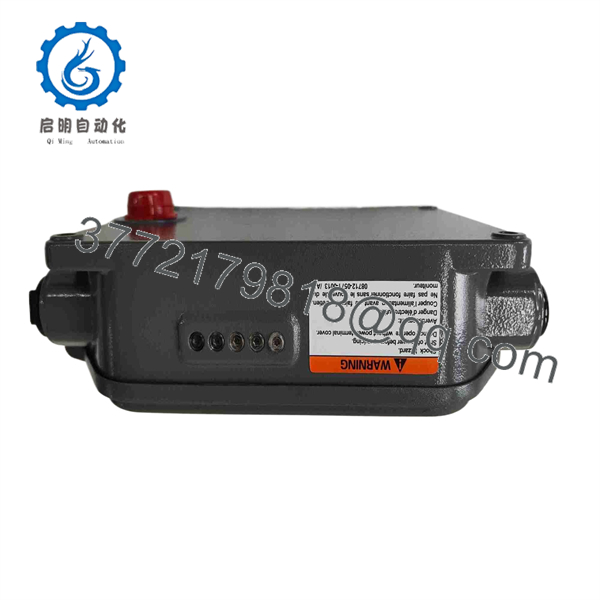
1410S2AA32AD4N7RD
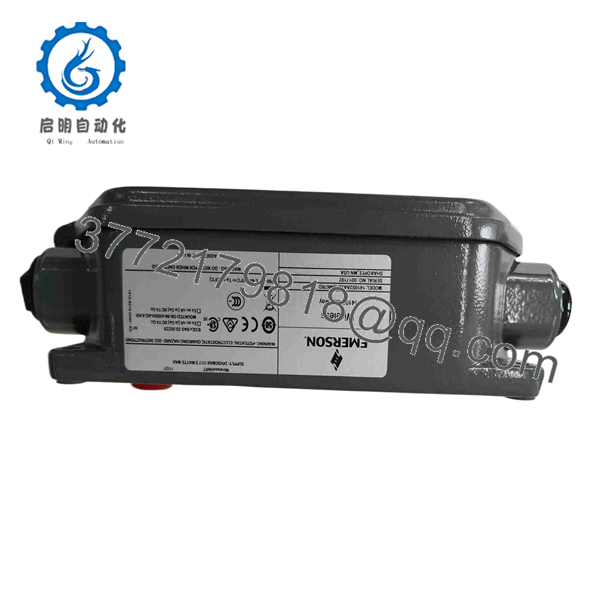
1410S2AA32AD4N7RD
Firmware/Software Versions & Upgrade Notes
The Emerson 1410S2AA32AD4N7RD relies on internal gateway system software to manage WirelessHART mesh topology and protocol mapping.
- Firmware Compatibility: Ensure host DCS driver profiles (DeltaV, Ovation, or generic Modbus/OPC drivers) match the gateway’s active HART-IP or Modbus register map definitions.
- Network Licensing: Network capacity is determined by internal license keys. Verify that the software license matches the required field device count (e.g., 25, 50, or 100 devices).
- Firmware Updates: Always back up the current gateway configuration file (.xml) and active Join Keys before attempting a system firmware upgrade via the web management interface.
Frequently Asked Questions (FAQ)
Q: Is this Emerson 1410S2AA32AD4N7RD gateway brand new or has it been pulled from a decommissioned panel?
A: This product is a Brand New Surplus unit. It is not used, not pulled from a decommissioned plant, and not refurbished. All modules undergo rigorous quality verification to ensure OEM-level reliability.
Q: Why is buying New Surplus wireless infrastructure better than buying refurbished units?
A: Our pricing reflects the cost of securing genuine New Surplus inventory globally. It may be 20–30% higher than a refurbished gamble, but it is substantially less than OEM list prices, and it buys you 100% peace of mind. Refurbished gateways often carry corrupted internal flash memory, worn antenna ports, or lingering network security keys from former installations that complicate commissioning.
Q: Does this gateway require an external antenna to communicate with WirelessHART field devices?
A: Yes. An external antenna (remote-mounted or direct-connect) must be attached to the SMA RF port to operate the 2.4 GHz WirelessHART transceiver safely without damaging internal power amplifiers.
Q: Can this unit communicate over Modbus TCP and OPC simultaneously?
A: Yes. The gateway supports simultaneous multi-protocol communications over its dual Ethernet ports, allowing concurrent connection to SCADA systems via Modbus TCP and asset management platforms via OPC or HART-IP.
Q: What warranty coverage applies to this New Surplus Emerson module?
A: We provide a full 1-year functional replacement warranty from the date of purchase, ensuring continuous, reliable operation of your wireless process network.



