WhatsApp: +86 16626708626
 Email:
 Phone: +86 16626708626
Description
Key Technical Specifications
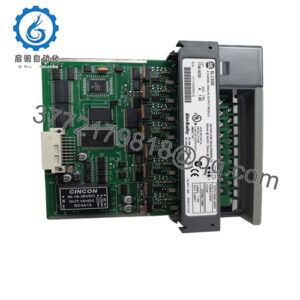
EMG documentation describes the MCU24.2 as a plug-in microcontroller card that executes the complete application program for control and regulation in UMC 16/SPC 16 systems. The card integrates a PROFIBUS-DP slave interface and provides RS-232, CAN bus, and I/O bus connections.
| Parameter | Specification |
|---|---|
| Manufacturer | EMG Automation |
| Model | MCU24.2 |
| Product type | Plug-in microcontroller unit |
| Processor | Infineon/Siemens XC167CI |
| Memory | User memory and data memory |
| Primary function | Executes application programs for control and regulation |
| Fieldbus interface | PROFIBUS-DP slave, connector X4 |
| Programming interface | RS-232, connector X1 |
| Operator display interface | RS-232, connector X3 |
| External sensor interface | CAN bus, connector X2 |
| Expansion interface | I/O bus for plug-in expansion cards |
| Compatible system family | UMC 16 / SPC 16 / SPC 16+; confirm the specific configuration |
| Programming software | EMG logiCAD/32 planning and diagnostics software |
| Approximate weight | 0.30 kg |
| Color designation | RAL 7032 |
| Mounting format | Plug-in card |
| Lifecycle status | Legacy; verify current availability with EMG |
Source: EMG MCU24.2 application and replacement documentation.
Important compatibility note: The MCU24.2 was documented as a successor to PDP 01 and PDP 01.1 PROFIBUS interface cards. The replacement procedure may also require changing the external control/display unit because only certain combinations are compatible. Confirm the selection table and application-specific software requirements before ordering.
EMG Automation GmbH
Product Introduction & Supply Chain Strategy
The EMG MCU24.2 is a microcontroller plug-in card for UMC 16 and SPC 16 control systems. It executes application programs for control and regulation while integrating PROFIBUS-DP communication with other fieldbus devices. Its RS-232, CAN bus, and I/O bus interfaces support programming, external sensors, and system expansion.
For legacy equipment, verified new-surplus inventory can reduce exposure to extended downtime when replacement hardware is difficult to source. Evaluate Total Cost of Ownership (TCO), application-software availability, and external display compatibility before purchasing. Set buffer stock according to equipment criticality and lead time variability, and assess the complete replacement configuration rather than treating the MCU24.2 as an isolated spare.
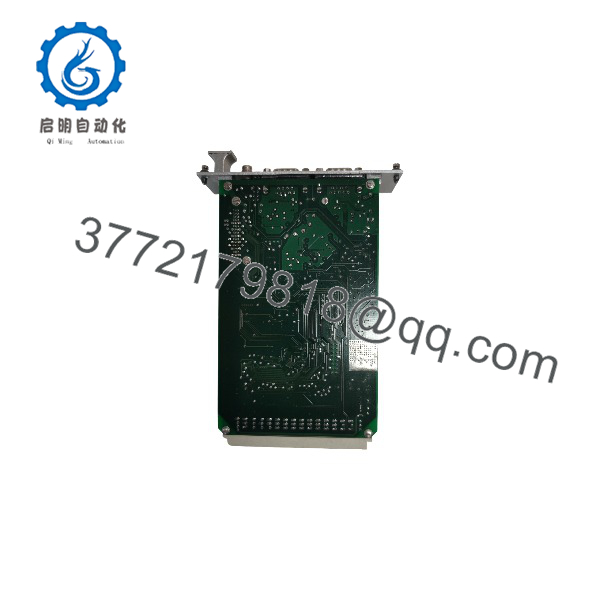
MCU24.2
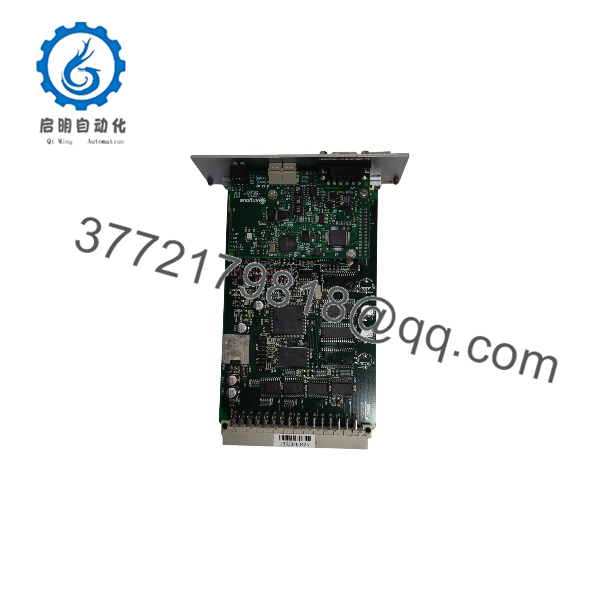
MCU24.2
Installation & Configuration Guide
The .2 is a system-specific controller card. Replacement involves more than fitting the hardware: the application program and external control/display unit must also be compatible with the target system. EMG documentation specifically warns of limited combinations when replacing PDP 01 or PDP 01.1 PROFIBUS interface cards.
EMG Automation GmbH
Stage 1: Pre-Installation — Preparation and Safety
- Verify the hardware: Record the existing MCU model, hardware identification, system type, and expansion-card configuration.
- Apply lockout/tagout (LOTO): Isolate the equipment according to the machine manufacturer’s procedures.
- Back up the application: Preserve the existing control program, parameters, communication settings, and available project files.
- Document connections: Photograph the card position, RS-232 connections, CAN bus wiring, PROFIBUS connection, and expansion interfaces.
- Check the complete configuration: Confirm compatibility among the .2, UMC 16/SPC 16 system, external control/display unit, and application software.
- Prepare ESD protection: Use a grounded wrist strap and antistatic handling procedures.
Stage 2: Removal
- Place the controlled equipment in its approved maintenance state.
- Isolate electrical power according to the approved procedure.
- Disconnect external interfaces only after labeling and documenting their connections.
- Release the card’s retaining hardware and withdraw it using the designated extraction points.
- Inspect the connector, card guides, and backplane for physical damage or contamination.
Stage 3: Installation — Configuration and Seating
- Verify the replacement model and hardware identification against the approved parts list.
- Confirm that the existing application program is compatible with the replacement.
- Check the external control/display unit against EMG’s supported combination table.
- Align and seat the .2 in the designated slot without forcing the connector.
- Reconnect the RS-232, CAN bus, PROFIBUS-DP, and I/O bus interfaces as applicable.
- Check cable routing, connector retention, and the integrity of the associated expansion cards.
Stage 4: Power-On and Functional Testing
- Restore power according to the equipment manufacturer’s startup procedure.
- Check the controller’s operating and diagnostic indications against the relevant manual.
- Connect the supported programming interface and verify communication with the controller.
- Restore the approved application program and parameters if required.
- Verify PROFIBUS-DP communication with the master and other configured fieldbus participants.
- Test the relevant control functions, external sensor interfaces, and operator display.
- Confirm normal machine operation before returning the equipment to production.
Important: Do not assume that the .2 supports hot swapping. Do not overwrite the existing application program or change fieldbus settings until the original configuration has been documented and compatibility confirmed.
Firmware/Software Versions & Upgrade Notes
The available EMG documentation identifies logiCAD/32 as the planning and diagnostics software used to program the .2. The documentation does not establish a single firmware version suitable for every installation.
- Recommended software: Verify the installed project’s logiCAD/32 version, toolchain requirements, and the software revision approved for the target controller.
- Application program: Preserve the original project files and generated controller program. Confirm that the correct application-specific software is available before replacing the card.
- Program transfer: The Tools documentation describes downloading an Intel HEX-format H86 program file to the target system. Confirm that the file belongs to the correct project and controller configuration.Computers
- PROFIBUS-DP compatibility: Verify the network configuration, slave address, communication parameters, and master-side settings before commissioning.
- External operator unit: Check compatibility with the ECU 01 or other installed control/display unit. Hardware combinations are limited in certain replacement scenarios.
- Upgrade and downgrade risks: Do not change controller software or application versions simply because a replacement card has been installed. Unverified changes can prevent program execution or disrupt fieldbus communication.
- Legacy support: Confirm access to the necessary programming tools, cables, project files, and compatible display hardware before committing to a long-term spare-parts strategy.
Frequently Asked Questions (FAQ)
Q1. What is the EMG .2 used for?
The .2 is a plug-in microcontroller unit for EMG UMC 16 and SPC 16 control systems. It executes the application program for control and regulation and provides an integrated PROFIBUS-DP slave interface.
Q2. Can the .2 replace a PDP 01 or PDP 01.1 card?
EMG documentation identifies the .2 with integrated PROFIBUS-DP as a successor solution for the PDP 01 and PDP 01.1 interface cards. However, the replacement may require a compatible external control/display unit and application-specific software. Verify the manufacturer’s selection table before ordering.
EMG Automation GmbH
Q3. Which communication interfaces does the .2 provide?
The documented interfaces are:
- RS-232 X1 for application download and online testing.
- RS-232 X3 for the external control/display unit.
- CAN bus X2 for external sensors.
- PROFIBUS-DP slave interface X4.
- An I/O bus interface for expansion cards.
Confirm connector assignments and electrical details in the applicable EMG documentation before wiring.
EMG Automation GmbH
Q4. Is the .2 available as new-original or new-surplus inventory?
Availability depends on the supplier’s current stock. Request photographs of the actual card, confirmation of the model and hardware identification, and written condition and warranty terms.
For a legacy controller, also confirm whether the supplied unit includes any required accessories or application software. Hardware alone may not be sufficient to restore the machine to operation.
Q5. Is the EMG .2 discontinued?
EMG’s component-discontinuation documentation references the .2 as a successor solution for older PROFIBUS interface hardware. This does not establish the MCU24.2’s current production or support status. Contact EMG to confirm availability and recommended alternatives before planning a last-time-buy.
Q6. Will the existing application program work on a replacement .2?
That depends on the controller configuration, application software, and compatibility of the associated hardware. Back up the existing program and parameters, verify the replacement’s hardware identification, and confirm the approved programming workflow before downloading any files.
Q7. What warranty should I expect when purchasing the .2?
Warranty coverage depends on the supplier. Obtain written confirmation of the warranty duration, coverage exclusions, return procedure, and remedies for verified defects. For production-critical applications, request condition evidence and confirm whether programming tools, application files, and the required external control/display unit are available separately.