
 WhatsApp: +86 16626708626
 Email:
  Phone: +86 16626708626
Description
3. Key Technical Specifications
| Parameter | Value |
|---|---|
| Ports | 48 x 10/100Base-TX RJ45 |
| Expansion | 1 Network Expansion Module (NEM) slot |
| Forwarding | Distributed Forwarding Engine (Platinum) |
| Switching Capacity | 18.5 Gbps per module (chassis aggregate scales higher) |
| MAC Address Table | 64,000 |
| Data Link Protocol | Fast Ethernet |
| Form Factor | Plug-in module for Matrix N3/N7 chassis |
| Backplane Connectivity | Dual FTM1 and FTM2 |
| Management | CLI, SNMP, NetSight compatible |
| Operating Temperature | 5°C to +40°C (chassis dependent) |
| MTBF | High reliability rating per N-Series design |
4. Product Introduction
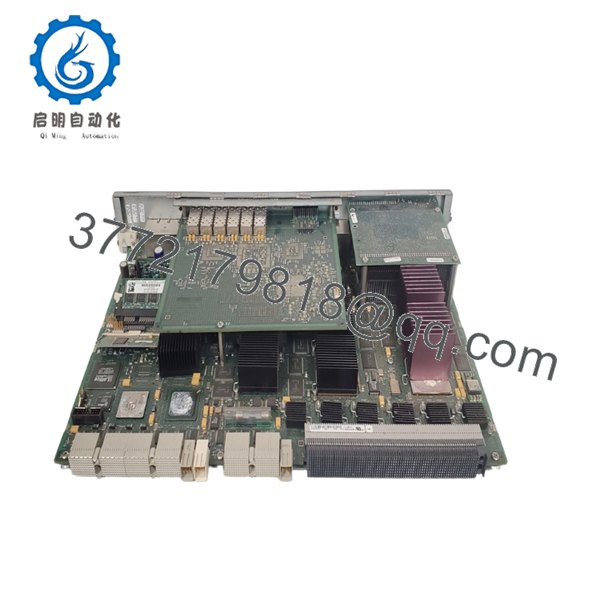
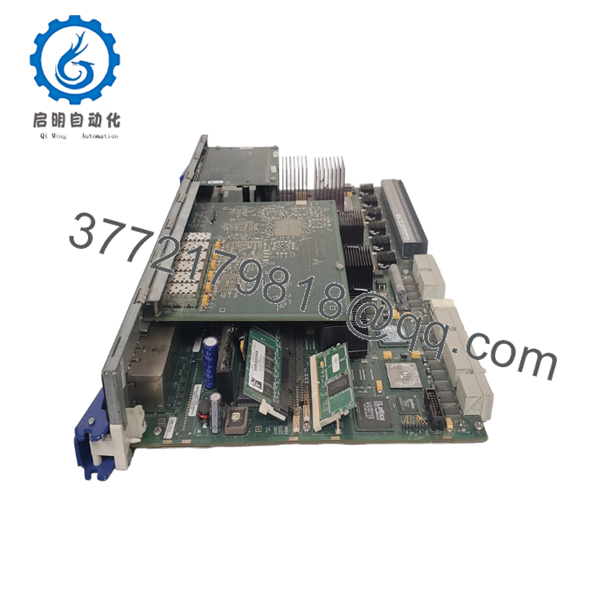
The Enterasys 7H4382-49 is a Platinum Distributed Forwarding Engine module for the Matrix N-Series chassis. It provides 48 ports of 10/100Base-TX connectivity plus one NEM slot for additional uplinks or fiber options in high-density enterprise or industrial network deployments.
In automation environments, this module handles reliable connectivity for distributed I/O, HMIs, and control devices across the chassis backplane. It delivers wire-speed performance with advanced Layer 2/3 features while allowing scalable chassis configurations in N3 or N7 systems. Engineers select it for its distributed processing that reduces central bottlenecks in large networks.

- 7H4382-49
- 7H4382-49
5. Troubleshooting Quick Reference
| Symptom | Possible Cause | Relevance to this Part | Quick Check Method | Recommendation |
|---|---|---|---|---|
| No link on multiple ports | Cable or port config | High | Test ports with known-good cable and device | Verify auto-negotiation settings via CLI |
| Module not recognized in chassis | Backplane or seating issue | High | Check chassis LEDs and show module command | Reseat module firmly in slot |
| High error rates | Duplex mismatch | Medium | Review port statistics for CRC/alignment errors | Force speed/duplex match on both ends |
| No management connectivity | IP or VLAN config | Medium | Connect via console port on chassis | Verify management VLAN and IP assignment |
| High CPU or forwarding issues | Overload or firmware | Low | Monitor with show system commands | Check firmware version and traffic load |
| NEM slot not working | Incompatible module | Medium | Verify NEM compatibility list | Use approved Enterasys NEM only |
If problems continue, provide chassis logs, module status output, and photos of LED indicators to technical support.
6. Frequently Asked Questions (FAQ)
What chassis does the 7H4382-49 fit into? It installs in Matrix N3 or N7 series chassis. Confirm slot availability and backplane compatibility (FTM1/FTM2) for your specific setup.
Does this module support PoE? No, this model provides standard 10/100 RJ45 ports without Power over Ethernet. Check other DFE variants for PoE requirements.
Can I add fiber uplinks? Yes, through the Network Expansion Module (NEM) slot. Compatible modules include Gigabit or 10/100 fiber options depending on your network needs.
Is this module hot-swappable? In supported N-Series chassis, modules can often be hot-swapped. Follow the hardware installation guide and use proper ESD precautions during any live insertion.
What firmware should I run? Match the firmware version across all DFE modules in the chassis for consistent operation. Verify current version with show version command after installation.
What condition are your units? New Original / New Surplus stock. Each module receives full inspection, backplane connectivity tests, port verification, and burn-in testing before shipping. Full test reports available.
How do I migrate from an older module? Document existing port configurations, VLANs, and NEM settings first. The 7H4382-49 offers direct replacement in most cases, but always validate firmware and feature parity to minimize downtime.



