
 WhatsApp: +86 16626708626
 Email:
  Phone: +86 16626708626
Description
Key Technical Specifications
| Parameter | Specification |
| Part Number | A2H124-24FX |
| Alternate Part Number | P0973BJ |
| Manufacturer | Enterasys Networks (Extreme Networks) |
| Product Type | Managed Layer 2 Fast Ethernet Switch |
| Downlink Port Configuration | 24 x 100BASE-FX Multi-mode Fiber Ports (MT-RJ Connectors) |
| Uplink Port Configuration | 2 x 10/100/1000BASE-T RJ-45 Copper + 2 x Gigabit SFP Combo Slots |
| Switching Capacity | 17.6 Gbps |
| Forwarding Rate | 13.1 Mpps |
| Stacking Performance | Up to 8 units stacked; 140.8 Gbps aggregate backplane capacity |
| MAC Address Table | 8,000 entries |
| Onboard Memory | 128 MB SDRAM / 16 MB Flash |
| Power Requirements | 100–240 V AC (50/60 Hz) internal supply; Redundant Power System (RPS) connector |
| Form Factor & Dimensions | 1U Rack Mount; 4.4 \times 44.1 \times 21.1 cm; Approx 2.7 kg |
Product Introduction & Supply Chain Strategy
The Enterasys A2H124-24FX (SecureStack A2) is a managed 24-port 100BASE-FX Fast Ethernet fiber switch engineered for industrial networks, enterprise LAN edge setups, and legacy DCS communications infrastructures. Featuring 24 dedicated optical ports along with dual Gigabit copper/SFP combo uplinks, it provides noise-immune, long-distance fiber connectivity across facility floor spaces exposed to severe electromagnetic interference (EMI).
Securing this module as New Surplus ensures uncompromised optical transceiver output and solid backplane power integrity without risking laser diode degradation or capacitor breakdown common in field-pulled hardware. In industrial automation and legacy network architectures, unexpected switch failure causes complete node drops and plant monitoring blackouts. Sourcing factory-fresh New Surplus units reduces Total Cost of Ownership (TCO) by providing immediate replacement capability, avoiding expensive network rewiring, and eliminating reliance on dubious refurbished stock.
Installation & Configuration Guide
Stage 1: Pre-Installation (Prep & Safety)
- Safety & LOTO: Isolate AC power to the target rack position before installing the hardware frame.
- ESD Protection: Attach a grounded ESD wrist strap before handling optical connectors or inserting mini-GBIC SFP modules.
- Fiber Cable Inspection: Inspect and clean all MT-RJ optical fiber connectors using isopropyl alcohol wipes; keep protective dust caps on unused fiber ports.
Stage 2: Removal
- Label and disconnect all MT-RJ fiber optic patch cables, RJ-45 copper uplinks, and SFP transceiver leads.
- Unplug the AC power cord and the external RPS cable if utilized.
- Remove the front rack-mount bracket screws and slide the old switch chassis out of the cabinet frame.
Stage 3: Installation (Clone & Seat)
- Mount the A2H124-24FX switch into the 19-inch rack enclosure using standard chassis screws.
- Reattach the dedicated stacking cables if operating within a SecureStack array and verify stack ID switch settings.
- Reconnect all MT-RJ fiber leads, copper uplink lines, and SFP transceivers to their corresponding port numbers.
Stage 4: Power-On & Testing
- Connect the AC power cable and observe the front-panel Power-On Self-Test (POST) LEDs.
- Confirm that port status indicators illuminate green, signaling valid optical link establishment.
- Access the switch management interface (CLI via console or Web View) to verify configuration settings, VLAN assignments, and firmware operational status.
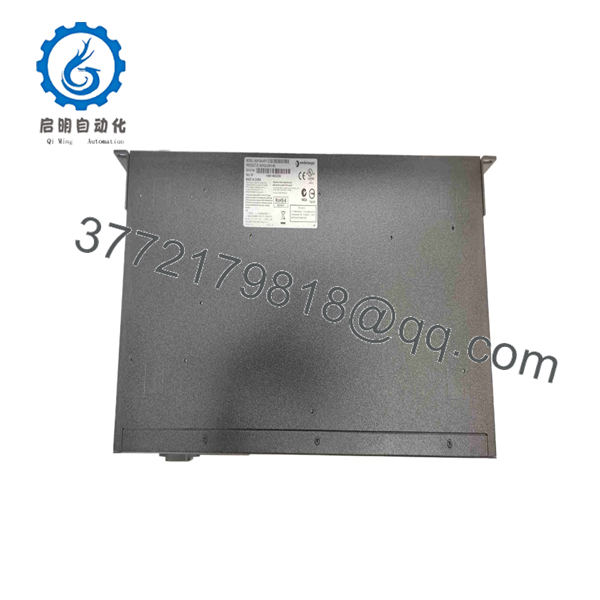
A2H124-24FX
A2H124-24FX
Firmware/Software Versions & Upgrade Notes
- Firmware Dependency: Operates on Enterasys SecureStack A2 firmware. Ensure all switches within a stacked group share the same operational firmware image version to avoid stacking handshake errors.
- Management Compatibility: Supports SNMP v1/v2c/v3, Telnet, SSH v2, Web View, and RMON for remote network management and security control.
- Configuration Backup Advisory: Before extracting an active unit, export the current running configuration (
config.txt) via TFTP/Console to enable rapid parameter restoration on the replacement switch.
Frequently Asked Questions (FAQ)
Q: Is this Enterasys A2H124-24FX switch brand new or refurbished?
A: This product is guaranteed New Surplus / Original New. It has never been deployed in an active corporate or industrial network, repaired, or refurbished. It remains in clean, original factory packaging.
Q: Why choose New Surplus over a lower-cost refurbished fiber switch?
A: Fiber optic switches rely on internal laser transceivers and power supply filter capacitors that degrade over operating hours. Refurbished switches often carry aged optical components that suffer launch power attenuation, causing intermittent link drops over extended fiber runs. Buying New Surplus ensures full optical output power and 100% operational lifespan.
Q: What connector type is required for the 24 fiber ports?
A: The 24 100BASE-FX Fast Ethernet fiber ports utilize high-density MT-RJ multi-mode optical connectors operating at an 850 nm / 1300 nm wavelength.
Q: Can I stack this switch with other SecureStack units?
A: Yes. The A2H124-24FX supports stacking up to 8 units within the SecureStack A2 family, forming a single managed switch entity with up to 140.8 Gbps aggregate backplane throughput.
Q: What warranty coverage comes with this module?
A: All New Surplus Enterasys A2H124-24FX switches include a full 1-year functional replacement warranty starting from the date of shipment.



