
 WhatsApp: +86 16626708626
 Email:
  Phone: +86 16626708626
Description
Key Technical Specifications
| Parameter | Specification |
| Part Number | A4H254-8F8T |
| Manufacturer | Enterasys Networks (Extreme Networks) |
| Product Type | Stackable Managed Layer 2 Fast Ethernet Switch |
| Fast Ethernet Fiber Ports | 8 × 100Base-FX (Multimode, MT-RJ Connectors) |
| Fast Ethernet Copper Ports | 8 × 10/100Base-TX (RJ-45) |
| Gigabit Uplink Ports | 2 × 10/100/1000Base-T (RJ-45) + 2 × 1000Base-X (SFP Combo) |
| Power Consumption | 47.1 W max (1.0 A @ 100–240 V AC) |
| Switching Performance | Store-and-Forward; Full Duplex Backplane Architecture |
| Stacking Capacity | Up to 8 units stacked in a single management domain |
| Redundant Power Option | External STK-RPS-150PS redundant power system support |
| Dimensions & Weight | 14.7 \times 5.15 \times 11.4 cm; 4.78 kg (10.5 lbs) |
| Operating Temperature | 0^\circC to +50^\circC |
Product Introduction & Supply Chain Strategy
The Enterasys A4H254-8F8T (SecureStack A4) is a high-availability, managed Layer 2 hybrid Fast Ethernet switch designed for industrial control networks, DCS infrastructure, and campus edge deployments. Featuring a balanced layout of 8 MT-RJ multimode fiber ports and 8 standard RJ-45 copper ports alongside Gigabit SFP uplinks, it enables noise-immune optical communication across EMI-heavy production floors while supporting local copper terminal connections.
Securing the A4H254-8F8T as New Surplus guarantees solid backplane power performance and pristine optical transceiver output without the risk of laser diode decay or capacitor breakdown common in field-pulled units. In process automation and legacy DCS environments, unexpected switch failures cause complete node dropouts and loss of visibility. Sourcing factory-fresh New Surplus units minimizes Total Cost of Ownership (TCO) by providing drop-in physical and logical replacement capability, protecting your infrastructure against expensive plant shutdowns and avoiding risky refurbished alternatives.
A4H254-8F8T
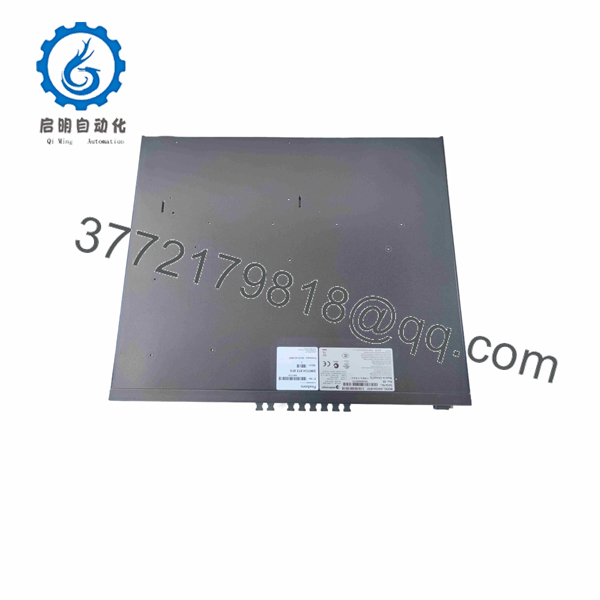
A4H254-8F8T
Installation & Configuration Guide
Stage 1: Pre-Installation (Prep & Safety)
- Safety & LOTO: Isolate AC power feeds to the target rack enclosure before installing the switch chassis.
- ESD Protection: Put on a grounded ESD wrist strap before handling fiber optic connectors or inserting SFP modules.
- Fiber & Terminal Prep: Inspect and clean all MT-RJ optical fiber tips using alcohol wipes; keep protective dust caps on unassigned optical ports.
Stage 2: Removal
- Label and disconnect all 8 MT-RJ fiber leads, 8 RJ-45 copper lines, and Gigabit uplink patch cords.
- Unplug the main AC power cord (and external RPS cable if connected).
- Remove front rack-mount screws and carefully slide the old switch out of the cabinet frame.
Stage 3: Installation (Clone & Seat)
- Mount the A4H254-8F8T switch securely into the 19-inch rack enclosure using standard hardware.
- Attach dedicated SecureStack cables if joining an existing A4 stack array and verify stack ID positioning.
- Reconnect all MT-RJ fiber lines, copper field cables, and SFP transceiver modules to their designated ports.
Stage 4: Power-On & Testing
- Connect the AC power lead and verify that the Power-On Self-Test (POST) LEDs initialize cleanly.
- Confirm that port status indicators illuminate solid green, verifying valid link handshakes across both fiber and copper channels.
- Log in via CLI console or WebView™ to confirm VLAN assignments, security policies, and node visibility.
Firmware/Software Versions & Upgrade Notes
- Firmware Dependency: Operates on Enterasys SecureStack A4 software. All member switches within a stacked group must run identical firmware image versions to prevent stacking handshake failures.
- Management Features: Supports SNMP v1/v2c/v3, Telnet, SSH v2, WebView™, and RMON for comprehensive network administration.
- Configuration Restoration: Always save and back up the running configuration (
config.txt) via TFTP or serial console from the original switch before extraction to allow immediate parameter cloning onto the replacement unit.
Frequently Asked Questions (FAQ)
Q: Is this Enterasys A4H254-8F8T switch brand new or pulled from service?
A: This unit is guaranteed New Surplus / Original New. It has never been deployed in an active production facility, repaired, or refurbished. It remains clean and intact in original factory packaging.
Q: Why choose New Surplus over a lower-cost refurbished hybrid switch?
A: Hybrid switches rely on solid-state optical transceivers and internal power regulation circuits that suffer thermal wear over continuous operating hours. Refurbished units frequently contain aged optical transmitters that exhibit signal attenuation, causing packet drops across long fiber runs. Buying New Surplus ensures 100% optical output lifespan and complete operational stability.
Q: What optical connector type is used for the 8 fiber ports?
A: The 8 100Base-FX Fast Ethernet fiber ports utilize multimode MT-RJ optical connectors.
Q: Can I stack the A4H254-8F8T with older A2 series switches?
A: Stacking requires dedicated SecureStack A4 architecture compatibility. While standard Ethernet trunking works across series, full backplane stacking is supported within the SecureStack A4 family (up to 8 units).
Q: What warranty coverage comes with this module?
A: All New Surplus Enterasys switches are covered by a full 1-year functional replacement warranty starting from the date of shipment.



