
 WhatsApp: +86 16626708626
 Email:
  Phone: +86 16626708626
Description
3. Key Technical Specifications
| Parameter | Specification Value |
| Manufacturer | Enterasys Networks (Extreme Networks) |
| Model Number | SSA-G8018-0652 (Foxboro Part: P0973LN) |
| Switching Capacity | 120 Gbps |
| Throughput Rate | 90 Mpps |
| Gigabit Ports | 48 x 1000BASE-X SFP Slots |
| 10G Uplink Ports | 4 x 10GBASE-X SFP+ Slots (Supports MACsec Encryption) |
| Onboard RAM | 2 GB |
| Flash Memory | 1 GB |
| Routing Protocols | OSPFv2, RIP-1/RIP-2, BGP, VRRP, Static IP, PBR |
| Cooling Profile | Front-to-Back Airflow via Reversible Fan Module |
| Management Console | 1 x RJ-45 Console, 1 x Micro-USB Output |
| Operating Limits | 5 to 40°C, 5 to 95% Non-condensing Humidity |
4. Product Introduction & Supply Chain Strategy
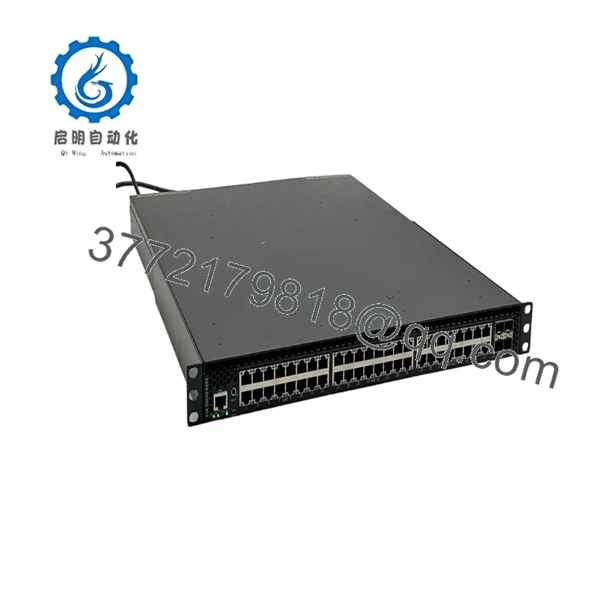
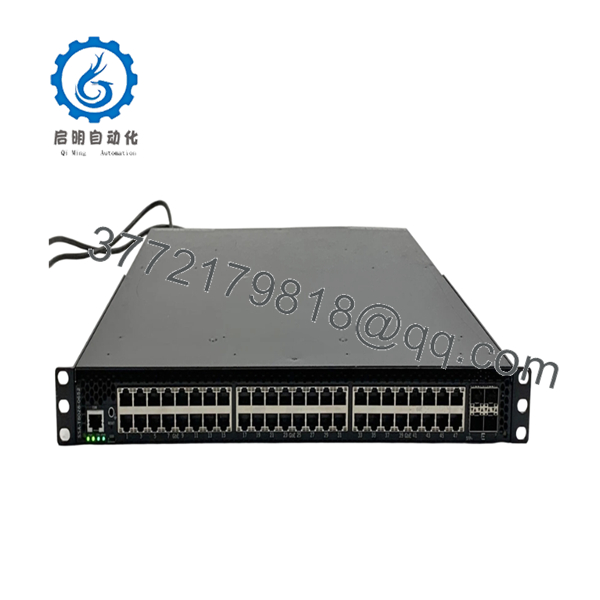
The Enterasys SSA-G8018-0652 is an S-Series S180 Class Standalone flow-based Layer 3 switch configured with 48 gigabit SFP slots and 4 high-speed 10Gb SFP+ uplinks. This industrial-grade routing engine handles heavy data aggregation within distributed network architectures, enterprise campus cores, and industrial control room environments—including specialized integration into legacy Schneider Electric Foxboro I/A Series DCS frameworks.
Maintaining a reliable line of communication demands a strict total cost of ownership (TCO) calculation rather than cutting corners on hardware condition. Sourcing the SSA-G8018-0652 as a New Surplus unit completely eliminates the high failure risk associated with refurbished network switches, which often carry internal thermal stress from years of continuous 24/7 service. For long-term risk mitigation in plants where this hardware is obsolete, keeping 1–2 factory-sealed units as buffer stock acts as an essential insurance policy against unexpected network failures and costly plant-wide stock-out incidents.

- SSA-G8018-0652
- SSA-G8018-0652
5. Installation & Configuration Guide
Stage 1: Pre-Installation (Prep & Safety)
- Verify the electrical circuits and complete standard lock-out/tag-out safety steps at the power source.
- Put on a grounded anti-static wrist strap to protect the internal circuitry from ESD damage.
- Connect to the active switch via console port and execute a
show running-configscript. Capture the configuration file along with the exact firmware revision and licensing profile. - Examine the physical arrangement of any connected SFP transceivers and fiber paths, making sure to label each line clearly before extraction.
Stage 2: Removal
- Unplug the power cables from the rear power supply units (PSUs).
- Carefully release the latches on the SFP and SFP+ fiber transceivers, then pull them straight out out of the ports. Store them in static-shielded containers.
- Loosen the mounting screws securing the switch enclosure to the 19-inch rack frame.
- Supporting the bottom of the 14.6 kg chassis, smoothly slide the switch assembly out of the rack to avoid scratching adjacent hardware or jarring nearby cables.
Stage 3: Installation (Clone & Seat)
- Examine the New Surplus switch box to ensure the factory anti-static wrap is fully intact.
- Confirm that the replacement fan orientation matches the existing airflow parameters (Front-to-Back).
- Lift and align the switch chassis into the designated 1U rack slot, then tighten the mounting screws securely to the front rails.
- Reinsert the SFP and SFP+ transceivers into their designated ports, following the labels made during removal.
Stage 4: Power-On & Testing
- Install the standalone modular power supplies into the back bays and attach the power cord retention clips.
- Plug in the power lines. Check that the internal cooling fans spin up smoothly and verify that the front panel power LEDs illuminate a steady green.
- Connect through the terminal console to check the power-on self-test (POST) log.
- Reload the saved system configuration script, verify active communication on the 10Gb uplinks, and watch the port LEDs to confirm stable data transmission.
6. Firmware/Software Versions & Upgrade Notes
The Enterasys SSA-G8018-0652 runs on the Enterasys Operating System (EOS). For industrial automation deployments, especially within Foxboro DCS configurations, firmware version 08.32.02.0008 (or the designated system-validated release) is recommended to maintain protocol timing integrity.
Upgrading or downgrading firmware during an emergency hardware swap introduces significant risk. A firmware version jump (such as moving from V2.x up to V8.x) can change command syntax or cause communication timeout errors with legacy monitoring systems. Always confirm that the firmware version on the replacement unit matches the baseline configuration of your network topology before restoring the system to active service.
7. Frequently Asked Questions (FAQ)
Q: Why is this New Surplus unit priced higher than refurbished options available online?
A: Refurbished network switches are typically pulled from decommissioned setups and often have worn-out power components or degraded internal fans hidden beneath a cleaned exterior. This SSA-G8018-0652 is guaranteed to be a New Surplus unit in original factory packaging with clean backplane connections and zero previous operational runtime. The slight price premium guarantees OEM-level stability, which prevents unexpected downtime that can easily cost tens of thousands of dollars per hour.
Q: Does this switch include the power supply modules and software licenses?
A: This standalone base switch assembly does not include power supplies; those must be ordered separately depending on your specific AC or PoE requirements. The device retains its internal core operating system layer features. Advanced Layer 3 routing protocols (such as BGP or VRRP) or specialized Virtual Switch Bonding may require separate licensing validation keys depending on your system configuration.
Q: Can this unit drop directly into a Schneider Electric Foxboro P0973LN application?
A: Yes. The Enterasys SSA-G8018-0652 serves as the exact physical base hardware used for the Foxboro P0973LN assembly. Once you load your network configuration files and match the specific firmware requirements, it will drop directly into your existing DCS data network infrastructure.
Q: What is the hot-swapping policy for the SFP transceivers and fan modules on this model?
A: The SFP/SFP+ optical transceivers and the rear power supply units are fully hot-swappable while the system is online. However, it is not recommended to hot-swap the primary fan tray assembly for more than 2 minutes while under heavy load to prevent localized heat spikes inside the chassis.
Q: How do you verify the authenticity and unused condition of this switch?
A: Every piece of inventory undergoes an extensive inbound tracking process. We check the factory anti-static packaging, read the internal electronic serial numbers, and verify the physical condition of the backplane connections to ensure the unit is an unused OEM component. A complete QC verification sheet is included with every shipment.



