
 WhatsApp: +86 16626708626
 Email:
  Phone: +86 16626708626
Description
Key Technical Specifications
| Parameter | Value |
| Manufacturer | Extreme Networks |
| Part Number | 5420F-48P-4XE |
| Access Port Density | 48 x 10/100/1000Base-T RJ-45 ports |
| Uplink Interfaces | 4 x 1/10 Gigabit SFP+ slots |
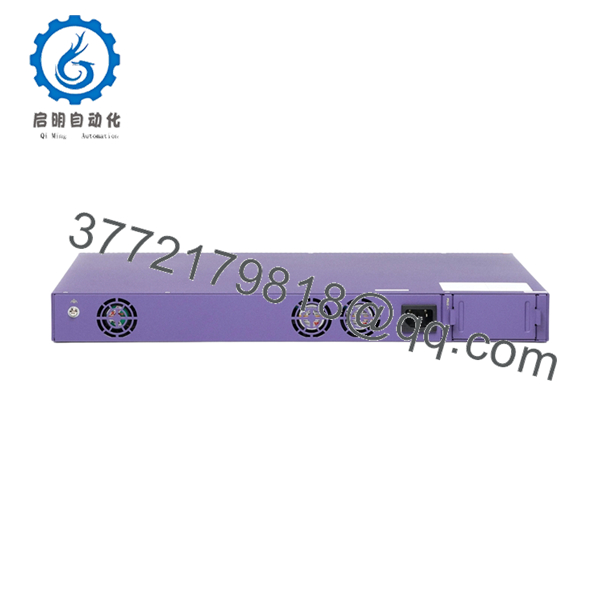
| Stacking Ports | 2 x 20GbE dedicated stacking ports (rear panel) |
| Power Over Ethernet | IEEE 802.3at PoE+ compliance |
| PoE Power Budget | 740 W with single internal AC power supply module |
| Switching Performance | 176 Gbps non-blocking full-duplex aggregate capacity |
| Forwarding Rate | 130.9 Mpps (Million packets per second) |
| Operating System Support | Dual Boot: ExtremeXOS (Switch Engine) or VOSS (Fabric Engine) |
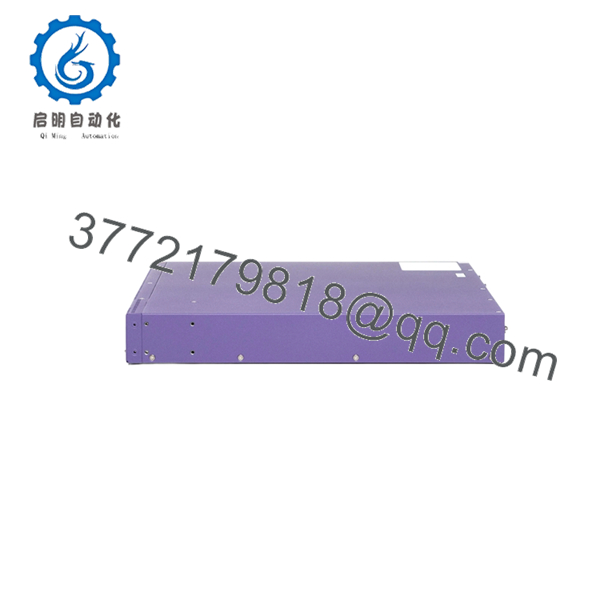
| Form Factor | 1U Rackmount space allocation |
| Power Supply Redundancy | Dual, hot-swappable power supply bays (ships with 1 x AC PSU) |
| Operating Temperature | 0 to +50 °C (32 to 122 °F) |
Product Introduction & Supply Chain Strategy
The Extreme Networks 5420F-48P-4XE is a versatile 48-port Gigabit Ethernet PoE+ switch within the 5420 Series Universal Hardware family. Designed to deliver scalable, high-performance edge connectivity, this Layer 3 platform features 4 x 10GbE SFP+ uplink ports and 2 dedicated 20GbE stacking interfaces. Its unique dual-boot architecture allows network administrators to run either ExtremeXOS (Switch Engine) or VOSS (Fabric Engine) on the exact same physical chassis, making it a highly adaptive solution for modern campus network rollouts and industrial control integration.
Procuring this specific platform as a Brand New Surplus unit provides immediate strategic benefits for spare parts inventory management. While the 5420F series remains a highly utilized asset across international operations, supply chain lead time variability can severely disrupt emergency network restorations. Buying second-hand or refurbished alternative gear introduces substantial operational liabilities; aged PoE controller circuits and worn power modules found in used hardware frequently fail when hit with a full load of downstream devices. Securing genuine, factory-sealed warehouse overstock components guarantees absolute hardware parity, zero usage wear on internal capacitors, and a low Total Cost of Ownership (TCO) by eliminating unexpected post-installation failure incidents.

- 5420F-48P-4XE
- 5420F-48P-4XE
Installation & Configuration Guide
Stage 1: Pre-Installation (Prep & Safety)
- Verify that your localized PoE power infrastructure aligns with the switch’s 740 W delivery limit. Confirm that ambient temperature control keeps the rack spacing between 0 and +50 °C.
- Put on a grounded, static-dissipative ESD wrist strap and secure it to an unpainted grounded surface on the data rack enclosure.
- Establish a terminal emulation connection to download the operational license profile and configuration map from the active device being replaced.
- Keep the default port protectors inserted over the 4 SFP+ slots until physical fiber optics are ready for integration.
Stage 2: Removal
- Disconnect the main AC power cord from the rear socket. If a secondary redundant power supply module is installed, disconnect that line as well.
- Unplug all RJ-45 patch leads and remove the SFP+ transceivers from the front ports. Label all cable drops clearly to preserve correct physical loop assignments.
- Loosen the four front mounting screws that secure the integrated chassis rack ears to the vertical 19-inch equipment frame.
- Slide the old switch chassis smoothly out of the rack and place it inside an ESD-safe shielding bag.
Stage 3: Installation (Clone & Seat)
- Affix the factory-provided mounting brackets to the side panels of the new 5420F-48P-4XE switch.
- Align and insert the switch chassis into the empty 1U slot space and tighten all four structural anchor screws securely to the rack rails.
- Access the micro-USB or RJ-45 console interface on the front panel to open a direct local configuration session.
- Select your required operating system personality (ExtremeXOS or VOSS) during the initial boot sequence, upload your archived configuration file, and verify all licensing parameters match.
Stage 4: Power-On & Testing
- Insert the main AC power cable into the rear receptacle. Monitor the faceplate LEDs to ensure the device completes its power-on self-test (POST) without lighting up the red system fault indicators.
- Reinsert your clean SFP+ optic transceivers and reconnect the labeled RJ-45 Ethernet network drops.
- Confirm that the Port Link LEDs transition to solid green, validating proper communication handshakes and standard PoE power allocation to downstream endpoints.
- Execute network-wide ping tests across the uplink infrastructure to verify stable, error-free packet forwarding.
Firmware/Software Versions & Upgrade Notes
Operating System Selection Baseline
The 5420F-48P-4XE belongs to the Extreme Universal Hardware generation, meaning it requires user definition during initial bootup. It supports ExtremeXOS/Switch Engine Version 31.x or higher, and VOSS/Fabric Engine Version 8.4 or higher.
Configuration & OS Mismatch Risks
- OS Personality Lock: Attempting to restore an ExtremeXOS backup configuration into a switch running a VOSS/Fabric Engine OS persona will completely fail to initialize. You must match the active software persona to your site deployment standard before applying configuration scripts.
- Firmware Syncing Protocol: When integrating this switch into an existing stack cluster, check the active stack operating version before binding the nodes. If there is a version mismatch, the master switch will block the unit from joining the stack loop, causing communication timeouts across the connected edge drops.
Frequently Asked Questions (FAQ)
Q: Why is a New Surplus 5420F-48P-4XE switch a safer choice than a cheaper refurbished or used alternative?
A: Used switches are typically stripped from high-traffic environments where they were subjected to continuous heat and maximum PoE load. Over time, internal cooling fans degrade and power regulators age, leading to unexpected port drops or total unit lockups. This New Surplus device has zero operating hours and has never been deployed in an active environment. It ensures factory-fresh PoE power stability and a full operational lifespan that second-hand equipment cannot guarantee.
Q: Are these units authentic Extreme Networks factory stock or third-party copies?
A: Every item we supply is 100% Brand New Surplus / Original New stock sourced directly from verified channels. They have never been deployed in live production racks, never underwent circuit repairs, and are completely untouched by third-party refurbishing companies. They arrive in their original factory-sealed static protection packaging, opened only for strict internal quality control inspections.
Q: Does this specific switch model come standard with two power supplies installed?
A: No. The 5420F-48P-4XE features dual hot-swappable power supply slots for power redundancy, but it ships from the factory with a single primary AC power supply module. If your facility requires fully redundant power tracking or an elevated PoE power budget, a secondary matching power module must be purchased and slotted into the open rear bay.
Q: Can I convert this switch from running ExtremeXOS to VOSS at a later date?
A: Yes. The Universal Hardware platform allows you to change the operational personality between ExtremeXOS (Switch Engine) and VOSS (Fabric Engine) via a specific boot-loader command. However, changing the operating system will completely wipe out any existing local configuration files, requiring a fresh configuration upload for the new OS environment.
Q: Will storing the switch as a backup spare in a tool crib for multiple years cause any internal data loss?
A: No. The switch stores its operating firmware images, configuration files, and license allocations on non-volatile internal flash memory components. These memory modules do not require an active backup battery to retain data, allowing the device to keep its software intact through long-term warehouse storage.
Q: What type of warranty protection is provided with this New Surplus unit?
A: To match the high reliability of our New Surplus inventory, we back this switch with an extended 1 year replacement warranty. If a hardware component fails within the warranty period, we will fast-track a replacement directly from our available stock to minimize your downtime.



