
 WhatsApp: +86 16626708626
 Email:
  Phone: +86 16626708626
Description
3. Key Technical Specifications
| Parameter | Value |
|---|---|
| Model | AL7000MS1-E6 |
| Manufacturer | Extreme Networks |
| Product Family | Ethernet Routing Switch (ERS) 7000 Series |
| Product Type | Managed Ethernet Routing Switch |
| Switching Architecture | Non-blocking hardware switching |
| Layer Support | Layer 2 and Layer 3 |
| Routing Protocols | Static Routing, RIP (platform dependent), advanced routing by software license/model |
| VLAN Support | IEEE 802.1Q VLAN |
| Link Aggregation | IEEE 802.3ad LACP |
| Spanning Tree | STP, RSTP, MSTP |
| QoS | IEEE 802.1p priority, traffic classification |
| Network Management | CLI, SNMP, Web Management (software dependent) |
| Software Platform | Extreme Network Operating System for ERS family |
| Deployment | Enterprise campus, industrial networks, aggregation layer |
The ERS 7000 platform provides wire-speed forwarding, VLAN services, Layer 3 routing capabilities, and enterprise resiliency features. Exact interface counts, uplink options, and licensed features depend on the specific hardware variant and software release.
4. Product Introduction
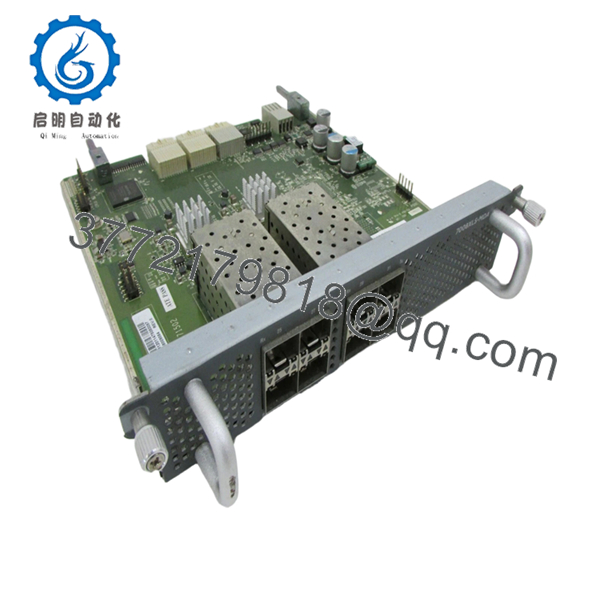
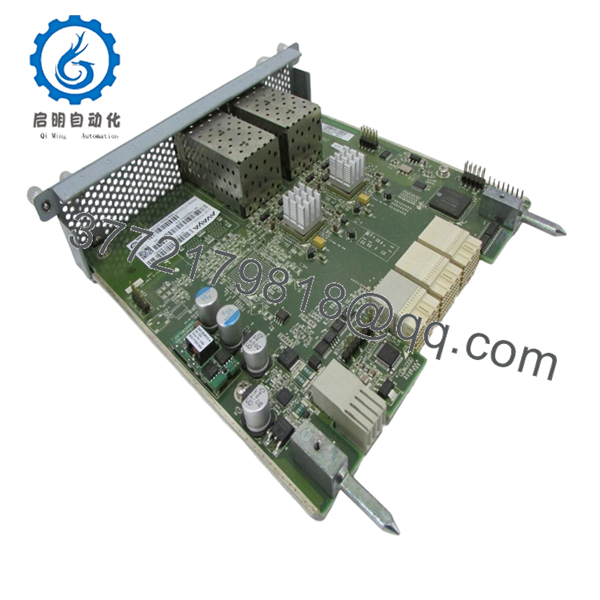
The Extreme Networks AL7000MS1-E6 is an enterprise-class managed Ethernet routing switch designed for high-performance campus and industrial Ethernet networks. It supports Layer 2 switching and Layer 3 routing while providing centralized network management and resilient switching architecture.
This platform is commonly deployed in enterprise core, distribution, and aggregation layers where high availability, VLAN segmentation, and advanced traffic management are required. As a legacy product, it remains a practical spare for existing ERS 7000 installations where hardware compatibility is more important than migrating to a newer platform.

- AL7000MS1-E6
- AL7000MS1-E6
5. Installation & Configuration Guide
Stage 1 – Pre-Installation Preparation (10 minutes)
⚠️ Safety First
- Notify network operations of the maintenance window.
- Save the running configuration.
- Back up the startup configuration.
- Shut down connected critical services.
- Remove power and wait at least five minutes before servicing.
Tools Required
- Grounded ESD wrist strap
- Phillips screwdriver
- Digital multimeter
- Cable labels
- Smartphone for documentation
- Console cable
Data Backup
- Export the current configuration.
- Record management IP addresses.
- Document software version.
- Photograph all network connections.
- Label every cable before removal.
Stage 2 – Removing the Existing Unit (10 minutes)
- Disconnect network uplinks.
- Disconnect power.
- Label every Ethernet and console cable.
- Remove rack mounting screws.
- Slide the switch out carefully.
- Inspect power connectors and network cables.
⚠️ Do not reuse damaged SFP modules or bent Ethernet connectors.
Stage 3 – Installing the Replacement (10 minutes)
- Verify the replacement model is AL7000MS1-E6.
- Wear an ESD wrist strap.
- Install the switch in the rack.
- Tighten mounting screws evenly.
- Connect power.
- Reconnect Ethernet interfaces according to labels.
- Connect the console cable.
Installation Checklist
- ☑ Correct model verified
- ☑ Rack secured
- ☑ Power connected
- ☑ Network cables verified
- ☑ Console access confirmed
Stage 4 – Power-On & Testing (15 minutes)
Pre-Power Checks
- Verify supply voltage.
- Inspect cooling airflow.
- Confirm grounding.
- Check optical transceivers.
Startup Procedure
- Apply power.
- Confirm normal LED sequence.
- Connect through the console.
- Verify software version.
- Restore configuration if necessary.
- Test VLAN connectivity.
- Verify routing tables.
- Confirm uplink operation.
⚠️ Troubleshooting
- Fault LED illuminated: Verify hardware diagnostics.
- No network connectivity: Check VLAN assignments and trunk configuration.
- Routing failure: Confirm software license and routing configuration.
- Port negotiation issues: Verify speed, duplex, and compatible optics.
6. Frequently Asked Questions (FAQ)
Q1. Can I replace the AL7000MS1-E6 without shutting down the network?
No. This switch is not designed for hot replacement. Power should be removed before disconnecting the unit to avoid equipment damage and unexpected network interruptions.
Q2. Is this model still manufactured?
No. The ERS 7000 family is a legacy platform, and many variants have reached end-of-sale or end-of-service status. Most available inventory consists of New Surplus or professionally tested refurbished units.
Q3. Is a New Surplus unit genuine?
Yes. A New Surplus unit is genuine OEM hardware that has not been previously installed in production but may originate from excess inventory, canceled projects, or distributor stock. Availability is typically limited for legacy networking equipment.
Q4. Will replacing the switch erase my network configuration?
Configuration is retained only if it has been backed up and restored to the replacement device. Always export the configuration before removing the existing switch, and verify software compatibility before importing it.
Q5. Why is firmware compatibility important?
One of the most common causes of commissioning delays is loading a replacement switch with a different software revision. I’ve seen maintenance windows extended because VLAN databases, routing features, or management functions behaved differently between releases. Record the existing software version before removing the original hardware and install the same supported release on the replacement whenever possible.
Q6. What should I inspect before returning the switch to production?
Verify:
- Management IP accessibility
- VLAN database integrity
- Link aggregation status
- Routing table synchronization
- Spanning Tree status
- Optical transceiver compatibility
- Fan operation
- Power supply health
Completing these checks before reconnecting production traffic helps avoid the majority of post-installation service calls.



