
 WhatsApp: +86 16626708626
 Email:
  Phone: +86 16626708626
Description
Key Technical Specifications
| Parameter | Value |
| Manufacturer | Extreme Networks / Avaya |
| Part Number / MPN | AL7000MT1-E6 |
| Alternate Identifier | 7008XT-MDA |
| Interface Ports | 8 x 10GBASE-T copper ports |
| Connector Form Factor | RJ-45 standard copper jacks |
| Data Link Protocol | 10 Gigabit Ethernet (10 GbE) |
| Compatible Mainframes | VSP 7024XLS, VSP 7024XT Switch Systems |
| Insertion Mechanism | Hot-swappable Media Dependent Adapter slot module |
| Cabling Requirements | Category 6A UTP / STP or Category 7 up to 100 meters |
| Operational Indication | Port link, traffic activity, module initialization LEDs |
Product Introduction & Supply Chain Strategy
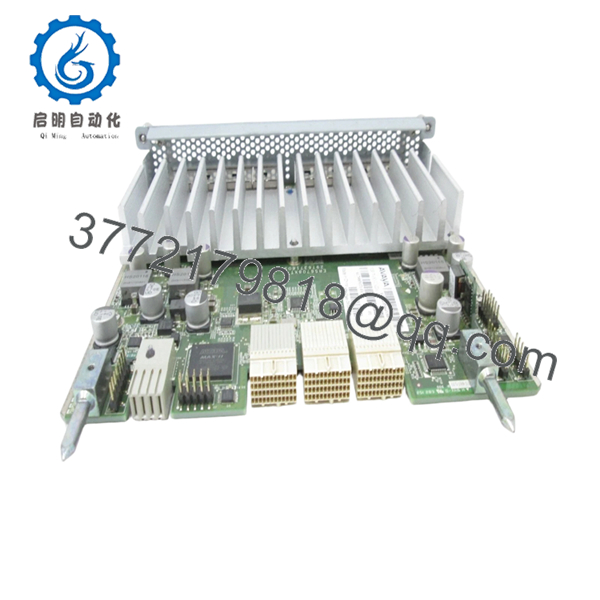
The Extreme Networks AL7000MT1-E6 (also cataloged under 7008XT-MDA) is an 8-port 10GBASE-T Media Dependent Adapter engineered exclusively for the Virtual Services Platform 7000 series switches. This high-performance line card delivers high-density, copper-based 10 Gigabit Ethernet expansion directly into legacy data center fabrics and core industrial enterprise backbones. It translates backplane processing bandwidth into standard RJ-45 copper delivery, making it ideal for high-throughput localized automation nodes, server aggregation, and backbone switch links.
From an inventory control perspective, this module represents an essential asset for facility risk mitigation. Because the VSP 7000 series is an EOL network platform, procurement lead times from traditional channels are extremely long. Choosing this product as a New Surplus unit secures a zero-cycle, factory-sealed replacement part without paying standard OEM list premiums. Maintaining an independent on-site buffer stock protects against sudden, catastrophic multi-port connectivity failures, eliminating the severe technical risks and structural component degradation inherent to secondary-market refurbished hardware.

- AL7000MT1-E6
Installation & Configuration Guide
Stage 1: Pre-Installation (Prep & Safety)
- Verify that the active switch operating system registers no hardware faults before inserting new expansion modules.
- Secure an approved anti-static ESD grounding wrist strap and connect it directly to the switch frame structure.
- Review structural cable routing maps to confirm that your 10G copper connections use Category 6A or higher twisted-pair cabling.
- Remove the blank faceplate cover from the target Media Dependent Adapter slot on the switch chassis front panel.
Stage 2: Removal
- Unlatch and disconnect all 8 RJ-45 network patch cables from the front panel. Clearly label each line to preserve VLAN port mapping.
- Loosen the integrated captive retaining screws located on the sides of the adapter faceplate using an appropriate flat-head driver.
- Grip the card handles firmly and apply steady outward pressure to pull the card assembly clear of the backplane contacts.
- Slide the pulled line card directly into an ESD-safe protective shielding bag for analysis or storage.
Stage 3: Installation (Clone & Seat)
- Extract the new AL7000MT1-E6 module from its factory-sealed anti-static shipping materials.
- Inspect the rear edge connector contacts to ensure there are no bent pins, surface scratches, or manufacturing debris.
- Guide the module evenly into the alignment slot tracks. Slide it inward until the faceplate makes flush contact with the chassis framework.
- Hand-tighten the integrated retaining thumbscrews completely to seat the internal high-speed electrical connections.
Stage 4: Power-On & Testing
- Re-engage your 8 verified Category 6A network patch connections to the corresponding RJ-45 ports.
- Observe the module status indicators during system boot. Confirm that the system initializes without error codes.
- Execute an active command interface query (
show sys mda) to verify that the core software correctly identifies the new module. - Check the individual interface link lights to confirm successful 10 Gbps autonegotiation with downstream devices.
Firmware/Software Versions & Upgrade Notes
- Platform Baseline Requirements: The AL7000MT1-E6 card operates seamlessly under core operating software configurations built for the VSP 7000 series switch matrix. Check your master software distribution level before attempting physical installation.
- Interoperability Caveats: Running expansion line cards on platform software revisions that predate the hardware release can trigger interface initialization errors and prevent port provisioning. Avoid mixing drastically different software versions across connected fabric members.
- Operational Rules During Hardware Swap: Do not carry out system-wide configuration updates, fabric mergers, or switch operating system reloads during a physical module swap. Maintain network structure stability until the new expansion card has finalized its basic self-test sequence.
Frequently Asked Questions (FAQ)
What makes a New Surplus AL7000MT1-E6 card a better option than a refurbished unit?
Our New Surplus inventory consists entirely of unused, factory-fresh components that have never been deployed in active production environments. Refurbished network hardware often suffers from hidden physical issues like worn-down RJ-45 retention clips, micro-fractures in the circuit board traces, or internal component degradation caused by long exposure to high heat. Purchasing New Surplus ensures maximum operational lifespans and protects your infrastructure from unexpected downtime.
Is the AL7000MT1-E6 module still supported and manufactured by the OEM?
No, the VSP 7000 series and related expansion modules like the AL7000MT1-E6 are discontinued hardware assets. Because active production has ended, these modules are highly sought-after parts. Maintaining 1–2 critical spare units on-site helps procurement teams bypass volatile pricing and unpredictable shipping delays on the open legacy market.
Does this adapter support automatic speed negotiation on its RJ-45 ports?
Yes, the 8 copper ports on the AL7000MT1-E6 are fully auto-sensing 10GBASE-T interfaces. They can automatically negotiate link speeds down to 1 Gbps or 100 Mbps depending on the capabilities of the connected network device. However, Category 6A or higher twisted-pair cabling is required to maintain reliable 10 Gbps speeds across the full 100-meter line distance.
Will the switch require a reboot after inserting this expansion module?
The Virtual Services Platform 7000 series architecture supports hot-swapping for its Media Dependent Adapter (MDA) slots. You can insert the AL7000MT1-E6 card while the primary chassis remains powered and routing data. The active operating system automatically recognizes and provisions the new ports without needing to restart the entire switch.
How do you confirm the quality and authenticity of these parts?
Every expansion card goes through strict inbound quality checks. We verify factory serial numbers, double-check tracking barcodes, and perform comprehensive physical inspections of the backplane pins to guarantee authentic OEM heritage. All shipments are safely packaged in ESD-safe materials and include our verified quality control documentation.



