
 WhatsApp: +86 16626708626
 Email:
  Phone: +86 16626708626
Description
Key Technical Specifications
| Parameter | Value |
| Manufacturer | Extreme Networks |
| Model Number | VSP4900-12MXU-12XE-B |
| Multi-Gigabit Ports | 12 x 100M/1G/2.5G/5G/10G RJ-45 (MACsec capable) |
| Fiber Ports | 12 x 1G/10G/25G SFP28 (MACsec capable) |
| Uplink Ports | 2 x 100G QSFP28 architecture ports |
| Switching Capacity | 840 Gbps full-duplex non-blocking |
| Forwarding Rate | 625 Mpps line-rate throughput |
| Virtualization Framework | Native Extreme Fabric Connect (SPBM / IEEE 802.1aq) |
| Power Architecture | Includes 1 x 550 W AC Hot-Swappable PSU (Supports redundant 1+1 configuration) |
| Cooling Profile | Front-to-Back Airflow (Fixed fan tray matrix) |
| Operating System | VOSS (Virtual Services Operating System) / Switch Engine |
Product Introduction & Supply Chain Strategy
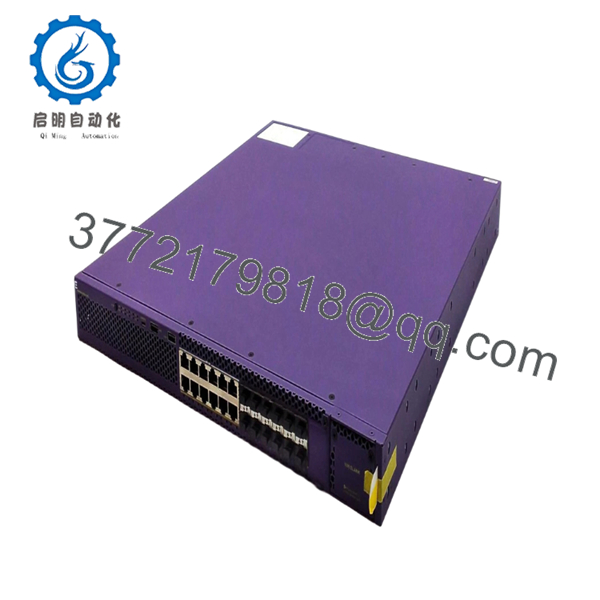
The Extreme Networks VSP4900-12MXU-12XE-B is a highly versatile, multi-rate Ethernet switch designed to anchor industrial control networks and modern enterprise edge fabrics. By combining 12 multi-gigabit copper ports (supporting up to 10 Gbps over twisted-pair) with 12 high-speed 25G SFP28 fiber interfaces and 100G uplinks, this compact 1U switch handles intense data center convergence and distributed I/O traffic simultaneously. It natively executes the VOSS operating system, powering Extreme’s zero-touch Fabric Connect architecture to isolate and secure automated assembly networks.
From an operations and inventory standpoint, securing this exact bundle variant as a New Surplus asset optimizes your facility’s Total Cost of Ownership (TCO). Because configuring network infrastructure across multiple manufacturing locations requires strict hardware uniformity, a sudden stock-out of this specific multi-rate model can halt an entire plant rollout. Maintaining 1–2 factory-sealed, unused units on-site bypasses long factory lead times and vendor constraints. This buffer stock strategy completely avoids the internal logic faults, communication timeouts, and port degradation frequently encountered when deploying unverified refurbished alternatives.

- VSP4900-12MXU-12XE-B
- VSP4900-12MXU-12XE-B
Installation & Configuration Guide
Stage 1: Pre-Installation (Prep & Safety)
- Disconnect power to the localized network enclosure segment and prepare standard safety lock-out procedures.
- Ensure your grounded anti-static ESD wrist strap is fastened and connected to an unpainted grounded structural surface on the server rack.
- Document existing IP addresses, SFP transceivers, and port-mapping configurations from the device slated for replacement.
- Verify that the 1U rack rails have a clear vertical clearance and that the ambient operational temperature remains within normal limits.
Stage 2: Removal
- Unplug all active RJ-45 copper lines, SFP28 fiber connections, and high-speed QSFP28 uplink cables. Label each cable carefully to prevent patch errors.
- Unplug the AC power cords from the rear hot-swappable power supply bays.
- Loosen the four rack screws fastening the switch’s front mounting ears to the cabinet’s vertical rails.
- Slide the switch unit smoothly forward and out of the rack assembly. Place it immediately into an ESD-safe protective shielding bag.
Stage 3: Installation (Clone & Seat)
- Unpack the new VSP4900-12MXU-12XE-B switch module from its factory-sealed anti-static shipping box.
- Perform a brief physical audit to ensure that all RJ-45 pins, optical cages, and chassis ground lugs are clear and unbent.
- Lift the unit into position and slide it onto the rack brackets. Secure the front-panel rack ears tightly using standard mounting hardware.
- Reinsert your verified optical transceivers into their corresponding SFP28 or QSFP28 cages, and reattach all network patch cables according to your labels.
Stage 4: Power-On & Testing
- Connect your AC power cords back into the rear hot-swappable power supplies.
- Monitor the initialization sequence on the front panel. Ensure the system status LED turns solid green and that the fan tray initializes without error codes.
- Connect a terminal console cable to the RJ-45 management port to verify that the boot loader loads the VOSS environment cleanly.
- Confirm that downstream devices establish stable links by observing that the link-activity lights are active across all populated copper and fiber ports.
Firmware/Software Versions & Upgrade Notes
- Operating System Baseline: The VSP4900 platform operates natively under the Virtual Services Operating System (VOSS). Ensure your replacement hardware baseline runs a version that matches your active fabric environment to prevent Shortest Path Bridging (SPB) handshake failures.
- Dual-Boot Capabilities: This model supports dual boot options (VOSS and EXOS/Switch Engine). Changing the base persona completely rewrites the CLI configuration structure and protocol suite. Do not modify the factory-set boot image during a live hardware swap without a pre-validated configuration map.
- Firmware Swap Safeguard: Avoid upgrading or downgrading system-wide software or boot-loader modules while transferring field configurations to the new switch. Establish network connectivity first, and verify operational stability before adjusting base system images.
Frequently Asked Questions (FAQ)
What components are included inside this specific switch bundle?
The VSP4900-12MXU-12XE-B part number indicates a factory configuration bundle. It features the base 24-port multi-rate switch chassis, an integrated front-to-back fan matrix, and 1 x 550 W hot-swappable AC power supply. Optical transceivers, direct attach cables, and an optional second power supply for 1+1 redundancy are sold separately and can be moved over from your existing setup.
Can I mix VOSS and EXOS operating systems across my network?
While this switch can boot into either VOSS or EXOS depending on your network setup, a single switch can only run one operating system at a time. If this unit acts as a replacement in a Fabric Connect environment, it must be booted into the VOSS persona to properly communicate with your existing fabric topology.
Does this switch support hot-swapping for its power supplies?
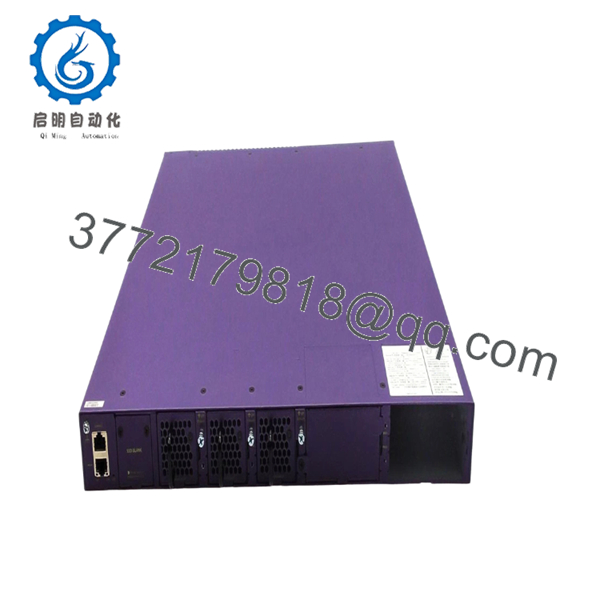
Yes. The rear power supplies on the VSP4900-12MXU-12XE-B are completely hot-swappable, provided you have deployed a second 550 W AC power supply module to form a redundant 1+1 pair. You can replace a faulty power module while the system is running without experiencing a system reset or dropping live network traffic.
Why is a New Surplus unit preferred over a cheaper refurbished alternative?
Multi-rate switches run at variable voltages to handle everything from 100 Mbps legacy lines to modern 25G/100G links. Refurbished switches frequently suffer from hidden issues like minor electrical degradation in the multi-gigabit PHY chips, worn-out fans, or microscale fractures from past thermal stress. Sourcing New Surplus inventory ensures factory-fresh reliability, giving your infrastructure a full 10-to-15-year lifespan.
How is the authenticity of this product guaranteed?
Every VSP4900-12MXU-12XE-B unit goes through a thorough inbound quality check. We verify official Extreme Networks tracking barcodes, check internal serial numbers against OEM registries, and inspect all copper and fiber ports to guarantee authentic OEM heritage. Your shipment arrives securely packed in protective ESD-safe materials, complete with our signed quality control documentation.



