
 WhatsApp: +86 16626708626
 Email:
  Phone: +86 16626708626
Description
Key Technical Specifications
| Parameter | Value |
| Port Configuration | 48 x 10/100/1000BASE-T PoE+ ports, 4 x 1GBASE-X SFP front combo ports, 4 x 1GBASE-X SFP rear ports (Upgradable to 10GbE SFP+) |
| PoE Delivery | IEEE 802.3at PoE+ and IEEE 802.3af PoE (Supports full 30 W across all 48 ports with external RPS) |
| Base PoE Budget | 740 W internal power allotment |
| Operating System | ExtremeXOS (EXOS) with Edge License included |
| Stacking Support | Up to 8-unit multi-switch configurations via SummitStack-V (40 Gbps aggregate stacking bandwidth) |
| Packet Size Limitations | 9,216 Byte max packet size (Jumbo Frame enabled) |
| Audio Video Bridging | IEEE 802.1 AVB compliant for real-time multimedia workflows |
| Physical Dimensions | 1RU Form Factor: 17.38 x 14.51 x 1.73 inches (44.15 x 36.86 x 4.4 cm) |
| Unpackaged Weight | 14.55 lbs (6.60 kg) |
| Acoustic Sound Pressure | 48.7 dB(A) under nominal operating parameters |
Product Introduction & Supply Chain Strategy
The Extreme Networks X440-G2-48p-10GE4 is a high-density, fixed-configuration edge switch engineered to provide scalable data transit and Power over Ethernet Plus (PoE+) for enterprise and industrial automated environments. Driven by the resilient ExtremeXOS operating system, this hardware layer supports role-based security policies, automated Fabric Attach configurations, and smart Layer 3 routing protocols to streamline campus data flows. Equipped with 48 copper Gigabit ports and 4 flexible uplink ports designed to expand from 1GbE to 10GbE via licensing, it efficiently serves as an aggregation point for security systems, wireless infrastructure, and networked industrial controllers.
Procuring this legacy edge asset as New Surplus is a necessary supply chain safeguard for facilities standardized on the X440-G2 platform. Relying on refurbished hardware exposes automation loops to dangerous internal failures, such as dried-out capacitor arrays or localized port power constraints that visual inspection can never reveal. Acquiring factory-sealed, unused inventory optimizes your Total Cost of Ownership by securing an authentic 10-to-15 year hardware lifespan, preventing unexpected data frame dropping, and eliminating multi-day production losses associated with component failures on unbuffered networking lines.

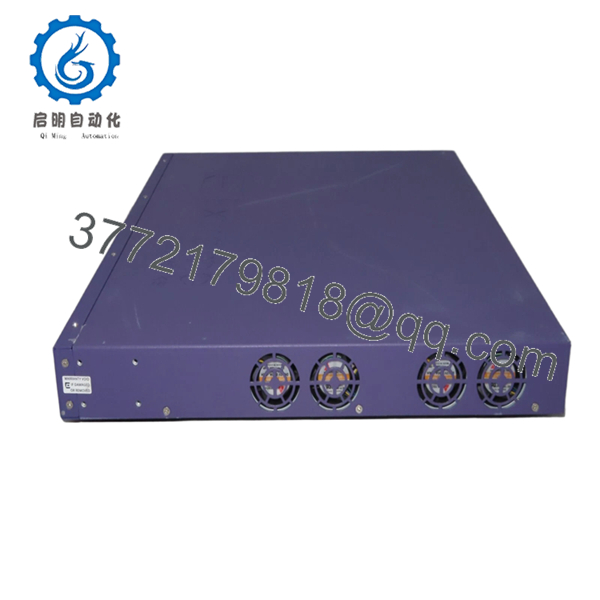
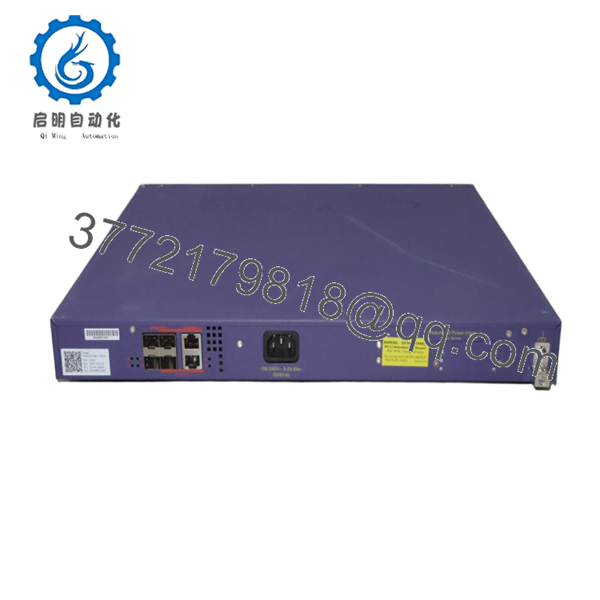
- X440-G2-48P-10GE4
- X440-G2-48P-10GE4
Installation & Configuration Guide
Stage 1: Pre-Installation (Prep & Safety)
- Isolate the power feeds running into the target rack environment. Coordinate with site operations to ensure down-link telemetry streams are paused or diverted.
- Secure an anti-static wrist strap to your arm and clamp the terminal plug to an unpainted, grounded metallic segment of the equipment rack chassis.
- Access the legacy switch via serial console or SSH, and execute
show configurationandshow version detail. Archive the complete text file output to maintain an accurate VLAN map and feature license repository. - Document the physical patch panel configuration by labeling each copper line and noting which specific SFP transceivers occupy the uplink slots.
Stage 2: Removal
- Disconnect the main AC line power input from the rear socket. If your facility deploys an EPS-C2 or RPS-500p redundant power rail, decouple the external terminal connector completely before unbolting the unit.
- Carefully unlatch the bale clasps on all active optical SFP transceivers, pull them from the ports, and immediately insert clean dust caps over the optical lenses.
- Detach all 48 RJ-45 patch cables, using care not to shear off the plastic locking tabs on the connectors.
- Support the bottom base of the switch, loosen the four mounting bolts holding the rack ears to the rails, and extract the switch assembly from the rack frame.
Stage 3: Installation (Clone & Seat)
- Carefully unpack the New Surplus X440-G2-48p-10GE4 within your designated ESD-protected zone. Verify that the chassis frame, copper interfaces, and rear RPS pins show zero mechanical defects.
- Guide the switch into the open 1RU rack space, align the mounting brackets with your rack hole pattern, and secure the frame using four standard rack screws.
- Re-engage the fiber optic transceivers into the specified uplink ports, noting that the rear ports can support 10GbE speeds once proper feature licensing is unlocked.
- Insert all 48 network patch lines into their original corresponding copper port positions.
Stage 4: Power-On & Testing
- Re-seat the primary AC power cord into the integrated power module and connect any auxiliary redundant DC cables to the RPS terminal.
- Verify that the front status panel indicators for “Power”, “Fan”, and “Mgmt” stabilize into a solid green state, confirming that the power-on self-test has cleared with zero error faults.
- Establish a serial connection to the RJ-45 console port using an emulation utility set to 9600 baud, 8 data bits, no parity, and 1 stop bit.
- Log into the ExtremeXOS terminal. Restore your archived backup by loading the text configuration script via TFTP/SCP, then execute the
save configurationcommand to commit the setup to non-volatile memory.
Firmware/Software Versions & Upgrade Notes
The X440-G2-48p-10GE4 switch leverages the uniform ExtremeXOS software platform. To ensure long-term stability across legacy enterprise clusters, running a proven release path like EXOS 31.x or 32.x is recommended, provided your active feature set matches your site requirements.
⚠️ CRITICAL FIRMWARE INTEGRATION WARNING:
When stacking this hardware via SummitStack-V with older X440 legacy platforms or alternate switch classes (such as X450-G2 or X460-G2), you must maintain identical EXOS image versions across all connected nodes. Mixing major software releases within an active stack will destabilize the master election routine, cause unexpected failover loops, and can disrupt packet forwarding on the backplane. Always back up existing license keys before upgrading, as jumping across major feature sets can occasionally invalidate historical node-locked edge feature licenses.
Frequently Asked Questions (FAQ)
Why should I purchase a New Surplus switch instead of an automated refurb item?
Buying New Surplus guarantees that the device has zero operational history, clean backplane circuits, and un-degraded internal power tracking components. Refurbished networking devices often exhibit internal localized heat degradation and dried capacitors that can prompt sudden packet drops or fatal PoE dropping under heavy field usage. New Surplus provides the structural reliability needed for critical infrastructure.
Does this switch model require specific licensing to activate 10GbE uplink capabilities?
Yes. The baseline X440-G2-48p-10GE4 platform ships with the 4 uplink ports capped at 1GbE throughput out of the box. To unlock true 10GbE SFP+ data transfer speeds across those uplink interfaces, you must apply a separate Extreme Networks software upgrade license key within the ExtremeXOS configuration interface.
Is the X440-G2-48p-10GE4 fully capable of providing 30 W PoE+ power across all 48 ports simultaneously?
The switch features a robust 740 W internal power allotment which supports standard PoE distribution across all lines. However, to deliver full, simultaneous 30 W IEEE 802.3at PoE+ power across every single one of the 48 ports at maximum load (totaling 1440 W), you must integrate an external redundant power supply system, such as the EPS-C2 chassis fitted with additive power modules.
Can I stack this G2 model directly with older, first-generation X440 series switches?
Yes, you can configure multi-generation stacking by using the SummitStack-V feature. This utilizes standard 10GbE Ethernet ports and transceivers rather than proprietary backplane copper ribbons, allowing up to eight compatible switches to form a single logical unit. However, you must verify that all switches in the stack are flashed with the exact same version of ExtremeXOS.
What happens to my automated security policies if the switch loses its primary power feed?
Your configuration files, VLAN definitions, and role-based policies are stored directly within the switch’s internal non-volatile storage. Because this layout does not depend on a transient backup battery, a sudden facility power loss will not wipe your active parameters. The device will automatically reload your configuration variables as soon as the input power line stabilizes.
What specific warranty protection is packaged with this New Surplus network asset?
We include a dedicated 1 year operational warranty covering all integrated component groups, fans, and physical port matrices. If the hardware experiences any internal electrical faults or unexpected component failures during standard service inside this protection window, we provide expedited replacement hardware to minimize down-time risks across your facility.



