
 WhatsApp: +86 16626708626
 Email:
  Phone: +86 16626708626
Description
3. Key Technical Specifications
| Parameter | Value |
|---|---|
| Part Number | A17B-3900-0124 |
| Function | FROM (Flash ROM) + SRAM module |
| Primary Use | System software & parameter storage |
| Compatible Systems | Fanuc CNC Series (16/18/21 class and related) |
| Module Type | Plug-in PCB |
| Memory Type | Non-volatile Flash + battery-backed SRAM |
| Form Factor | Standard Fanuc memory board |
| Typical Application | CNC control unit memory expansion / replacement |
| Condition Notes | New surplus or bench-tested |
4. Product Introduction
The FANUC A17B-3900-0124 is a FROM/SRAM memory module used in Fanuc CNC controls. It combines Flash ROM for system software storage with Static RAM for parameters, offsets, and user data.
This board sits inside the control unit and is critical for boot-up and retention of machine-specific settings. When the original module fails or loses data integrity, a direct replacement restores normal operation. Always back up existing parameters and programs before removal, and confirm exact compatibility with the control series and software version.
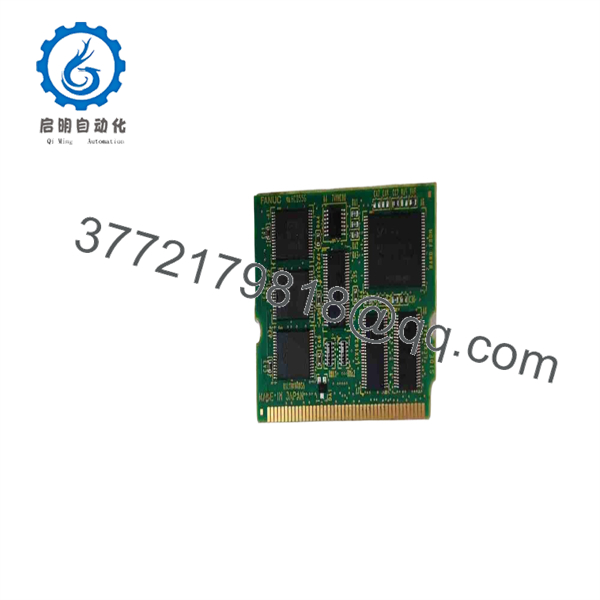
A17B-3900-0124
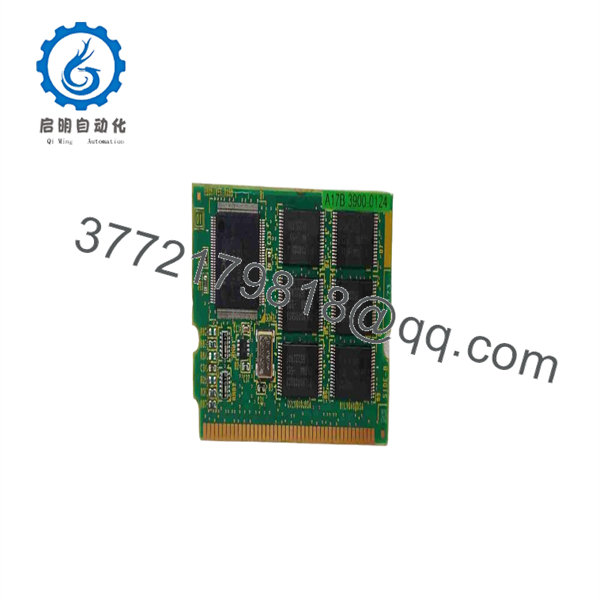
A17B-3900-0124
5. Troubleshooting Quick Reference
| Symptom | Possible Cause | Relevance to this Part | Quick Check Method | Recommendation |
|---|---|---|---|---|
| Control fails to boot / blank screen | Corrupted or failed FROM | ✅ High | Check alarm history for memory-related codes | Replace module after confirming power and battery |
| Parameters lost after power cycle | SRAM battery failure or module fault | ✅ High | Measure backup battery voltage; check retention | Replace battery first; if still lost, replace module |
| Intermittent data errors | Poor contact or aging components | ✅ Medium | Reseat module; inspect edge connectors | Clean contacts; replace if errors persist |
| Alarm related to memory checksum | Software mismatch or bad sector | ✅ High | Compare software version with original | Use matching software version on replacement |
| Control runs but loses offsets | SRAM section failure | ✅ High | Verify parameter retention after controlled power cycle | Replace module |
| No response after module swap | Wrong revision or seating issue | ❌ Medium | Confirm part number and orientation | Verify exact match and proper installation |
If problems continue, capture the exact alarm codes, note the CNC model and software version, and provide photos of the original module nameplate.
6. Frequently Asked Questions (FAQ)
Q: What does FROM/SRAM mean on this module?
A: FROM is Flash ROM that holds the CNC system software. SRAM is battery-backed memory that stores parameters, tool offsets, and user data. Both functions are combined on this single board.
Q: Will this module work in any Fanuc control?
A: No. It is specific to certain Series 16/18/21 and related controls that use the A17B-3900 series memory boards. Always match the exact part number and confirm the control software version before ordering.
Q: Do I need to transfer data from the old module?
A: Yes. Back up all parameters, programs, and offsets before removing the original board. After installing the new module, restore the backed-up data and verify machine operation at reduced speed.
Q: Is the backup battery included or replaceable?
A: The module relies on the control’s backup battery system for SRAM retention. Check and replace the control battery if parameters are lost after power-down. The module itself does not contain a user-serviceable battery in most configurations.
Q: Can a used or untested module cause control problems?
A: Yes. Corrupted Flash or weak SRAM can produce intermittent alarms, lost data, or boot failures. Only use new surplus or properly tested modules.
Q: What should I photograph before removing the old board?
A: The full nameplate (including any revision or suffix), connector orientation, and surrounding board layout. This information prevents ordering the wrong revision and helps with correct reinstallation.
Q: Is programming or special software required after installation?
A: The module itself does not require user programming. However, the correct system software version must be present, and all machine parameters must be restored from backup.



