
 WhatsApp: +86 16626708626
 Email:
  Phone: +86 16626708626
Description
Key Technical Specifications
| Parameter | Value |
|---|---|
| Manufacturer | Force |
| Model Number | CPU-30ZBE |
| Product Type | PLC Central Processing Unit Module |
| Primary Function | Executes PLC control programs and manages automation tasks |
| Application | Industrial machine control and process automation systems |
| Installation Method | PLC rack or controller backplane mounting |
| Configuration Method | Original Force PLC programming environment |
| System Role | Main processing unit for compatible PLC platforms |
| Lifecycle Category | Legacy automation spare |
| Recommended Stock Level | 1-2 units for critical production systems |
| Storage Strategy | Controlled spare inventory with EOL monitoring |
| Condition Classification | New Original / New Surplus |
Product Introduction & Supply Chain Strategy
The Force CPU-30ZBE is a PLC processor module used to execute industrial control logic and coordinate automation system operations. It serves as the main processing component in compatible Force PLC installations where maintaining existing control architecture is required.
Maintaining New Surplus CPU-30ZBE inventory provides a practical lifecycle strategy for plants operating legacy equipment. A planned Last-time-buy approach reduces stock-out exposure, controls emergency procurement costs, and improves Total Cost of Ownership (TCO) by avoiding production interruptions caused by unavailable replacement hardware.
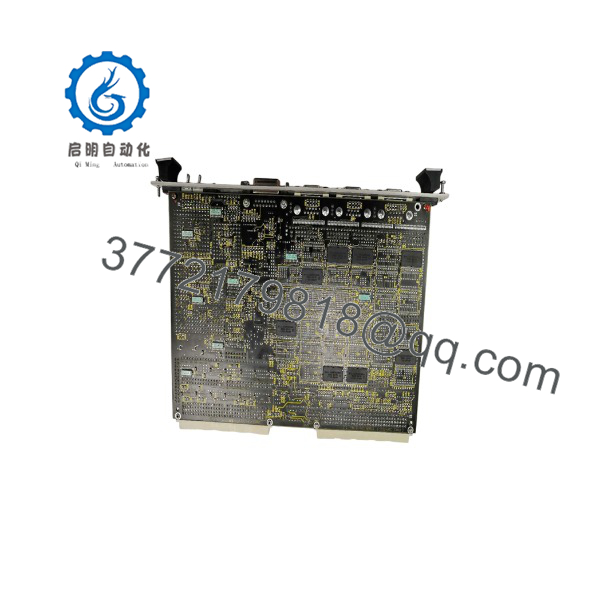
CPU-30ZBE
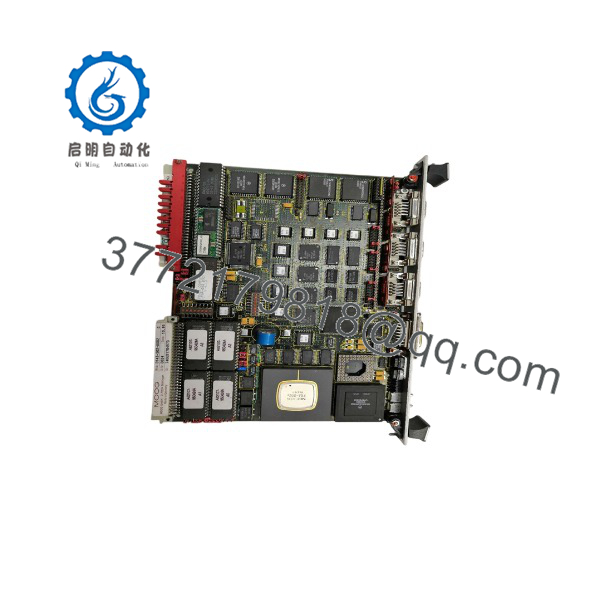
CPU-30ZBE
Installation & Configuration Guide
Stage 1: Pre-Installation (Prep & Safety)
- Verify the replacement model matches the installed Force CPU-30ZBE module.
- Review PLC documentation, rack layout, and application backups.
- Complete lock-out/tag-out procedures before hardware removal.
- Wear a grounded ESD wrist strap during handling.
- Record existing firmware information and controller parameters.
- Photograph:
- DIP switch settings
- Jumper positions
- Rack location
- Terminal wiring
- Prepare required tools:
- ESD protection equipment
- Screwdrivers
- Electrical test equipment
Stage 2: Removal
- Shut down system power following plant procedures.
- Verify supply voltage is removed before touching the module.
- Release mounting hardware carefully.
- Extract the CPU module straight from the backplane.
- Avoid twisting the module during removal.
- Inspect the connector area before installing the replacement unit.
Stage 3: Installation (Clone & Seat)
- Confirm CPU-30ZBE hardware compatibility.
- Copy DIP switch and jumper settings from the original module.
- Position the module correctly in the assigned rack slot.
- Align the connector carefully.
- Press the module into place evenly.
- Secure the module according to the controller installation requirements.
Stage 4: Power-On & Testing
- Inspect all connections before energizing the system.
- Verify 24 V power supply voltage and polarity.
- Restore controller power.
- Check CPU status indicators:
- RUN indicates normal processor operation.
- ERR requires diagnostic review.
- Confirm PLC communication.
- Verify I/O response.
- Restore application logic and configuration if required.
Firmware/Software Versions & Upgrade Notes
- Recommended Firmware Version: Use the same firmware revision installed on the original CPU-30ZBE whenever available.
- Compatibility Requirement: Confirm compatibility between the CPU firmware, PLC programming software, communication modules, and application logic.
- Firmware Upgrade Risk: A firmware change during hardware replacement may introduce communication faults or configuration conflicts.
- Firmware Downgrade Risk: Returning to an earlier firmware version may affect stored parameters and program compatibility.
Replacement Checklist:
- Record existing firmware revision before removal.
- Backup PLC program files.
- Save communication settings.
- Document rack configuration.
- Verify controller parameters after installation.
Frequently Asked Questions (FAQ)
Q1: What condition is the Force supplied in?
The is supplied as a Brand New Surplus unit. It is original inventory with quality verification, serial traceability, and inspection records.
Q2: Why is New Surplus pricing different from other market offers?
New Surplus pricing reflects the availability of genuine original inventory. It provides a balance between OEM sourcing cost and the long-term reliability requirements of industrial maintenance teams.
Q3: Is the Force still an active product?
The is considered a legacy automation component. Plants operating this controller should monitor lifecycle status and maintain planned spare inventory.
Q4: How many units should be stored as spare stock?
For production-critical PLC systems, keeping 1-2 units on-site is recommended. Lower-criticality applications may use shared inventory between multiple facilities.
Q5: Can the be replaced while the PLC is powered?
Do not assume hot replacement is allowed. Removing a CPU module under power may create hardware damage or controller faults. Follow approved maintenance procedures.
Q6: Will the PLC program transfer automatically to the replacement CPU?
Program retention depends on the system architecture and memory configuration. Always create a verified backup before removing the original CPU module.
Q7: What documentation is available for procurement verification?
Available documentation may include serial verification records, inspection reports, and inventory traceability information to support plant maintenance and purchasing requirements.



