
 WhatsApp: +86 16626708626
 Email:
  Phone: +86 16626708626
Description
3. Key Technical Specifications
| Parameter | Value |
| Processor Sockets | Dual Socket 604 |
| Supported Microprocessors | Intel Xeon Processors with 800 MHz System Bus |
| Chipset | Intel E7520 Server Chipset |
| Memory Slots | 6 Interleaved DIMM Sockets |
| Memory Capacity & Type | Up to 12 GB Registered ECC DDR2 400 MHz SDRAM |
| Expansion Architecture | Dedicated PCI-X slots via integrated server riser support |
| Network Interfaces | Dual Integrated 10/100/1000 Mbps Gigabit Ethernet Ports |
| Storage Connectors | Serial ATA (SATA) and Ultra320 SCSI interfaces on board |
| Form Factor | Custom SSI thin-profile architecture (Optimized for 1U/2U rack servers) |
| Graphics Controller | ATI Rage XL SVGA with 8 MB Video Memory |
4. Product Introduction & Supply Chain Strategy
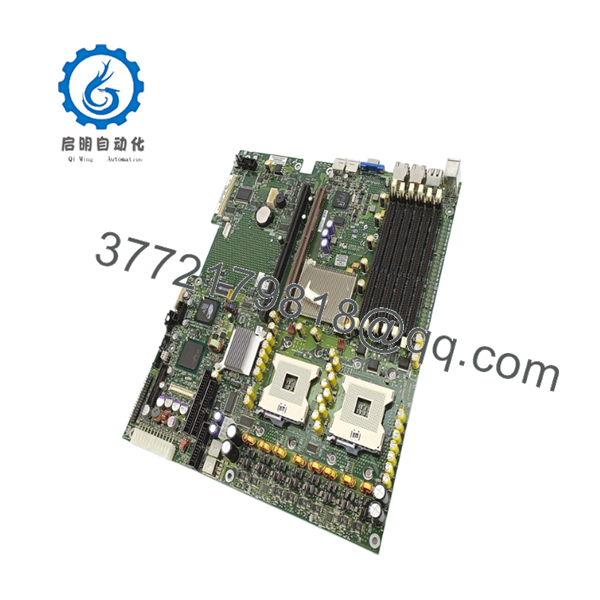
The Intel SE7520JR2 T0038602 is a dual-processor enterprise system board engineered around the core E7520 server chipset to deliver stable multi-threaded performance for thin-profile rack deployments. Utilizing dual Socket 604 architecture, this platform pairs with high-performance Intel Xeon processors, 12 GB of error-correcting DDR2 RAM, and dual Gigabit Ethernet ports to manage dense network communication algorithms and legacy process monitoring systems. This mainboard is commonly found embedded inside telecom switches, older SCADA server infrastructure, and complex simulator computing matrices.
From a procurement perspective, the SE7520JR2 T0038602 represents a major bottleneck for facility lifecycle tracking. Because this computing platform has reached total EOL status, standard corporate networks often cannot accommodate a complete application migration without rewriting the core control architecture. Purchasing this card as a New Surplus asset acts as an insurance policy against prolonged hardware shortages. It keeps your Total Cost of Ownership (TCO) isolated to hardware costs alone and entirely eliminates the hidden failure modes, micro-stress fractures, and boot-up instability frequently found in used or refurbished server boards.

- SE7520JR2 T0038602
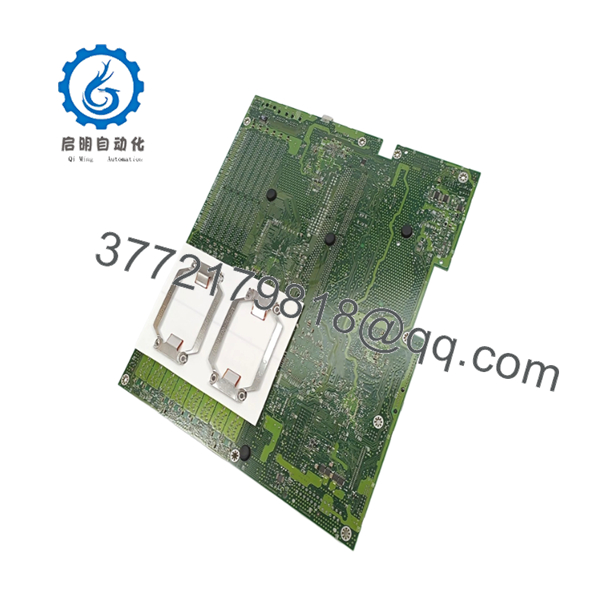
- SE7520JR2 T0038602
5. Installation & Configuration Guide
Stage 1: Pre-Installation (Prep & Safety)
- Turn off AC power feeds supplying the rack cabinet enclosure, verify that all power distribution unit (PDU) cords are detached from the server chassis, and secure the system with lockout/tagout tags.
- Put on an ESD-resistant wrist strap linked firmly to an unpainted grounded steel portion of the system rack structure.
- Use a smartphone camera to take high-resolution overview photos of the internal hardware routing paths, noting all proprietary riser assemblies, auxiliary power feeds, and front panel connector wires.
Stage 2: Removal
- Extract the host server from its rack sliding rails and detach the main chassis top cover panel.
- Disconnect internal SATA/SCSI lines, fan power headers, the auxiliary EPS 12V lines, and any secondary expansion riser brackets.
- Remove the processor heatsinks carefully to prevent accidental socket tension bending. Unscrew the perimeter retention screws securing the mainboard to the chassis tray standoffs. Slide the board forward slightly and pull the unit straight up.
Stage 3: Installation (Clone & Seat)
- Carefully unbox the New Surplus SE7520JR2 board on an anti-static work pad.
- Ensure that any on-board configuration jumper pins for system bus multipliers or chassis management configurations match the settings of the original board exactly.
- Place the board flat onto the tray standoffs, confirming that all back-panel interface ports seat correctly into the I/O shield opening. Tighten the mounting screws securely, reinstall the processors and thermal compound, and hook up all auxiliary power lines and fan clips.
Stage 4: Power-On & Testing
- Re-seat all memory modules and plugin expansion risers, double-checking the security of the cabling runs.
- Close the chassis casing cover, position the server back in its rack location, and reconnect the power links.
- Switch on the system unit. Access the integrated BIOS screen through a local terminal monitor to confirm that the board identifies the dual processors, full memory allocation, and on-board network transceivers without displaying any hardware faults.
6. Firmware/Software Versions & Upgrade Notes
The SE7520JR2 T0038602 utilizes highly integrated system BIOS and IPMI basic controller firmware chips to coordinate peripheral communications and hardware health reporting. It is critical to confirm that the existing operational software build or real-time OS drivers match the board’s stepping code revision layout. Swapping system boards without matching firmware revisions can introduce timing timeouts or block essential initialization handshake commands. If your legacy operating application relies on an explicit older BIOS revision, ensure you update or downgrade the board’s flash memory partition systematically using the verified Intel server deployment toolkit framework before bringing the system back online.
7. Frequently Asked Questions (FAQ)
- What specific structural feature differentiates the T0038602 model variant?
The T0038602 number denotes a specific engineering tracing revision that governs precise power delivery layout components and component stepping parameters on the board. Replacing a T0038602 unit with a different revision variant can trigger software driver incompatibility faults or prevent proper connection with your existing riser board extensions.
- Can this server board operate reliably using non-ECC standard memory modules?
No. The E7520 server chipset requires the use of registered, error-correcting code (ECC) DDR2 SDRAM memory modules. Standard unbuffered consumer-grade memory modules will not clear the post-test boot sequence and will cause continuous error codes.
- Is it necessary to populate both processor sockets for the board to function?
No, this board can be safely booted in a single-processor configuration by populating Socket 1 alone. However, leaving Socket 2 unpopulated will disable the specific memory slots and PCI-X expansion pathways associated with that processor node.
- Why should our procurement group avoid a refurbished alternative for this mainboard?
Refurbished server mainboards are prone to internal capacitor fatigue and trace damage from prolonged thermal exposure within dense rack spaces. These underlying tracking issues are extremely difficult to diagnose and can lead to unexpected soft memory drops or interface faults. A New Surplus board provides a clean, zero-hour platform that ensures standard long-term uptime.
- What specific replacement warranty covers this system component?
Every New Surplus Intel SE7520JR2 system board we distribute is protected by a 1-year functional hardware replacement warranty, securing your backup infrastructure against component-level defects.



